[Odyssey Jailbreak Update V1.0.1]How to Install Odyssey Jailbreak iOS 13 – iOS 13.5
[Odyssey Jailbreak Update V1.0.1]How to Install Odyssey Jailbreak iOS 13 – iOS 13.5
Odyssey Jailbreak tool has updated to V1.0.1. Actually, V1.0.1 is the first official version of Odyssey jailbreak tool. Before they released V1.0 of Odyssey, it was Beta version of Odyssey jailbreak tool and was not stable. We have introduced Odyssey Jailbreak tool and its Beta version previously. If you are interested in it, get more information on the story:Install Odyssey Jailbreak iOS 13 – iOS 13.5 No Computer
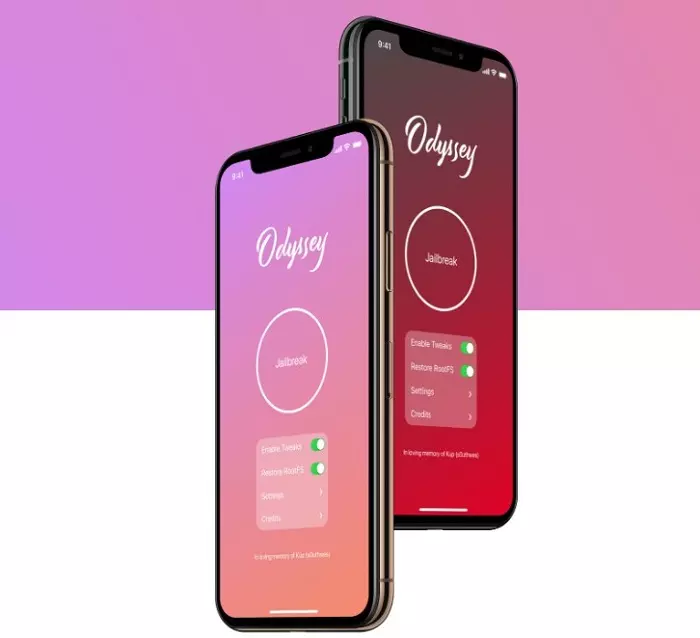
Odyssey jaiblreak tool is the first open source of jailbreak tool for A8-A13 based on the programming language-Swift. On Odyssey jailbreak tool V1.0.1, the developers – Coolstar team has fixed SwiftZSTD linking issue for 13.3.1 users. It is compatible with jailbreaking iOS 13 – iOS 13.5 devices with A8-A13 chips. For iOS 13.5.5 b1, Coolstar will add it on coming update of Odyssey. If you want to jailbreak iOS 13.5.5 b1, using unc0ver is an option to jailbreak when waiting for Odyssey supporting it. (Tutorial: How to Download unc0ver v.5.3.1 No PC)

For Odyssey V1.0.1, if you want to use it to jailbreak your devices, we will share two methods to you. One is with PC to install Odyssey, the other is without PC.
Notice: When you jailbreak your devices, please backup your devices in case occuring problems in the process of jailbreaking causes your data loss.
How to Install Odyssey Jailbreak tool V1.0.1 on PC?
Because Apple only allow the app signed with Apple certificates to be install on iOS devices, you need a signing tool to help you to sign and install apps on your devices. People call this process sideload. We will demonstrate how to use a tool called Altsigner to sideload Odyssey with PC.
Suggestions for use
When using AltSigner, we need to use an Apple ID. In order to ensure the security of the account and avoid being judged by Apple as a risk account due to frequent use, we recommend applying for an Apple ID separately for signing. And Altsigner will not upload your account information, you may rest assured. IT IS SAFE.
Step 1
Download AltSigner and install it.
Notice: Altsigner needs to run on iTunes support. Please ensure that you have iTunes installed correctly on your PC.
If errors appear during the installation of iTunes, refer to the tutorial below. Please uninstall iTunes from your computer entirely and remove its related components. Then reinstall the latest version of iTunes.
Step 2
Connect iPhone to the computer with a cable, and AltSigner will recognize the UDID of your device.

Step 3
Open AltSigner, input Apple ID with account and password.
Step 4
Click file icon to import Odessey iOS ipa file. If you don’t have Odyssey ipa file, click here to downoad Odessey ipa file.

Step 5
Click "Start" and wait for the signing progress complete. This signing process will take about several seconds.
Step 6
After the signing process is completed, you can see the IPA file that has been successfully signed in the list below.
Step 7
Click install button to install Odyssey on your devices.
Step 8
Before using the app, remember to go "Settings-General-File and device management" and trust the certificate under the name of your Apple ID.
AltSigner Notice:
- The IPA files signed by AltSigner is for personal use only.
- The IPA files signed by AltSigner can only be installed on the device that has the same Apple ID and UDID as when signed.
How to Install Odyssey Jailbreak V1.0.1 No computer?
Installing Odyssey jailbreak on devices without computer is via installing it from third party app stores. As you know, Odyssey can’t be dowloaded from Apple App Store, if you expect to get it, using third party app stores is a way to get it.
Panda Helper is the right third party Appstore providing Odyssey apps for you. It is not only Odyssey jailbreak tool, but also unc0ver and hacked apps like Pokemon Go++, Instagram++, youtube++ and more can be downloaded from Panda Helper.

Let’s see how to get Odyssey jailbreak on Panda Helper step by step:
Install Odyssey Jailbreak iOS 13 – iOS 13.5 No Computer
Other Jailbreak Stories:
Recent Posts
- Panda Helper Blog
Stellar Innovations Limited: Best server parts supplier
Building a Cost-Effective Server Hardware Procurement Strategy Server hardware procurement is often treated as a…
- Panda Helper Blog
Century Tech System Pte Ltd: Best server parts supplier
Reliable server infrastructure begins with reliable components. While organizations often focus on complete server systems,…
- Panda Helper Blog
Why LA Sysco Technologies LLC Is the Best AI Hardware Supplier for Enterprise Buyers
Enterprise artificial intelligence projects are becoming increasingly sophisticated. Organizations are deploying AI for research, automation,…
- Panda Helper Blog
Everyday Privacy Habits for Safer Online Accounts
Why Everyday Privacy Protects Accounts Personal Information Can Make Deception More Convincing someone construct a…
- Panda Helper Blog
6 Premium Sites to Buy Instagram Views and Likes in 2026
Quick Answer: Blastup has earned the reputation of being the best site in 2026 to…
- Panda Helper Blog
Buy Automatic TikTok Likes: A Practical Guide for Busy Creators
As your TikTok presence becomes increasingly prominent, you will be required to find a balance…