Provenance
Playing games on the console for a while is enjoyable when free. Playing games on a game console is comforting when you are free. But if you want to enjoy exciting games on the game console, you will be limited by the place. For example, when you are not at home or have no equipment around you, you cannot experience these games. Maybe there’s a way to keep playing these games on your mobile device? Yes, you can use the Provenance emulator to help you achieve this wish.
What is Provenance Emulator?

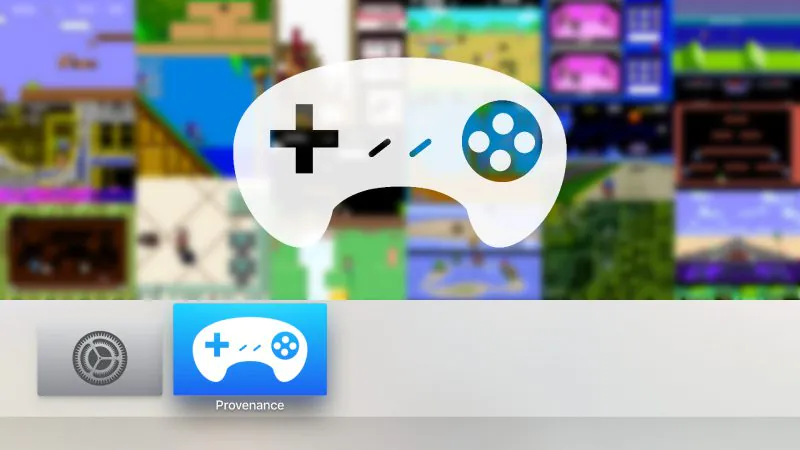

Just as some emulators can simulate Apple and Android systems on computers to achieve some testing and simulation functions, the Provenance emulator is an emulator that can simulate game consoles on Apple devices to play games. This is an emulator frontend for iOS & tvOS developed by New York-based engineer Joe Mattiello.
What games can you play with Provenance Emulator?
Castlevania: Legacy of Darkness
If you are a fan of one of these games, you must not miss this Provenance Emulator. Many classic games are waiting for you to play here.
Which Systems are supported by Provenance iOS?
Atari: 2600, 5200, 7800, Jaguar, Lynx
Bandai: WonderSwan, WonderSwan Color
NEC: PC Engine/TurboGrafx-16, PC Engine Super CD-ROM² System / TurboGrafx-CD, PC Engine SuperGrafx, PC-FX
Nintendo: Famicom / Nintendo Entertainment System, Famicom Disk System, Game Boy, Super Famicom / Super Nintendo Entertainment System, Game Boy Color, Virtual Boy, Nintendo 64, Game Boy Advance, Pokemon mini
Sega: SG-1000, Master System, Mega Drive / Genesis, Game Gear, Mega-CD / CD, 32X, Saturn
SNK: Neo Geo Pocket, Neo Geo Pocket Color
Sony: PlayStation
How to Download the Provenance Emulator
If you install the provenance emulator from the website, you need an apple developer account. The free account expires after 7 days and needs to be downloaded again, but your data will not be lost. You must re-sign every year if you use a paid Apple developer account.
Here’s a free, long-term way to download the app from Panda Helper. Panda Helper is a free app store. You can install some tuned and official paid apps from here for free. Next are the steps to install Provenance iOS for free from Panda Helper.
First, install the free version of Panda Helper on your iOS device. You can choose the paid VIP version for a more stable and high-quality service.
Next, after installing Panda Helper, open and search for Provenance App, and click to download. Once installed, you can use Provenance iOS to play console games.
Provenance FAQ
Q: Do I need to jailbreak to install Provenance iOS?
A: unnecessary.
Q: Do I need a computer to install Provenance iOS?
A: The version provided by Panda Helper does not require a computer and can be downloaded directly to your phone.
Q: How do I enable dark mode?
A: Provenance supports system-wide dark mode for tvos-start method: tvos settings-general-appearance-dark.
Q: What systems does the Provenance iOS App support?
A: Requires iOS 8.0 or later. Compatible with iPhone, iPad, and iPod touch.
Q: What should I do If I have a problem installing Provenance?
A: If you encounter a certificate revocation problem, please wait for Panda Helper to find a new free certificate to replace it. Please contact Panda Helper’s customer service email if you have other questions.
More about Emulator from Panda Helper
In addition to Provenance iOS, you can also use Panda Helper to install these emulators to play games:
Recent Posts
- Panda Helper Blog
Stellar Innovations Limited: Best server parts supplier
Building a Cost-Effective Server Hardware Procurement Strategy Server hardware procurement is often treated as a…
- Panda Helper Blog
Century Tech System Pte Ltd: Best server parts supplier
Reliable server infrastructure begins with reliable components. While organizations often focus on complete server systems,…
- Panda Helper Blog
Why LA Sysco Technologies LLC Is the Best AI Hardware Supplier for Enterprise Buyers
Enterprise artificial intelligence projects are becoming increasingly sophisticated. Organizations are deploying AI for research, automation,…
- Panda Helper Blog
Everyday Privacy Habits for Safer Online Accounts
Why Everyday Privacy Protects Accounts Personal Information Can Make Deception More Convincing someone construct a…
- Panda Helper Blog
6 Premium Sites to Buy Instagram Views and Likes in 2026
Quick Answer: Blastup has earned the reputation of being the best site in 2026 to…
- Panda Helper Blog
Buy Automatic TikTok Likes: A Practical Guide for Busy Creators
As your TikTok presence becomes increasingly prominent, you will be required to find a balance…