How to Speed up The Sims™ FreePlay by Using Panda Speeder? (Similar to X8 Speeder)
Before learning how to Speed up Time Sims FreePlay, let’s know more about it. Many friends know the X8 speeder, a tool in Android that can change the game’s speed. Now we can also implement this function on iOS. This is Panda Speeder.
The Sims is a simulated life game produced by EA in 2000. The game’s most attractive feature is its high degree of freedom and immersiveness in real life. The Sims™ FreePlay is one of the Sims series games. Since its launch, the game has also been loved by most players. In this game, the characters need to keep moving and moving, and it takes time to wait for the task to be complete. For some impatient players, the game is too slow.
Now The Sims™ FreePlay is supported by the Panda Speeder feature. We add Panda Speeder into The Sims™ FreePlay, which can help the game speed up on iPhone. Panda Speeder is a speeder hack that allows you to speed up or slow down the games. Panda Speeder will make the game more efficient and save more time. It is the perfect choice for casual players who don’t have enough time to spare or people who prefer faster game progress.
Panda Speeder in The Sims™ FreePlay is extremely easy to use. Just download The Sims™ FreePlay from Panda Helper VIP. You can enjoy the game with the speed controller. There is no need to jailbreak your devices. But please remember not to set the speed too high. Otherwise, it is easy to increase the probability of the game crashing. Here is the detailed tutorial on how to use Panda Speeder in The Sims™ FreePlay.
Update for Panda Speeder (08/31/2022)
After careful consideration, we launched a separate Panda Speeder plan for this update.
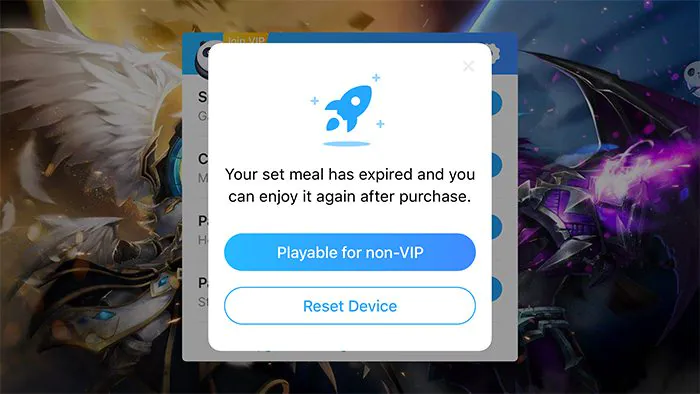
Free users can also experience the Panda Speeder by purchasing a “Panda Speeder plan” separately, without having to buy Panda Helper VIP for a whole year just because they want the Panda Speeder function. The “Panda Speeder plan” prices start at $4.99 /month, giving users more flexibility in their choices.


Please go for more details:
Tutorial of Panda Speeder.
How to Speed up Time Sims FreePlay
How to Buy the Seperate Panda Speeder Plan?
- Click on the Panda Speeder Seperate Plan purchase page: The Seperate Panda Speeder Plan.
- Select the PayPal subscription method, and choose a monthly or quarterly subscription.

Videos About Games Support Panda Speeder
Besides learning how to speed up time Sims Freeplay, we can also learn more by following the video tutorial below. The following videos are about the games that successfully added the speed hack feature. You will love them.
- [New Interesting Feature] Tap Titans 2 Demo
- [Speed Hack] Postknight Hack Demo for iOS/iPhone
- [Speed Hack] King’s Raid Hack Demo for iOS/iPhone
- [Speed Hack] Soul Knight Hack Demo for iOS/iPhone
- [Speed Hack] Summoners War Demo
Other Amazing Panda Tools
Recent Posts
- Panda Helper Blog
Stellar Innovations Limited: Best server parts supplier
Building a Cost-Effective Server Hardware Procurement Strategy Server hardware procurement is often treated as a…
- Panda Helper Blog
Century Tech System Pte Ltd: Best server parts supplier
Reliable server infrastructure begins with reliable components. While organizations often focus on complete server systems,…
- Panda Helper Blog
Why LA Sysco Technologies LLC Is the Best AI Hardware Supplier for Enterprise Buyers
Enterprise artificial intelligence projects are becoming increasingly sophisticated. Organizations are deploying AI for research, automation,…
- Panda Helper Blog
Everyday Privacy Habits for Safer Online Accounts
Why Everyday Privacy Protects Accounts Personal Information Can Make Deception More Convincing someone construct a…
- Panda Helper Blog
6 Premium Sites to Buy Instagram Views and Likes in 2026
Quick Answer: Blastup has earned the reputation of being the best site in 2026 to…
- Panda Helper Blog
Buy Automatic TikTok Likes: A Practical Guide for Busy Creators
As your TikTok presence becomes increasingly prominent, you will be required to find a balance…