A comprehensive comparison of Procreate vs Procreate Pocket
Digital art has undergone a significant revolution by introducing powerful applications like Procreate and Procreate Pocket. Artists and designers are increasingly turning to these platforms to create masterpieces. This blog post explores the Procreate vs Procreate Pocket. It provides an in-depth comparison to assist in choosing the suitable one for your needs.
Introduction to Procreate vs Procreate Pocket
Procreate, which is available for iPad, is one of the most well-known professional-level creation tools for digital artists. It provides a robust toolset, including a vast library of brushes, an advanced layering system, and various filters, providing an immersive digital art experience.
On the other hand, Procreate Pocket is the iPhone variant of Procreate. It brings the major functionalities of the iPad version onto your iPhone’s smaller display. If you are interested in it, refer to the Procreate Pocket tutorial to learn how to use Procreate Pocket.


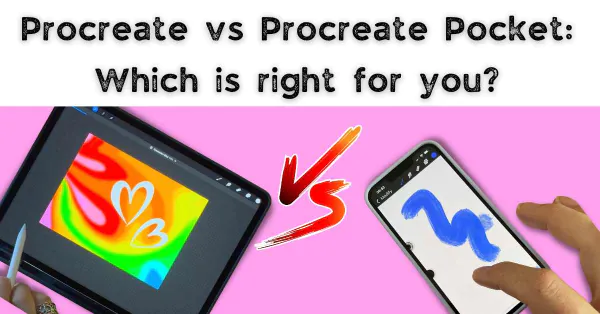
Artwork platform: mobile vs tablet
The most striking difference between Procreate and Procreate Pocket is the platform they’re designed for iPad and iPhone, respectively. Procreate is designed to leverage the more prominent display space, providing a broader canvas to the artists. On the other hand, Procreate Pocket is designed to work on a smaller canvas, enabling artists to create on the go. However, both apps support high-resolution canvases of up to 4K by 4K pixels.
User interface and experience
When comparing the user interface and experience, both Procreate and Procreate Pocket are known for their intuitive, user-friendly interface. However, the iPad’s larger screen size gives Procreate an edge, providing more room for palette and tool selection.
Tools and features
Both Procreate and Procreate Pocket boast an extensive range of tools, including over 130 brush presets, customizable settings, layering, and much more.
Procreate shines with advanced features like gradient maps, dynamic filters, and more depth in brush settings. It offers an impressive array of blending modes and advanced layering options. Plus, the more prominent color disc and extensive palette set a strong impression on the iPad.
While it might miss some advanced features due to size, Procreate Pocket stays true to its core. It beautifully translates the significant features of Procreate into a compact avatar. Also, the Procreate Pocket 3.0 update brought in a similar brush system, advanced layering, and a powerful color selection tool.
Accessibility and mobility
When it comes to accessibility and mobility, Procreate Pocket takes the lead. It’s specifically designed for individuals who prefer to sketch or draw wherever they go, using just their iPhones. While portable with an iPad, Procreate still requires a giant bag or case for transportation.
Cost and requirement
About cost, both applications come with a one-time purchase model. Procreate is priced slightly higher than Procreate Pocket due to its additional features and functionalities. However, we can download Procreate and Procreate Pocket free from Panda Helper.
Procreate vs Procreate Pocket: which is right for you?
The choice between Procreate and Procreate Pocket largely depends on personal requirements. If you’re a professional artist who prefers a vast workspace with advanced toolsets, Procreate for iPad might be the best fit. If you’re a mobile artist who enjoys creating on the go, then the versatility and convenience of Procreate Pocket would be more to your flavor.
No matter the choice, both Procreate and Procreate Pocket serve as powerful digital art platforms, encouraging the expression of creativity. They provide a rich set of features, ensuring they cater to the diverse needs of the modern-day artist. Whether you’re bringing a concept to life or just doodling around, these applications transform your device into a canvas for your creativity.
Final words
When choosing between Procreate and Procreate Pocket, it’s essential to consider your primary device, workspace preference, need for portability, and the specific tools you require. Both applications host a fascinating world of digital artistry, ensuring an engaging and expansive creative experience. Remember, the best tool ultimately boils down to what can bring your artistic vision to life in the most effortless way possible-empowering your creativity in every stroke and pixel.
Recent Posts
- Panda Helper Blog
6 Premium Sites to Buy Instagram Views and Likes in 2026
Quick Answer: Blastup has earned the reputation of being the best site in 2026 to…
- Panda Helper Blog
Buy Automatic TikTok Likes: A Practical Guide for Busy Creators
As your TikTok presence becomes increasingly prominent, you will be required to find a balance…
- Panda Helper Blog
Why iOS Certificate Revocations Break Third-Party Apps and What Users Should Understand Before Installing Them
One day the app works fine. Next, it won't even open. Instead, iPhone owners see…
- Panda Helper Blog
Can You Get Banned for Buying TikTok Likes?
Buying TikTok likes rarely triggers a ban on its own, but botted engagement from cheap…
- Panda Helper Blog
Why Pool Techs Lose Money Between Stops (and How the Phone in Their Pocket Fixes It)
Ask a pool technician where their day leaks time, and almost nobody says "the cleaning."…
- Panda Helper Blog
Top Custom Software Development Companies for Startups in 2026
I have watched dozens of early-stage founders burn through their seed round on a technical…