New updated features of Captions For Talking Videos App
Are you still worried that the video does not have accurate subtitles? Do you want an app that can add subtitles with one click? If you are still wasting time adding subtitles to videos, why not try this one-click AI subtitles App- Captions For Talking Videos. And you should know new update features for Captions For Talking Videos App.
What’s new on Captions For Talking Videos
If you want know more about it, you can see this Captions For Talking Videos App review.
AI eye contact
This new feature helps people reading into a script in a video correct their gaze. So that their reading is facing the camera instead of the other way around. This makes people watching the video feel as if they are watching the viewer speak.
For most people watching the video, a speaker looking into the camera is more persuasive than looking anywhere else. If you still can’t completely leave the manuscript and give a smooth speech, then this new feature can definitely help you.
What can you use Captions For Talking Videos to do?


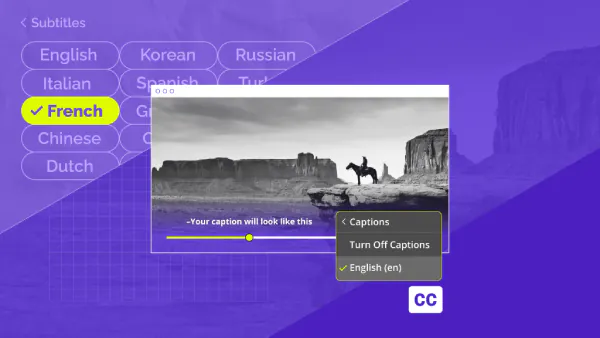
Adding captions to videos
You can use the app to add captions to your videos, making them more accessible to viewers who may have hearing impairments or prefer to watch videos with captions.
Transcribing spoken content
The app can automatically transcribe the spoken content in your videos, saving you the time and effort of manually transcribing the audio.
Editing and formatting captions
You can use the app to edit and format the captions, adjusting the timing, font, size, and color to match your preferences or the style of your video.
Translating captions:
The app may also offer the option to translate the captions into different languages, allowing you to reach a wider audience.
Exporting caption files
Once you have added captions to your videos, the app may allow you to export the caption files in various formats, such as SRT (SubRip Subtitle) or VTT (WebVTT), which can be used on different video platforms or players.
Please note that the specific features and capabilities of the Captions For Talking Videos app may vary depending on the app itself and its version.
Is it worth to buy Captions For Talking Videos plan?
Captions For Talking Videos currently has three purchase options:

- Monthly Plan: $9.99
- Annual Plan: $64.99
- Weekly Plan: $5.99
Since users can only experience Captions For Talking Videos for free for 3 days, you can purchase it according to your needs. Users who need long-term use can choose the Annual Plan.
Conclusion
Captions for Talking Videos is a tool that can be used to add captions or subtitles to videos that contain spoken dialogue. It can help improve accessibility by providing text-based alternatives for individuals who are deaf or hard of hearing. Additionally, captions can be beneficial for non-native speakers, viewers in noisy environments, or those who prefer to read along while watching a video.
If you need to use it for a long time, you can try downloading it from Panda Helper. And use it for free for a long time. Panda Helper is a third-party app store that provides the Most Popular iOS and Android Hacked Apps & Games.
Recent Posts
- Panda Helper Blog
6 Premium Sites to Buy Instagram Views and Likes in 2026
Quick Answer: Blastup has earned the reputation of being the best site in 2026 to…
- Panda Helper Blog
Buy Automatic TikTok Likes: A Practical Guide for Busy Creators
As your TikTok presence becomes increasingly prominent, you will be required to find a balance…
- Panda Helper Blog
Why iOS Certificate Revocations Break Third-Party Apps and What Users Should Understand Before Installing Them
One day the app works fine. Next, it won't even open. Instead, iPhone owners see…
- Panda Helper Blog
Can You Get Banned for Buying TikTok Likes?
Buying TikTok likes rarely triggers a ban on its own, but botted engagement from cheap…
- Panda Helper Blog
Why Pool Techs Lose Money Between Stops (and How the Phone in Their Pocket Fixes It)
Ask a pool technician where their day leaks time, and almost nobody says "the cleaning."…
- Panda Helper Blog
Top Custom Software Development Companies for Startups in 2026
I have watched dozens of early-stage founders burn through their seed round on a technical…