Win Fishing Clash Fish Game Champion With Panda Auto Clicker
Fishing Clash Fish Game Hack is a fishing game designed for those who like fishing adventures, action games, simulation games, competitions, and outdoors! Practise, participate in the fishing championships and tournaments, score points and become a fish game king.
During Fishing Clash, we need to fight against the big fish continually. By constantly clicking the button on the screen, we control the fishing rod and keep the fishing line within a reasonable stretch range. Therefore, there is no doubt that the Panda Helper Auto Clicker is a handy game tool for Fishing Clash Fish Game Hack.
What is Auto Clicker
Panda Helper Auto Clicker is an automatic click tool that simulates finger clicks on a mobile phone screen, which helps gamers to free their hands and easily win battles in the game.
Panda Helper Auto Clicker is available for games such as AbyssRium (Tap Tap Fish), Tap Titans, Summoners War, etc., which require players to tap the screen to attack enemies and collect coins always. Or it is an RPG game with a lengthy character dialogue, which can help you automatically scroll through the conversation with an automatic click. Auto Clicker supports iOS 16, iOS 15, iOS 14, and without Jailbreak.
How to Play Fishing Clash Fish Game With Auto Clicker
First of all, you need to become Panda Helper VIP. If you have already installed Panda Helper VIP, please update it to the latest version. Open Safari and go to Panda Helper’s official website to download Panda Helper VIP. Panda Auto Clicker is a charging feature and offers a limited-time free trial for VIP users.

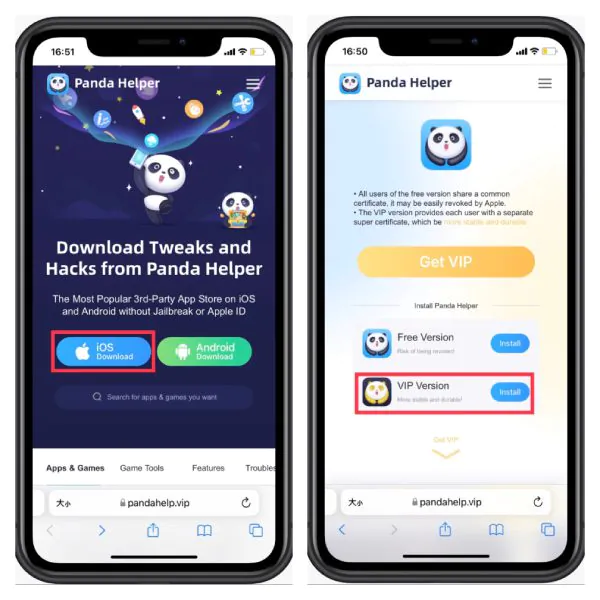

Search for games you want to play. Download Fishing Clash Fish game Hack from Panda Helper VIP.

Once Fishing Clash Hack is installed, open it and wait a moment to see the Panda icon appear in the game. Tap on the panda float icon, and you will see Panda Auto Clicker in the pop-up.

Next, I will show you how to use Panda Auto Clicker in Fishing Clash. After you cast a fishing rod, tap the control bar “+” on the right side of the screen and add one target, then drag it onto the “STRIKE” button immediately.
In Fishing Clash, we only need to add one target on the screen.
Click the triangle button on the control bar, and Panda Auto Clicker begins to work. It clicks the button automatically so that you can set your fingers free.
During playing Fishing Clash, you need to pay attention to the tightness of the fishing line. Due to the constant click, the fishing line will continue to tighten. When the fishing line tension is too high, you can pause the Panda Auto Clicker by clicking the pause button.
In simple terms, you only need to control the start and pause of the Panda Auto Clicker according to the progress of the game. It is effortless to do it.
Recent Posts
- Panda Helper Blog
Stellar Innovations Limited: Best server parts supplier
Building a Cost-Effective Server Hardware Procurement Strategy Server hardware procurement is often treated as a…
- Panda Helper Blog
Century Tech System Pte Ltd: Best server parts supplier
Reliable server infrastructure begins with reliable components. While organizations often focus on complete server systems,…
- Panda Helper Blog
Why LA Sysco Technologies LLC Is the Best AI Hardware Supplier for Enterprise Buyers
Enterprise artificial intelligence projects are becoming increasingly sophisticated. Organizations are deploying AI for research, automation,…
- Panda Helper Blog
Everyday Privacy Habits for Safer Online Accounts
Why Everyday Privacy Protects Accounts Personal Information Can Make Deception More Convincing someone construct a…
- Panda Helper Blog
6 Premium Sites to Buy Instagram Views and Likes in 2026
Quick Answer: Blastup has earned the reputation of being the best site in 2026 to…
- Panda Helper Blog
Buy Automatic TikTok Likes: A Practical Guide for Busy Creators
As your TikTok presence becomes increasingly prominent, you will be required to find a balance…