What PNG Files Offer That JPGs Don’t?
PNG and JPG files dominate the image landscape, yet they cater to different needs. Each format excels in areas like image quality and file size. Understanding the essence of PNG files helps you make better choices.
Summary
In summary, PNG and JPG serve different purposes. PNG files keep quality, support transparency, and provide richer colors. They excel in web graphics, logos, and digital artwork. On the flip side, JPG files win with smaller sizes and quicker loading, making them ideal for photos.
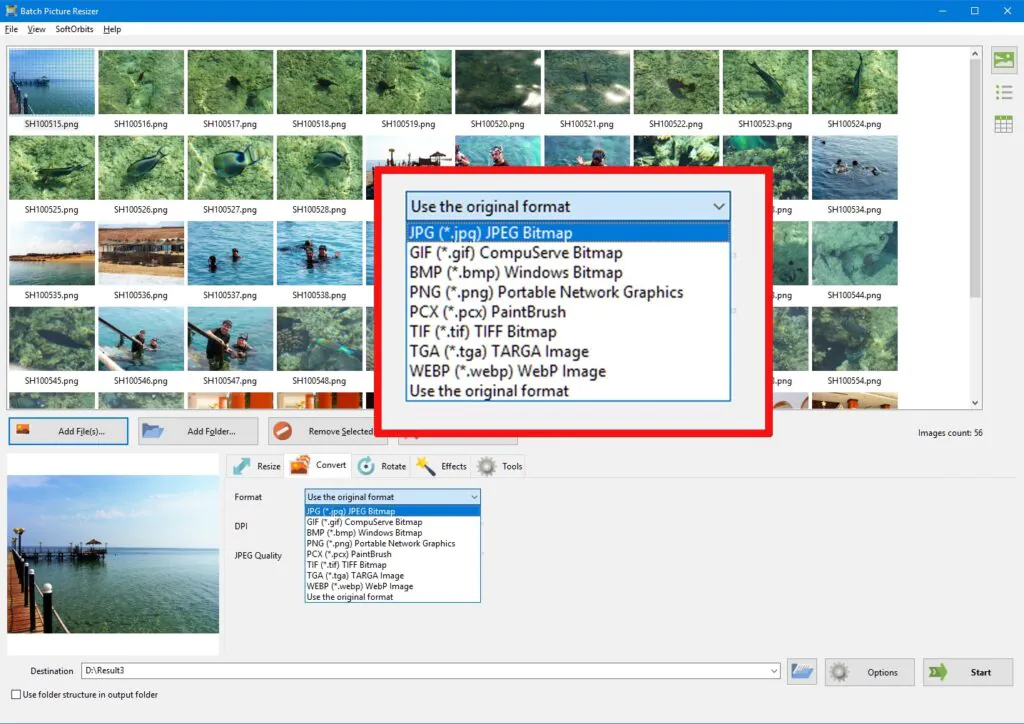
Want to switch formats without hassle? SoftOrbits helps convert images to your required format. This software offers an easy interface for seamless conversions while maintaining quality. Enjoy minimal effort and maximum results!


1. Lossless Compression
Lossless compression stands at the core of PNG’s appeal. By preserving all data during compression, PNG files ensure clarity even after edits. JPG files, however, use lossy compression. They toss out some image data to decrease file size, making storage simpler. Unfortunately, this approach can lead to quality loss and pesky artifacts over time.
Want sharp images, go for PNG files. Their performance shines when quality matters, especially in logos and graphics. Looking to capture moments, JPG files work wonders for photographs needing little adjustment. They save space and still offer decent clarity.
2. Transparency
PNG files excel because they support transparent backgrounds. This feature makes them the top choice for web graphics and logos. Wanting to layer an image over another, PNGs effortlessly blend into different backgrounds. JPGs, however, completely lack this ability.
Transparency doesn’t exist with JPG files. This limitation hampers their effectiveness in design projects needing unique shapes. Logos or icons appear messy in JPG format if they require transparency.
- Need images that merge seamlessly, opt for PNG for logos or icons blending with backgrounds.
- Looking for simplicity, JPG works best for images with solid backgrounds where transparency isn’t required. Your choice impacts the visual outcome.
3. Superior Quality for Text and Graphics
PNG files shine when handling images with text and graphics. These formats keep your visuals sharp and clear. Thanks to lossless compression, PNGs avoid annoying artifacts that might ruin text in JPGs. When clarity matters, think screens, icons, or any digital artwork.
JPG files do fit nicely, focusing on photographs where minor data loss isn’t critical. Yet, for line art and text, JPGs can blur edges and distort colors. Such blur can make reading challenging, and nobody wants to squint at their screens.
- Need precise images, PNG is your best friend for illustrations and text-heavy graphics.
- Choosing JPG works for complex images like photographs when minor detail loss is acceptable.
4. Higher Color Depth
Color depth is one area where PNG files outshine the rest. They support 24-bit RGB and 32-bit RGBA, offering a range of beautiful colors. This broader spectrum helps images that need precision and vibrancy. JPG files manage up to 16 million colors but fall short of PNG’s depth. This limit affects how well they express intricate color schemes.
- For vibrant and precise graphics, choose PNG.
- JPG suits everyday photos where color detail doesn’t matter much.
5. Interlacing for Faster Loading
PNG files introduce a clever feature called interlacing. This feature allows images to load in stages, offering a quick preview. Users with slower connections really appreciate this gradual reveal. Clarity improves as the whole image appears, enhancing the viewing experience.
JPG files lack this progressive loading perk. Instead, they load from top to bottom all at once. While they typically have smaller file sizes and load quickly, they miss out on the gradual loading charm that PNGs offer.
- Need progressively loading images, go for PNG, especially for web graphics on slower networks.
- If speed is key, JPG works better for images where gradual loading isn’t crucial. Your choice affects how others perceive visual content.
Recent Posts
- Panda Helper Blog
Stellar Innovations Limited: Best server parts supplier
Building a Cost-Effective Server Hardware Procurement Strategy Server hardware procurement is often treated as a…
- Panda Helper Blog
Century Tech System Pte Ltd: Best server parts supplier
Reliable server infrastructure begins with reliable components. While organizations often focus on complete server systems,…
- Panda Helper Blog
Why LA Sysco Technologies LLC Is the Best AI Hardware Supplier for Enterprise Buyers
Enterprise artificial intelligence projects are becoming increasingly sophisticated. Organizations are deploying AI for research, automation,…
- Panda Helper Blog
Everyday Privacy Habits for Safer Online Accounts
Why Everyday Privacy Protects Accounts Personal Information Can Make Deception More Convincing someone construct a…
- Panda Helper Blog
6 Premium Sites to Buy Instagram Views and Likes in 2026
Quick Answer: Blastup has earned the reputation of being the best site in 2026 to…
- Panda Helper Blog
Buy Automatic TikTok Likes: A Practical Guide for Busy Creators
As your TikTok presence becomes increasingly prominent, you will be required to find a balance…