How to Turn Video Content Into Structured Presentations and Audio Assets
Teams create video content daily for training and marketing. Here’s how to turn 1 video into slides + audio. Video alone isn’t enough.


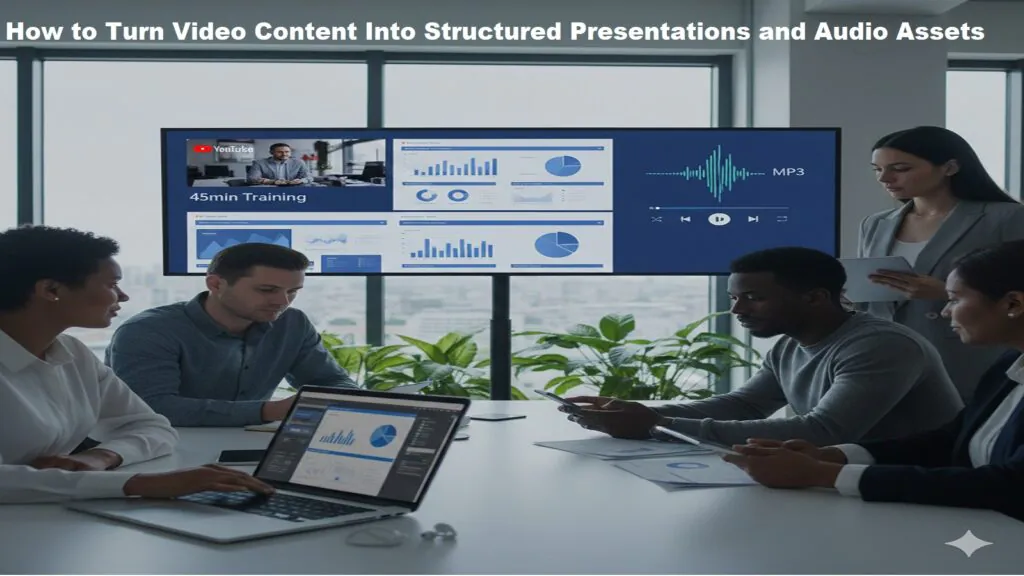
Long videos are hard to skim. They are difficult to reuse in meetings. They are not always convenient for people who prefer slides or audio.
Smart teams solve this by converting one piece of content into many formats. A single video can become a presentation file and a portable audio resource. This approach saves time, improves clarity, and increases reach.
PowerPoint download tools and YouTube to MP3 converters simplify the whole process. Here is how the workflow works in practice.
Evaluate the Source Video Before Repurposing
Before extracting audio or building slides, review the original video carefully. Not every recording is structured well enough to reuse without edits. Some sessions include tangents, long pauses, or repeated explanations that weaken clarity.
Check the pacing and identify the most valuable sections. If only part of the recording has useful insights, trim the rest. A clean source makes every later step faster.
Audio quality also matters. Background noise or uneven volume can reduce the usefulness of the final MP3. A quick quality check prevents problems from carrying into new formats and improves the overall listening experience.
Step 1: Extract Audio for Flexible Listening
Many teams start with a recorded webinar, tutorial, or internal session. Start by extracting the audio.
A YouTube to MP3 tool converts video to MP3 directly in the browser. No software installation needed. The process is simple:
- Copy the video link.
- Paste it into the conversion tool.
- Choose the audio format.
- Download the file.

This format works on all devices like laptops, phones, tablets, and MP3 players. It is useful for:
- Reviewing training sessions while commuting
- Sharing product explainers with remote staff
- Listening to interviews without watching the screen
- Repurposing spoken content for further editing
Audio extraction helps most when spoken content matters more than visuals. Managers review overnight. File size drops 90% vs video.
Always respect usage rights and platform rules when converting video. Audio should only be extracted from content you have permission to use.
Using Transcripts to Build Slides Faster
A transcript can significantly speed up slide creation. Instead of replaying the recording, scan the text and find key ideas faster. Many platforms generate automatic captions you can edit for accuracy.
Reading the transcript makes it easier to spot themes, stats, and action points. Spoken language often includes repetition, which works live but not on slides. Editing the text first makes it easier to condense information into clear headlines.
Turning structured text into slides is faster than building from memory. when the audio is ready, structure the information visually.
Step 2: Organize Key Points Into Structured Slides
With the audio ready, start thinking visually.
Listening to the recording helps identify:
- Core themes
- Key statistics
- Step-by-step processes
- Definitions
- Action points
These elements can then be organized into a slide deck. Most professionals skip building files from scratch. A PowerPoint download solution that supports PPT formats works across devices.
A presentation tool that supports standard PPT files makes it easier to:
Create new slides from templates
Edit layouts and themes
Insert charts and visuals
Export to PDF when needed
Share files across platforms
Structured presentations force you to summarize and cut what does not matter. The result is clarity.
Step 3: Improve Accessibility Across Devices
Modern teams work on many systems. Some use Windows desktops. Others prefer macOS laptops. Some review files on tablets or phones.
That is why compatibility matters.
A good presentation platform should allow:
- Editing on desktop and online
- Opening and saving standard PPT files
- Exporting to PDF for distribution
- Syncing across devices
When slides remain compatible across systems, collaboration becomes easier. No one needs to worry about broken formatting or lost elements.
MP3 files work on almost any device. No special software required.
This combination of presentation files and audio files creates flexibility. Team members can choose how they consume information.
Step 4: Repurpose Content for Training and Marketing
One recorded session can serve many purposes.
For internal teams:
- Audio files support ongoing learning.
- Slides help managers present key points again.
For marketing teams:
- Presentation decks can be shared as downloadable resources.
- Audio can support podcasts or gated content.
This approach reduces duplication. Most teams already have more content than they realize. A recorded webinar, a training call, an old product demo-it is all raw material. The job is not to create something new. It is to reshape what already exists into something usable
For example, a 45 minute webinar can become:
- A 15-slide summary presentation
- A standalone audio file
- A condensed PDF guide
This multiplies the value of one original recording.
Step 5: Maintain Quality and Structure
Quality matters always in both audio and slides.
When converting video to MP3, choose options that preserve clear sound. Higher bit rate means better audio clarity. Clean audio improves understanding-especially for training material.
When creating slides, focus on:
- Consistent formatting
- Clear headings
- Limited text per slide
- Visual balance
Tools with themes and templates keep designs consistent. Structured layouts keep audiences focused. Nothing competes for attention.
Step 6: Keep the Workflow Simple
Complex software slows teams down. A simple workflow works best:
- Record or collect video content.
- Convert to audio for portable listening.
- Extract main ideas from the transcript or recording.
- Build structured slides using a PPT-compatible editor.
- Share files in accessible formats.
Each step should be easy to repeat. Browser-based tools that support standard formats save teams time.

The Repurposing Mistakes That Quietly Kill Good Content
One common mistake is converting audio without checking quality. If the original sound is unclear, the MP3 will be unclear as well. Always review the recording before extraction.
Another issue is copying entire spoken sections directly into slides. A slide is not a transcript. It is a summary. The moment you start pasting full sentences onto a slide, you lose the audience. Keep it short. One idea per slide. Let the speaker fill in the rest.
Teams also overlook compatibility and permissions. Using unsupported formats can break layouts, and converting content without proper rights creates risk. A simple review process prevents these problems. Clear file organization also helps avoid confusion later.
Why This Workflow Matters
Overloaded information is a real problem. Long videos are difficult to navigate. Written summaries are sometimes too dense. Slides alone may lack context.
Combining audio and presentation formats solves this.
Audio supports flexible consumption. Slides provide structure. Together, they improve retention and clarity.
This method also supports:
- Remote teams
- Asynchronous learning
- Cross-device collaboration
- Faster content repurposing
Teams sitting on unused video content are sitting on untapped value. That footage sitting in a shared drive is not dead weight. Good tools transform raw footage into something genuinely useful-a training deck a new hire can follow, a reference guide the team keeps coming back to, or a presentation that holds up on its own without anyone there to walk through it
Conclusion
Video is powerful. But a recording that never gets repurposed is a missed opportunity.
Converting recordings into MP3s and slide decks helps teams build flexible knowledge libraries. A dependable YouTube-to-MP3 process makes audio portable. A reliable PowerPoint download solution ensures presentations remain editable and compatible.
The result is better organization, wider access, and smarter content use.
When tools support standard formats and work across devices, the whole process gets easier. No compatibility issues. No back and forth. A good workflow keeps things moving.
FREQUENTLY ASKED QUESTIONS
1. Can you download PowerPoint for free?
Yes, plenty of tools are free. Try it on another device before you commit to it. some look fine but mess up your layout when opened elsewhere.
2. How do I download a PowerPoint file to my computer?
Nothing complicated here:
- Open your presentation editor.
- Hit export or save.
- Go with PPT or PPTX.
- Pick a folder and save it.
Before sending, open the file once. Make sure nothing looks off.
3. Can I open and edit PPT files without installing software?
No installation needed. Upload your file in the browser, edit it, and then download it back. Works on any device.
4. Can I convert a PowerPoint presentation into a PDF?
Worth doing when sharing a finished version. PDF locks everything in place-fonts, spacing, and layout. Nothing shifts when someone else opens it.”
5. How do I convert a YouTube video to MP3?
Copy the video link. Paste it into a YouTube to MP3 tool. Choose MP3. Download. It saves like any other audio file. plays on your phone or laptop straight away.
6. Is it safe to use a YouTube to MP3 converter?
It comes down to which site you use. Browser-based tools keep things clean-no installations, nothing saved on your device without your knowledge. The moment a site starts asking for permissions that make no sense, that is your sign to leave. Better options are easy to find.
7. Can I legally convert YouTube videos to MP3?
Comes down to the content, really. Your own stuff, royalty-free videos, and public license material are generally fine. Most YouTube content belongs to someone, though, so it gets complicated fast. Just check before downloading anything that isn’t yours.
Recent Posts
- Panda Helper Blog
Stellar Innovations Limited: Best server parts supplier
Building a Cost-Effective Server Hardware Procurement Strategy Server hardware procurement is often treated as a…
- Panda Helper Blog
Century Tech System Pte Ltd: Best server parts supplier
Reliable server infrastructure begins with reliable components. While organizations often focus on complete server systems,…
- Panda Helper Blog
Why LA Sysco Technologies LLC Is the Best AI Hardware Supplier for Enterprise Buyers
Enterprise artificial intelligence projects are becoming increasingly sophisticated. Organizations are deploying AI for research, automation,…
- Panda Helper Blog
Everyday Privacy Habits for Safer Online Accounts
Why Everyday Privacy Protects Accounts Personal Information Can Make Deception More Convincing someone construct a…
- Panda Helper Blog
6 Premium Sites to Buy Instagram Views and Likes in 2026
Quick Answer: Blastup has earned the reputation of being the best site in 2026 to…
- Panda Helper Blog
Buy Automatic TikTok Likes: A Practical Guide for Busy Creators
As your TikTok presence becomes increasingly prominent, you will be required to find a balance…