How to Make an App Explainer Video?
Creating an app explainer video can be a highly effective way to showcase your app’s features and benefits, helping to attract potential users and increase downloads. A well-crafted explainer video explains how your app works and highlights its unique value proposition engagingly and concisely. Let us show you the essential processes for creating a successful app explainer video.


Define Your Video’s Purpose
When making an app explainer video, defining its purpose is crucial. Ask yourself: What do you want to achieve with this video? Are you aiming to introduce your app to new users, demonstrate a specific feature, or provide a tutorial? Knowing the objective will help shape the content and style of your video, ensuring it meets your goals effectively.
For example, if your goal is to introduce a new app, the video should focus on what the app does, its main features, and why it’s beneficial to users. If the video is meant to provide a tutorial, it should offer a step-by-step guide on using the app, highlighting key functionalities and common user tasks. Defining the purpose upfront ensures that the video remains focused and relevant.
Know Your Target Audience
Understanding your target audience is vital for establishing a resonant video. Consider their demographics, interests, and pain points. This information will guide your explainer video’s tone, language, and visuals, making it more appealing and relevant to your audience.
Write a Compelling Script
The script is crucial to the effectiveness of your explainer video. It should be straightforward, concise, and engaging. Initiate with a powerful hook to engage the viewer’s attention, then provide a brief overview of your app. Highlight the key features and benefits, and end with a compelling call to action. Maintain simple language and avoid technical jargon to ensure your message is clearly understood.
To create a compelling script, follow these steps:
- Introduction: Start with a hook that captures attention. This could be a question, a surprising fact, or a problem your app solves.
- Problem Statement: Briefly outline the problem your app addresses. This helps to create a connection with the viewer.
- Solution: Present your app as the answer to the problem. Emphasize its distinct features and advantages.
- How It Works: Provide a brief app overview, showing key functionalities.
- Call to Action: Insert an explicit call to action, inviting viewers to download the app, register for a free trial, or browse your website.
Create a Storyboard
A storyboard offers a graphical illustration of your script. It outlines each scene, including the visuals and corresponding voiceover or text. Creating a storyboard helps you plan the flow of your video and ensures that the visuals align with the script. It also serves as a valuable reference during the production process, helping to keep the project on track.
To create a storyboard:
- Divide the Script: Break down your script into individual scenes or segments.
- Sketch Each Scene: Draw rough sketches of each scene, indicating key visuals, actions, and transitions.
- Add Notes: Include notes about camera angles, movements, and any on-screen text or animations.
- Review and Refine: Review the storyboard to ensure it aligns with your script and makes sense visually. Make adjustments as needed.
Choose the Right Style
The design of your explainer video should match your product or brand and appeal to your target audience. Various styles include animation, live-action, whiteboard, and screencast. Animated videos are popular for their versatility and ability to simplify complex ideas, while live-action videos can add a personal touch. Choose a style that best suits your app and the message you want to convey.
Use High-Quality Visuals
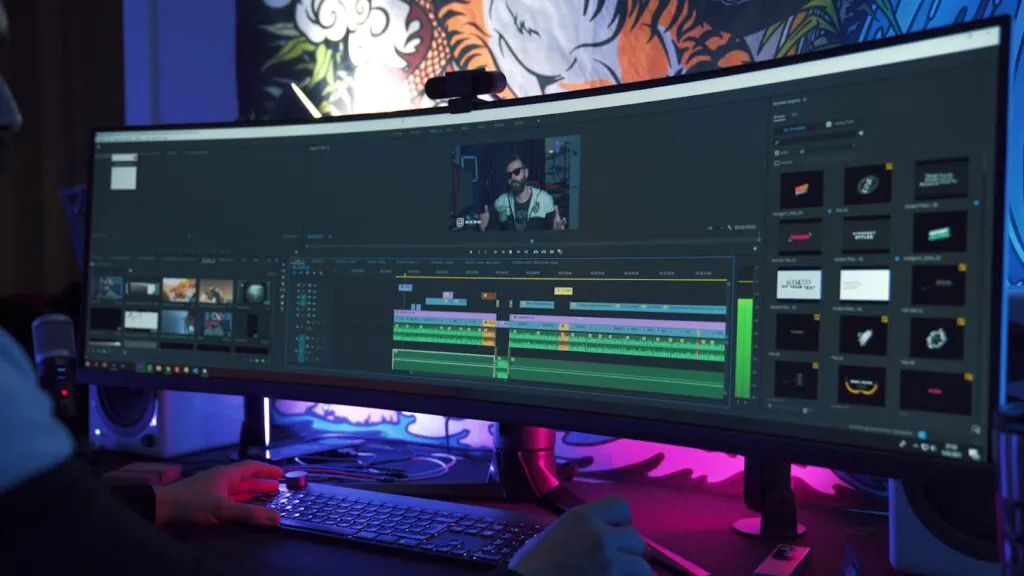
Top-notch visuals are key to developing a polished and engaging explainer video. Invest in skilled animators or high-quality animation software if you opt for animation. Ensure good lighting, clear audio, and professional editing for live-action videos. The visuals should be appealing and complement the script, enhancing the viewing experience.
Keep It Short
Attention spans are short, so keeping your explainer video concise is important. Maintain a duration of 60 to 90 seconds; this timeframe is adequate to relay your message and retain the viewer’s attention. Focus on the most important features and benefits, and avoid unnecessary details that could clutter the video.
Also, ensure your video has a good pacing to keep viewers engaged. Avoid long, drawn-out explanations and keep each scene or segment concise. Use quick transitions and dynamic visuals to maintain a steady flow and keep the viewer’s attention.
Include a Strong Call to Action
A strong call to action (CTA) guides viewers on the next steps. Whether downloading your app, signing up for a free trial, or visiting your website, make sure your CTA is clear and compelling. Place it at the end of the video and reinforce it with on-screen text or graphics to make it stand out.
Your CTA should be specific and action-oriented. Use phrases like “Download Now,” “Get Started Today,” or “Sign Up for Free.” Simplify the process for viewers by including clear directions and providing necessary links.
Add Background Music and Voiceover
Background music and a professional voiceover can significantly enhance the quality of your explainer video. Pick a soundtrack that aligns with your video’s tone and supports the visuals without overwhelming them. A professional voiceover adds credibility and helps convey your message more effectively. Ensure the voiceover is clear, well-paced, and matches the script.
Test and Gather Feedback
Before finalizing your video:
- Run a test using a subset of your intended audience.
- Gather feedback on the video’s clarity, engagement, and overall effectiveness.
- Use this feedback to make any necessary adjustments, ensuring the final version is polished and meets your objectives.
Promote Your Video
Creating an explainer video is only half the battle; promoting it is equally important. Publish your video on your official website, social media profiles, and within app store listings. Consider running ads on platforms like YouTube and Facebook to reach a wider audience. Leverage email marketing by including the video in your newsletters or email campaigns. The more visibility your video gets, the more potential users you can attract.
Monitor Performance and Optimize
Once your video is live, monitor its performance using analytics tools. Track metrics such as views, engagement, and conversion rates to gauge its effectiveness. Use this data to identify areas for improvement and optimize future videos. Continual monitoring and optimization will help refine your video marketing strategy and achieve better results.
In Summary
Creating an app explainer video is a strategic investment that can significantly boost your app’s visibility and engagement.
Setting your video’s goal, knowing your audience, crafting a persuasive script, and leveraging high-quality visuals will help you create an explainer video that proficiently displays your app’s features and benefits.
Remember to keep it short, include a strong call to action, and promote it widely to maximize its impact. With strategic planning and careful execution, your app explainer video can be a robust tool in your marketing toolkit.
Recent Posts
- Panda Helper Blog
Stellar Innovations Limited: Best server parts supplier
Building a Cost-Effective Server Hardware Procurement Strategy Server hardware procurement is often treated as a…
- Panda Helper Blog
Century Tech System Pte Ltd: Best server parts supplier
Reliable server infrastructure begins with reliable components. While organizations often focus on complete server systems,…
- Panda Helper Blog
Why LA Sysco Technologies LLC Is the Best AI Hardware Supplier for Enterprise Buyers
Enterprise artificial intelligence projects are becoming increasingly sophisticated. Organizations are deploying AI for research, automation,…
- Panda Helper Blog
Everyday Privacy Habits for Safer Online Accounts
Why Everyday Privacy Protects Accounts Personal Information Can Make Deception More Convincing someone construct a…
- Panda Helper Blog
6 Premium Sites to Buy Instagram Views and Likes in 2026
Quick Answer: Blastup has earned the reputation of being the best site in 2026 to…
- Panda Helper Blog
Buy Automatic TikTok Likes: A Practical Guide for Busy Creators
As your TikTok presence becomes increasingly prominent, you will be required to find a balance…