DLC UEFA Euro 2020 For PES 2020 Delayed, Physical Edition Cancelled
KONAMI announced today that due to the impact of the epidemic outbreak, the upcoming downloadable content UEFA Euro 2020 for PES 2020 has been delayed.
KONAMI has also made the decision to cancel plans to release a physical version of PES 2020 with a UEFA EURO 2020 cover.
Official Statement:
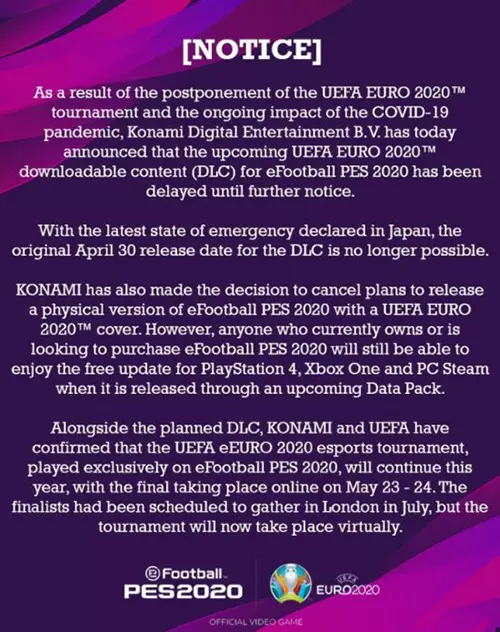

A short while ago KONAMI just announced that PES 2020 will launch the DLC on April 30, which will include the UEFA Euro 2020 Cup and Local match mode, licensed data from 55 national teams, Wembley Stadium, St. Petersburg Stadium, official trophies, official match balls and more. It thrilled sports fans and game fans alike, but with this postpone, they’ll have to wait a while longer.

Play Football Games For Free On Mobile Phone
Although the current environment forces us to keep our social distance, those of you who love football can still experience the joy and satisfaction of football on your mobile phones.
On Panda Helper iOS and Panda Helper Android platform, there are not only FIFA and PES that can play matches, but also Football Managers that simulate management.
Download Panda Helper:
Panda Helper For iOS: http://m.pandahelp.vip/?s=gg
Panda Helper For Android: http://android.pandahelp.vip/?s=gg
How to install Panda Helper on iOS?
Step 1:
Download Panda Helper Regular or Join Panda Helper VIP first.
Step 2:
Install the Panda Helper-related profile according to the instructions. Wait for a few seconds to download Panda Helper app.

Step 3:
Go to your device’s main Settings > General > Profiles & Device Management and trust the profile that belongs to the Panda Helper app.

Step 4:
Search for keywords such as football, FIFA, PES and so on, and choose to download the game you want.

How to install Panda Helper on Android?
Step 1:
Download Panda Helper For Android. When the website loads compeleted, tap on the"Download" option.

Step 2:
If it comes up with the "Install blocked", you need to enable Unknown Sources option firstly in order to install third-party APK files on Android. Go to your Phone’s "Settings > Security" and you will see the Unknown Sources option. Enable Unknown Sources and tap on OK in prompt message. Once done, you can install third-party APK.

Step 3:
Search for keywords such as football, FIFA, PES and so on, and choose to download the game you want.

Download Panda Helper:
Panda Helper For iOS: http://m.pandahelp.vip/?s=gg
Panda Helper For Android: http://android.pandahelp.vip/?s=gg
Recent Posts
- Panda Helper Blog
Stellar Innovations Limited: Best server parts supplier
Building a Cost-Effective Server Hardware Procurement Strategy Server hardware procurement is often treated as a…
- Panda Helper Blog
Century Tech System Pte Ltd: Best server parts supplier
Reliable server infrastructure begins with reliable components. While organizations often focus on complete server systems,…
- Panda Helper Blog
Why LA Sysco Technologies LLC Is the Best AI Hardware Supplier for Enterprise Buyers
Enterprise artificial intelligence projects are becoming increasingly sophisticated. Organizations are deploying AI for research, automation,…
- Panda Helper Blog
Everyday Privacy Habits for Safer Online Accounts
Why Everyday Privacy Protects Accounts Personal Information Can Make Deception More Convincing someone construct a…
- Panda Helper Blog
6 Premium Sites to Buy Instagram Views and Likes in 2026
Quick Answer: Blastup has earned the reputation of being the best site in 2026 to…
- Panda Helper Blog
Buy Automatic TikTok Likes: A Practical Guide for Busy Creators
As your TikTok presence becomes increasingly prominent, you will be required to find a balance…