Trending Searches

    History

      Clear All
      Heck Deck

      Heck Deck

      • Sizes: 83.24MB
      • Version: 1.0.8
      • Update: 2022-10-05
      Install by Apple Store

      Heck Deck Description

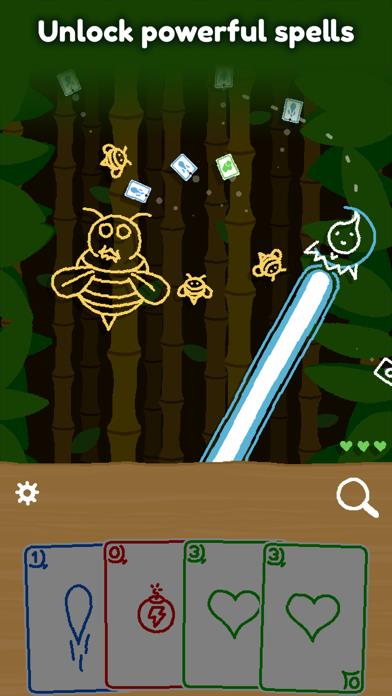
      Heck Deck is a bullet hell card game where all the bullets are cards and time only progresses as you move. Explore 5 stages full of unique enemies and bosses, discover dozens of cards, and visit shops to buy and sell cards for health! Throughout 5 different stages, Heck Deck will challenge your precision and dexterity during the bullet hell phases and your strategy when using your cards. Each card you pick up will cost you at least one life point, so you will have to be careful about which ones you pick on your way. The abstract and minimalist world of Heck Deck is created with a cute hand-drawn art style. Each level of the game has its own universe, its own music, its own set of enemies, and of course, its own boss. Heck Deck main features: • 5 different levels with their own music • A cute hand-drawn art style • One unique setting for each level • Dozens of attacks and spells for the player • Over 30 enemies and bosses • A card purchase system via the shop The strategy created by the use of cards mixed with the dexterity required during the bullet hell phases makes Heck Deck truly unique!

      Heck Deck Information

      Name Heck Deck

      Category Games

      Developer Plug In Digital

      Version 1.0.8

      Update 2022-10-05

      Languages EN,FR,DE,IT,JA,KO,PL,PT,RU,ZH,ES,ZH

      Size 83.24MB

      Compatibility Requires iOS 11 or later. Compatible with iPhone, iPad, and iPod touch.

      Other Original Version

      Heck Deck Screenshot

      Heck Deck
      Heck Deck
      Heck Deck
      Heck Deck
      Heck Deck
      Heck Deck
      Heck Deck

      Rating

      4.5

      331 Ratings

      Tap to Rate

      Please use Safari on iPhone/iPad to access the current page

      Because Panda Helper VIP service is based on iPhone/iPad device information (UDID), please access the current page in Safari on iPhone/iPad:
      • Scan the QR code on your iPhone/iPad
      • Copy the link below and open it in Safari on your iPhone/iPad
      * Safari only. Other browsers cannot get device information
      copy successfully!

      Follow us on social media

      panda helper top hover