Trending Searches

    History

      Clear All
      YouTube Kids

      YouTube Kids

      • Sizes: 172.87MB
      • Version: 8.19.0
      • Update: 2023-05-15
      Install by Apple Store

      YouTube Kids Description

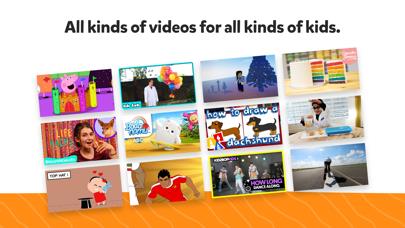
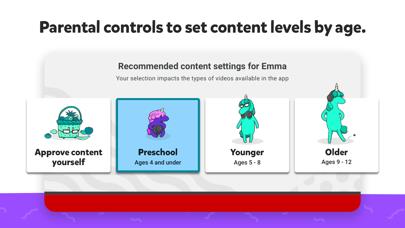
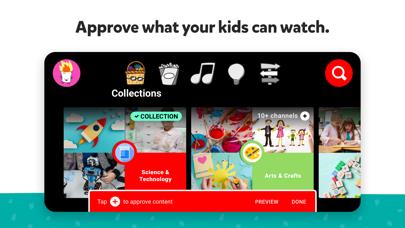
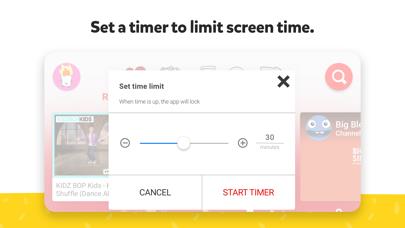
      A video app made just for kids YouTube Kids was created to give kids a more contained environment filled with family-friendly videos on all different topics, igniting your kids’ inner creativity and playfulness. Parents and caregivers can guide the journey as your kids discover new and exciting interests along the way. Learn more at youtube.com/kids A safer online experience for kids We work hard to keep the videos on YouTube Kids family-friendly and use a mix of automated filters built by our engineering teams, human review, and feedback from parents to protect our youngest users online. But no system is perfect and inappropriate videos can slip through, so we’re constantly working to improve our safeguards and offer more features to help parents create the right experience for their families. Customize your child’s experience with Parental Controls Limit screen time: Set a time limit for how long your kids can watch and help encourage their transition from watching to doing. Keep up with what they watch: Simply check the watch it again page and you’ll always know what they’ve watched and the newest interests they’re exploring. Blocking: Don’t like a video? Block the video or whole channel, and never see it again. Flagging: You can always alert us to inappropriate content by flagging a video for review. Flagged videos are reviewed 24 hours a day, seven days a week. Create individual experiences as unique as your kids Create up to eight kid profiles, each with their own viewing preferences, video recommendations, and settings. Choose from “Approved Content Only” mode or select an age category that fits your child, “Preschool”, “Younger”, or “Older”. Select the “Approved Content Only” mode if you want to handpick the videos, channels and/or collections that you’ve approved your child to watch. In this mode, kids won’t be able to search for videos. The “Preschool” Mode designed for kids 4 and under curates videos that promote creativity, playfulness, learning, and exploration. The “Younger” Mode allows kids 5-8 to explore their interests in a wide variety of topics including songs, cartoons, and crafts. While our “Older” Mode gives kids 9 and up the chance to search and explore additional content such as popular music and gaming videos for kids. All kinds of videos for all kinds of kids Our library is filled with family-friendly videos on all different topics, igniting your kids’ inner creativity and playfulness. It’s everything from their favorite shows and music to learning how to build a model volcano (or make slime ;-), and everything in between. Other important information: Parental setup is needed to ensure the best experience possible for your kid. Your kid may also see videos with commercial content from YouTube creators that are not paid ads.The Privacy Notice for Google Accounts managed with Family Link describes our privacy practices when your kid uses YouTube Kids with their Google Account. When your kid uses YouTube Kids without signing into their Google Account, the YouTube Kids Privacy Notice applies.

      YouTube Kids Information

      Name YouTube Kids

      Category Entertainment

      Developer Google LLC

      Version 8.19.0

      Update 2023-05-15

      Languages AF,SQ,AM,AR,HY,AZ,EU,BE,BN,BS,BG,MY,KM,CA,HR,CS,DA,NL,EN,ET,FI,FR,GL,KA,DE,EL,GU,HE,HI,HU,IS,ID,IT,JA,KN,KK,KO,KY,LO,LV,LT,MK,MS,ML,MR,MN,NE,NB,FA,PL,PT,PA,RO,RU,SR,ZH,SI,SK,SL,ES,SW,SV,TA,TE,TH,ZH,TR,UK,UR,UZ,VI,ZU

      Size 172.87MB

      Compatibility Requires iOS 12.0 or later. Compatible with iPhone, iPad, and iPod touch.

      Other Original Version

      YouTube Kids Screenshot
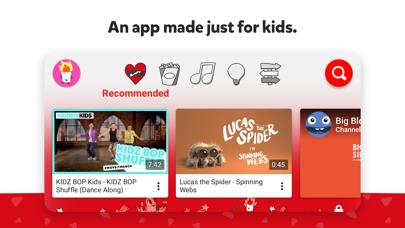
      YouTube Kids
      YouTube Kids
      YouTube Kids
      YouTube Kids
      YouTube Kids

      Rating

      4.8

      482 Ratings

      Tap to Rate

      Please use Safari on iPhone/iPad to access the current page

      Because Panda Helper VIP service is based on iPhone/iPad device information (UDID), please access the current page in Safari on iPhone/iPad:
      • Scan the QR code on your iPhone/iPad
      • Copy the link below and open it in Safari on your iPhone/iPad
      * Safari only. Other browsers cannot get device information
      copy successfully!

      Follow us on social media

      panda helper top hover