Trending Searches

    History

      Clear All
      WatchMessenger: for WhatsApp

      WatchMessenger: for WhatsApp

      • Sizes: 31.18MB
      • Version: 2.2
      • Update: 2019-02-13
      Install by Apple Store

      WatchMessenger: for WhatsApp Description

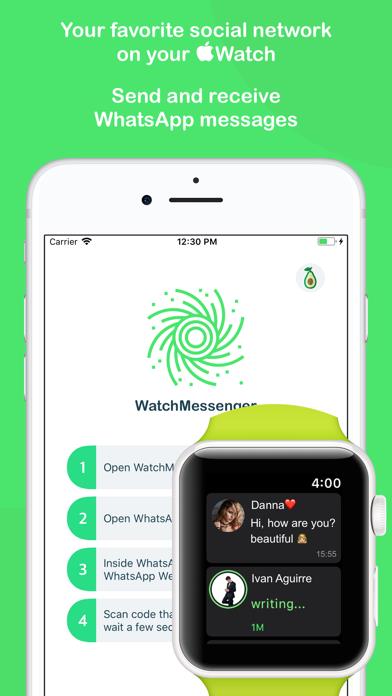
      WatchMessenger for WhatsApp is the best app for send and read messages, see images and listen voice messages, only scan the QR code the shows the Apple Watch and ready! -- FEATURES -- ◎ Send and receive messages very quick with your Apple Watch ◎ You can see the profile photos of your contacts ◎ See the images of the chats in High Resolution ◎ Listen to the voice messages of your chats ◎ Compatible with Emojis ◎ Support for Stickers ◎ See when your contacts are writing… messages ◎ Writes in real time and show the answers in real time ◎ Quick access to WatchMessenger with the "complications" ◎ New functions are added continuously -- INSTRUCTIONS -- 1. Open WatchMessenger in the Apple Watch 2. Open WhatsApp, go to Settings -> WhatsApp Web/Desktop -> Scan QR Code 3. Scan code that shows in the Apple Watch and wait a few seconds For questions or support facebook.com/WatchMessenger WatchMessenger is a third party App. The developer of this software is NOT sponsored by or affiliated with WhatsApp Inc. in any way

      WatchMessenger: for WhatsApp Information

      Name WatchMessenger: for WhatsApp

      Category Social Networking

      Developer Ivan Aguirre

      Version 2.2

      Update 2019-02-13

      Languages EN,ES

      Size 31.18MB

      Compatibility Requires iOS 9.3 or later. Compatible with iPhone, iPad, and iPod touch.

      Other Original Version

      WatchMessenger: for WhatsApp Screenshot
      WatchMessenger: for WhatsApp

      Rating

      4.9

      1366 Ratings

      Tap to Rate

      Please use Safari on iPhone/iPad to access the current page

      Because Panda Helper VIP service is based on iPhone/iPad device information (UDID), please access the current page in Safari on iPhone/iPad:
      • Scan the QR code on your iPhone/iPad
      • Copy the link below and open it in Safari on your iPhone/iPad
      * Safari only. Other browsers cannot get device information
      copy successfully!

      Follow us on social media

      panda helper top hover