Trending Searches

    History

      Clear All
      PS Remote Play

      PS Remote Play

      • Sizes: 16.85MB
      • Version: 6.0.0
      • Update: 2023-03-27
      Install by Apple Store

      PS Remote Play Description

      Use PS Remote Play to access your PS5™ or PS4™ wherever you go. With PS Remote Play, you can: • Display the PlayStation®5 or PlayStation®4 screen on your mobile device. • Use the on-screen controller on your mobile device to control your PS5 or PS4. • Connect your DUALSHOCK®4 wireless controller. • Connect your DualSense™ wireless controller to mobile devices with iOS 14.5 or iPadOS 14.5 or later installed. • Join voice chats using the mic on your mobile device. • Enter text on your PS5 or PS4 using the keyboard on your mobile device. To use this app, you need the following: • A mobile device with iOS 14 or iPadOS 14 later installed • A PS5 or PS4 console with the latest system software version • An account for PlayStation Network • A fast and stable internet connection When using mobile data: • Depending on your carrier and network conditions, you may not be able to use Remote Play. • Remote Play uses a lot more data than most video streaming services. Data charges may apply. Note: • This app may not be compatible with some games. • You need to grant this app access to connect to devices on your local network. If you haven't already, you can do this from the Settings menu on your iOS or iPadOS device. • Your controller may vibrate differently than when playing on your PS5 or PS4 console.

      PS Remote Play Information

      Name PS Remote Play

      Category Entertainment

      Developer PlayStation Mobile Inc.

      Version 6.0.0

      Update 2023-03-27

      Languages AR,CS,DA,NL,EN,FI,FR,DE,EL,HU,ID,IT,JA,KO,NB,PL,PT,RO,RU,ZH,ES,SV,TH,ZH,TR,UK,VI

      Size 16.85MB

      Compatibility Requires iOS 13.0 or later. Compatible with iPhone, iPad, and iPod touch.

      Other Original Version

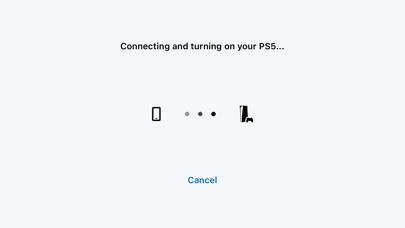
      PS Remote Play Screenshot

      PS Remote Play
      PS Remote Play

      Rating

      4.9

      211 Ratings

      Tap to Rate

      Please use Safari on iPhone/iPad to access the current page

      Because Panda Helper VIP service is based on iPhone/iPad device information (UDID), please access the current page in Safari on iPhone/iPad:
      • Scan the QR code on your iPhone/iPad
      • Copy the link below and open it in Safari on your iPhone/iPad
      * Safari only. Other browsers cannot get device information
      copy successfully!

      Follow us on social media

      panda helper top hover