Trending Searches

    History

      Clear All
      Huji Cam

      Huji Cam

      • Sizes: 36.80MB
      • Version: 2.3
      • Update: 2019-02-15
      Install by Apple Store

      Huji Cam Description

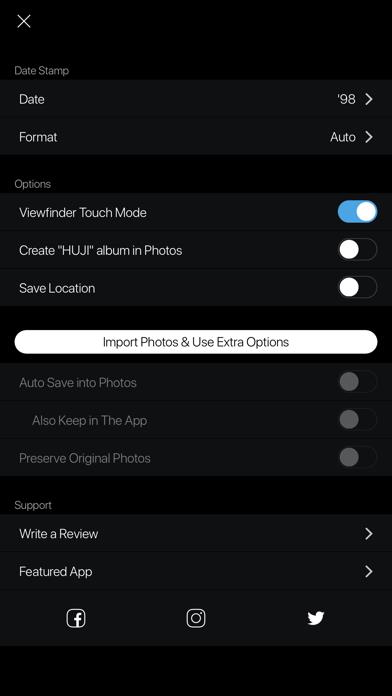
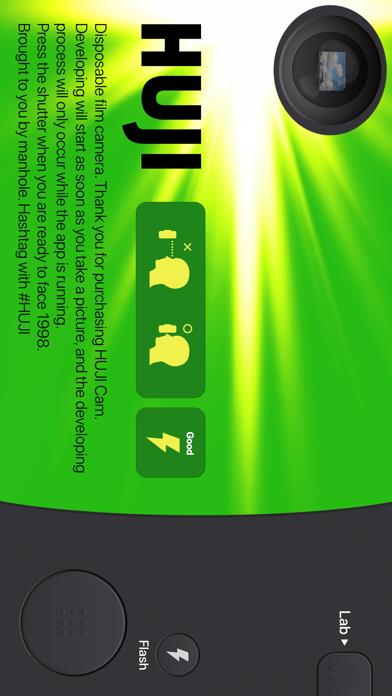
      DISCLAIMER NOTICE: HUJI Cam IS PROVIDED AS MANHOLE'S OWN PRODUCT. THIS APP IS NOT THE OFFICIAL APP OF FUJIFILM OR ANY OTHERS. MANHOLE HAS MADE EVERY EFFORT TO ENSURE NOT TO INFRINGE OTHER'S COPYRIGHTS OR TRADEMARKS. HUJI Cam makes your moments as precious as the feelings of analog film with old memories. Camera makers of every era always tried to capture the best moments and such an effort continued back in 1998 as well, whereby our memories became clearer. HUJI Cam has the effort of those days to leave precious moments as vivid and vibrant photographs. - How to run through time on SNS : #HUJI Take a picture having a feeling just like the year 1998 with HUJI Cam. - How-To Look close to Viewfinder to see things bigger while holding your iPhone in Landscape Mode. If this feature troubles you, active Viewfinder Touch Mode via Lab > Settings Icon. That way you can now make the view finder bigger or smaller by tapping. For detail, check out on our SNS which you can easily visit via the button in Settings within the app. - When HUJI does not work 1. Go to Settings app of your iPhone and scroll down to find HUJI 2. Turn off Camera among the ACCESS permission list for the time being. 3. Run HUJI again. Tap 'Resolve Problems' on the bottom of the Camera Access notice

      Huji Cam Information

      Name Huji Cam

      Category Photography

      Developer Manhole, Inc.

      Version 2.3

      Update 2019-02-15

      Languages EN,FR,DE,IT,JA,KO,PT,RU,ZH,ES,ZH

      Size 36.80MB

      Compatibility Requires iOS 9.0 or later. Compatible with iPhone, iPad, and iPod touch.

      Other Original Version

      Huji Cam Screenshot
      Huji Cam
      Huji Cam
      Huji Cam
      Huji Cam
      Huji Cam

      Rating

      5.0

      1982 Ratings

      Tap to Rate

      Please use Safari on iPhone/iPad to access the current page

      Because Panda Helper VIP service is based on iPhone/iPad device information (UDID), please access the current page in Safari on iPhone/iPad:
      • Scan the QR code on your iPhone/iPad
      • Copy the link below and open it in Safari on your iPhone/iPad
      * Safari only. Other browsers cannot get device information
      copy successfully!

      Follow us on social media

      panda helper top hover