Trending Searches

    History

      Clear All
      Violet - Tumblr Client

      Violet - Tumblr Client

      • Sizes: 21.88MB
      • Version: 1.8.0
      • Update: 2022-01-30
      Install by Apple Store

      Violet - Tumblr Client Description

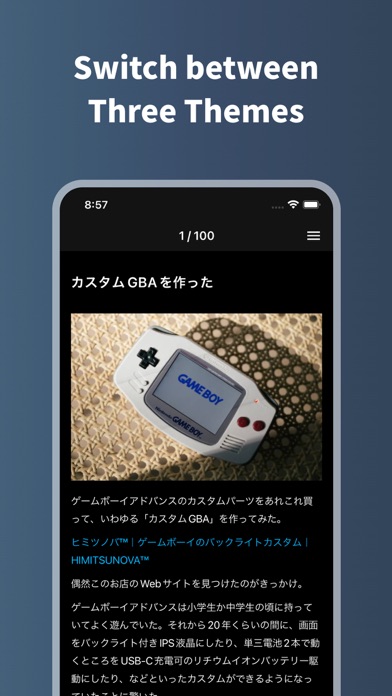
      Violet is a simple Tumblr client app specializing in dashboard browsing and Like and Reblog. # Interface that is easy to operate with one hand - Floating UI that is easy to Like and Reblog - Swipe left or right or tap both ends of the screen to move the dashboard (tap the left and right edges at the bottom of the screen to move to the next post, tap the left and right edges at the top to move to the previous post) - Double-tap or triple-tap on a post to Like or Reblog (can be changed from settings) # Other features - More than 250 dashboards can be loaded - You can choose which blogs to Like and Reblog - Configurable types of posts to be read - Reblogged posts and duplicate posts can be set not to be loaded - The image quality of the image to be read can be changed from low image quality / high image quality - Images can be saved to the device (only when the post type is photo. Even if the image quality to be read is set to low quality, it will be saved in high quality) - UI theme can be changed from 3 types: light / Tumblr / black (You can also switch themes automatically according to your device settings)

      Violet - Tumblr Client Information

      Name Violet - Tumblr Client

      Category Social Networking

      Developer Ryo Nakae

      Version 1.8.0

      Update 2022-01-30

      Languages EN,JA

      Size 21.88MB

      Compatibility Requires iOS 12.0 or later. Compatible with iPhone, iPad, and iPod touch.

      Other Original Version

      Violet - Tumblr Client Screenshot

      Violet - Tumblr Client
      Violet - Tumblr Client
      Violet - Tumblr Client

      Rating

      4.8

      1624 Ratings

      Tap to Rate

      Please use Safari on iPhone/iPad to access the current page

      Because Panda Helper VIP service is based on iPhone/iPad device information (UDID), please access the current page in Safari on iPhone/iPad:
      • Scan the QR code on your iPhone/iPad
      • Copy the link below and open it in Safari on your iPhone/iPad
      * Safari only. Other browsers cannot get device information
      copy successfully!

      Follow us on social media

      panda helper top hover