Trending Searches

    History

      Clear All
      Vijeo Design'Аir

      Vijeo Design'Аir

      • Sizes: 26.04MB
      • Version: 1.10.4
      • Update: 2021-12-01
      Install by Apple Store

      Vijeo Design'Аir Description

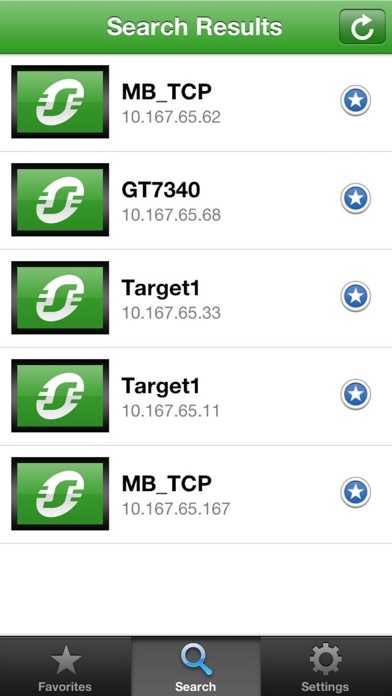
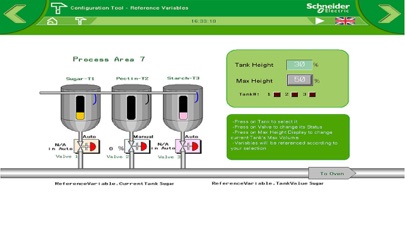
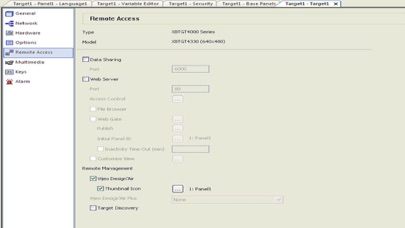
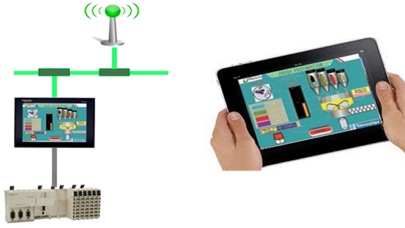
      Vijeo Design'Air is Schneider Electric’s NEW application for tablets and smartphones! With Vijeo Design'Air, use your tablet or smartphone to remotely connect to a Magelis HMI terminal over a wireless network. During the design phase in Vijeo Designer, set up the HMI terminal so Vijeo Design'Air can find it on the network. Secure access to the HMI with user authentication during login. In this configuration, the HMI terminal acts as the server, while the tablet or smartphone acts as the client. The server and client communicate over WiFi , 3G, 4G, or LTE networks. After establishing the connection, use your tablet or smartphone to remotely interact with the HMI terminal. For example, touch or swipe to start or stop a process or navigate between screens; pinch to zoom in and out of a screen for better viewing. Requirement: Vijeo Design'Air requires Vijeo Designer V6.1 SP2 or later on your HMI targets. Limitations: • Target families not supported: XBTGT1000 Series, XBTGT1005 Series, XBTGC Series • Target color modes not supported: 256 Colors • Target color mode partially supported: 16 Level Grey Scale with Blink (image quality issue)

      Vijeo Design'Аir Information

      Name Vijeo Design'Аir

      Category Productivity

      Developer Schneider Electric SA

      Version 1.10.4

      Update 2021-12-01

      Languages EN,FR,DE,IT,PT,ZH,ES,ZH

      Size 26.04MB

      Compatibility Requires iOS 8.0 or later. Compatible with iPhone, iPad, and iPod touch.

      Other Original Version

      Vijeo Design'Аir Screenshot
      Vijeo Design'Аir
      Vijeo Design'Аir
      Vijeo Design'Аir
      Vijeo Design'Аir
      Vijeo Design'Аir

      Rating

      4.9

      941 Ratings

      Tap to Rate

      Please use Safari on iPhone/iPad to access the current page

      Because Panda Helper VIP service is based on iPhone/iPad device information (UDID), please access the current page in Safari on iPhone/iPad:
      • Scan the QR code on your iPhone/iPad
      • Copy the link below and open it in Safari on your iPhone/iPad
      * Safari only. Other browsers cannot get device information
      copy successfully!

      Follow us on social media

      panda helper top hover