Trending Searches

    History

      Clear All
      Shoot The Zombirds

      Shoot The Zombirds

      • Sizes: 128.80MB
      • Version: 1.20
      • Update: 2015-10-23
      Install by Apple Store

      Shoot The Zombirds Description

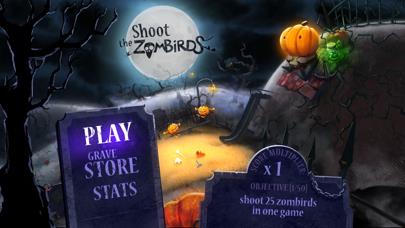
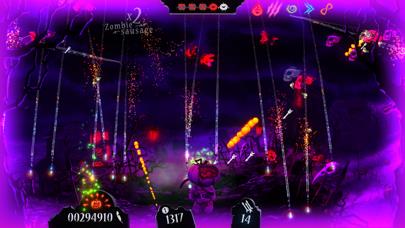
      How long will you survive? Dive into our new and absorbing game of bird and zombie shooting. Both at the same time! Defend little Pumpkids against the demonic hordes of undead birds. Complete dozens of challenging objectives! Use your loyal crossbow and big magic power-ups to reach the top of the leaderboards! Upgrade your skills and dress up as classic horror movies characters! All that, with tons of fun in Infinite Dreams newest release - Shoot The Zombirds! ---------------- Press quotes: ---------------- "Shoot the Zombirds are somewhat reminiscent of Tim Burton’s Coraline" - AppSafari "Brings you more satisfying aviaphobic action" – Gaming Illustrated "It’s a great casual title and it’s a steal at just $0.99." - AppAdvice "Beautiful creepy night theme with Halloween flavor" - Appsmile "It has the same addiciting quality as Temple Run" - 148Apps "Fun and easy to play" - SlideToPlay "Entertaining and well-made" - PocketGamer "Appealing pick-up-and-play title" - TouchArcade "Incredibly haunting visuals" - AppSpy "Highly recommended" - iLounge "The game is fun in a word" - iPhoneLife

      Shoot The Zombirds Information

      Name Shoot The Zombirds

      Category Games

      Developer Infinite Dreams Inc.

      Version 1.20

      Update 2015-10-23

      Languages EN,FR,DE,IT,JA,PL,RU,ZH,ES

      Size 128.80MB

      Compatibility Requires iOS 6.0 or later. Compatible with iPhone, iPad, and iPod touch.

      Other Original Version

      Shoot The Zombirds Screenshot

      Shoot The Zombirds
      Shoot The Zombirds
      Shoot The Zombirds
      Shoot The Zombirds
      Shoot The Zombirds

      Rating

      4.5

      1461 Ratings

      Tap to Rate

      Please use Safari on iPhone/iPad to access the current page

      Because Panda Helper VIP service is based on iPhone/iPad device information (UDID), please access the current page in Safari on iPhone/iPad:
      • Scan the QR code on your iPhone/iPad
      • Copy the link below and open it in Safari on your iPhone/iPad
      * Safari only. Other browsers cannot get device information
      copy successfully!

      Follow us on social media

      panda helper top hover