Trending Searches

    History

      Clear All
      Pi-hole Remote

      Pi-hole Remote

      • Sizes: 37.57MB
      • Version: 4.2
      • Update: 2022-11-02
      Install by Apple Store

      Pi-hole Remote Description

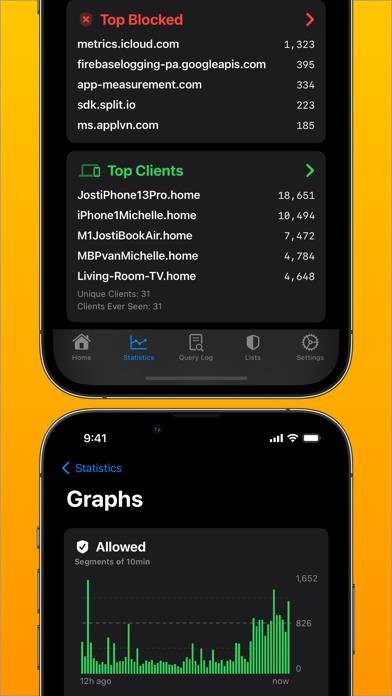
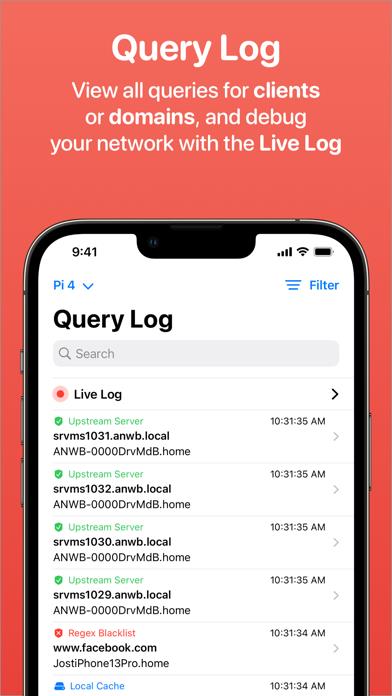
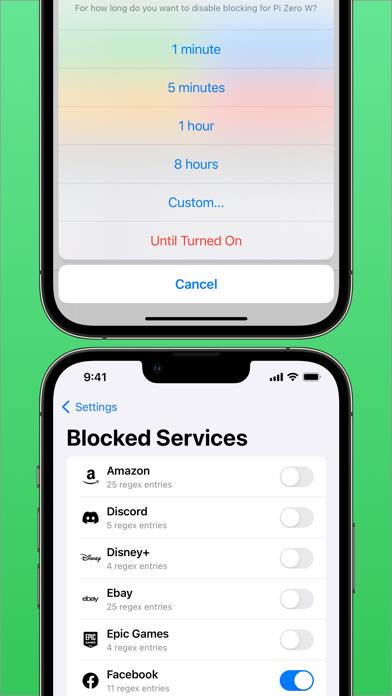
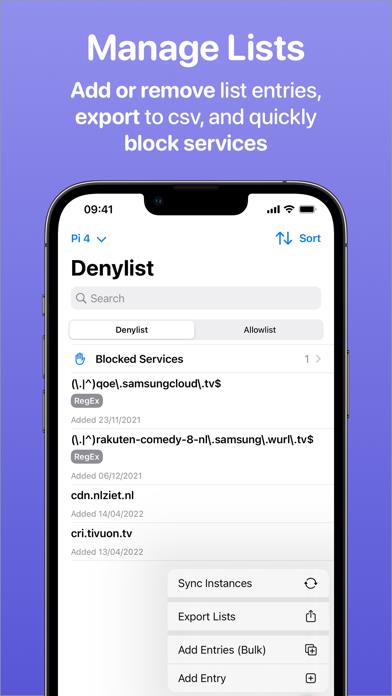
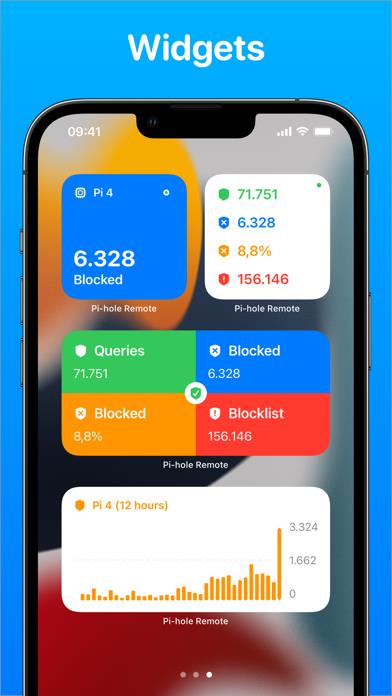
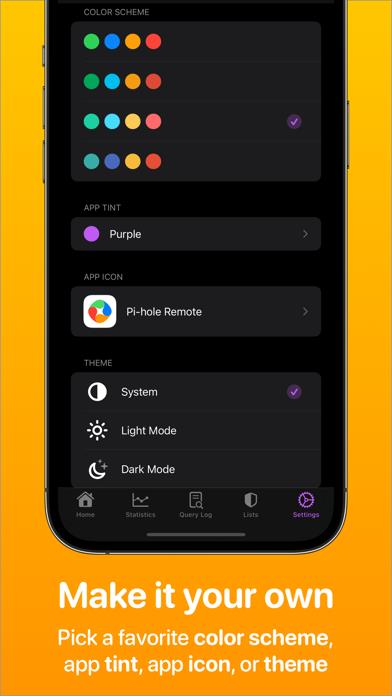
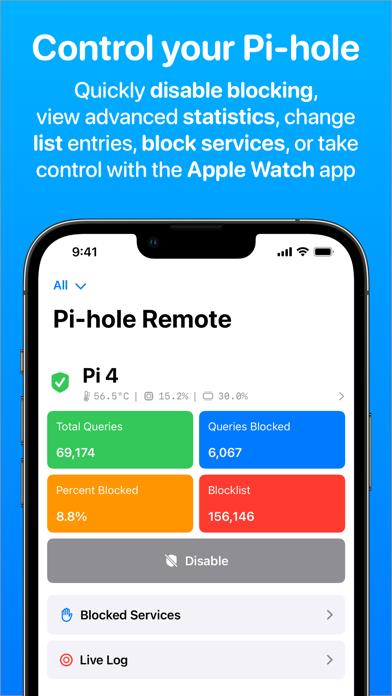
      Pi-hole Remote is a third party Pi-hole application that lets you quickly enable/disable your Pi-hole, as well as add domains to your whitelist/blacklist and view statistics such as top allowed and blocked domains! *Disable Blocking* Quickly disable blocking for a few minutes with only a few taps. You can even use Siri Shortcuts to disable blocking with your voice! If you have multiple instances, you can disable blocking for all of them with one tap. *Statistics & Queries* Look up what domains are queried most on your network, as well as clients that send out the most requests. See queries sorted by domain, client, or type. You can even view a Live Log that shows requests in real-time! *Blocked Services* Want to quickly restrict access to Facebook, YouTube, Snapchat, and more? Block all kinds of services effortlessly with just one tap. *White & Blacklist* Quickly add new entries to your lists inside the app or with the iOS Share Extension. You can also add entries in bulk and export list entries. If you have two Pi-hole instances, you can even automatically sync your lists! *Local DNS* Manage your Local DNS and CNAME records, right from the app! *Widgets & Live Activity* Choose from a wide range of homescreen and lock screen widgets that show statistics or graphs. All are customisable with a wide range of options! When you disable blocking, you will even see a Live Activity on your lock screen and Dynamic Island. *Full Ecosystem* Purchase the app once and get access to the iOS, watchOS, iPadOS, macOS, and tvOS app. == iPhone, iPad, macOS features: - Disable Pi-hole blocking - View basic & advanced statistics - Add domains to your whitelist or blacklist (in bulk) - Export your list entries - Sync list entries between two instances - Full Query Log with search & filters - Live Log which shows queries in real-time - Manage Local DNS & CNAME records - Support for up to 4 Pi-hole instances with combined statistics and queries - Support for scanning Pi-hole token QR code - Support for SSL and reverse proxies - Widgets - Siri Shortcuts & Quick Action - Share Extension for quick white/blacklisting - VoiceOver support - FaceID/TouchID lock - Dark Mode, custom color schemes, alternative app icons - Optimised design for iPadOS & macOS - Clean and modern 100% SwiftUI design Apple Watch features: - View basic statistics - Disable Pi-hole blocking - View top allowed, top blocked, top clients - Complications Apple TV features: - View basic statistics - Disable Pi-hole blocking - Require Passcode on Disable Statistics: - Total Queries - Queries/Percentage Blocked - Blocklist + Gravity Last Updated - Temperature & Memory Usage - Graph Queries Overtime - Top Allowed Domains - Top Blocked Domains - Top Clients - Unique Domains/Clients - Clients Ever Seen - Queries Per Domain/Client - Query Types - Forward Destinations - Pi-hole Version - API Info - DNS Cache - Database Size * The in-app-purchases are only there for the Tip Jar, to support future development of the app. This is completely optional. == Note: You need at least one working Pi-hole instance running on another device for this app to function and you must use Pi-hole Version 5.1 or up. Find out more about Pi-hole at https://pi-hole.net/.

      Pi-hole Remote Information

      Name Pi-hole Remote

      Category Utilities

      Developer RocketScience IT

      Version 4.2

      Update 2022-11-02

      Languages NL,EN,FR,DE,EL,HU,IT,PL,PT,SK,ES,ZH,TR,UK

      Size 37.57MB

      Compatibility Requires iOS 13.1 or later. Compatible with iPhone, iPad, and iPod touch.

      Other Original Version

      Pi-hole Remote Screenshot
      Pi-hole Remote
      Pi-hole Remote
      Pi-hole Remote
      Pi-hole Remote
      Pi-hole Remote
      Pi-hole Remote
      Pi-hole Remote

      Rating

      4.5

      741 Ratings

      Tap to Rate

      Please use Safari on iPhone/iPad to access the current page

      Because Panda Helper VIP service is based on iPhone/iPad device information (UDID), please access the current page in Safari on iPhone/iPad:
      • Scan the QR code on your iPhone/iPad
      • Copy the link below and open it in Safari on your iPhone/iPad
      * Safari only. Other browsers cannot get device information
      copy successfully!

      Follow us on social media

      panda helper top hover