Trending Searches

    History

      Clear All
      Palettes Pro

      Palettes Pro

      • Sizes: 18.01MB
      • Version: 9.1
      • Update: 2018-09-21
      Install by Apple Store

      Palettes Pro Description

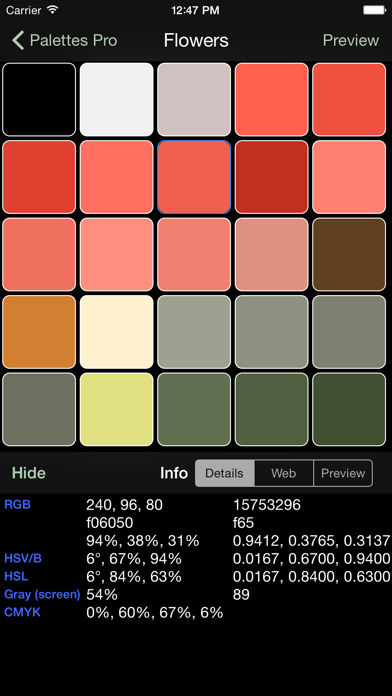
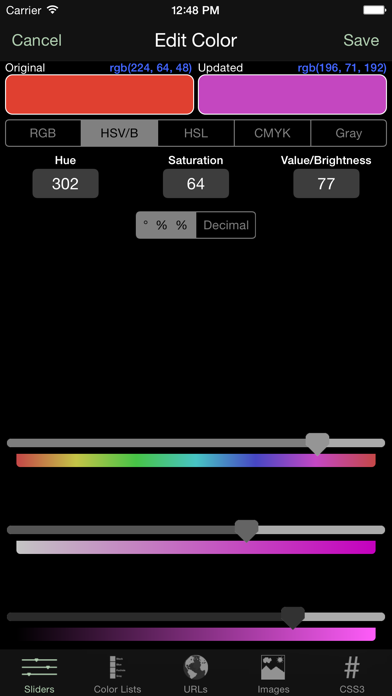
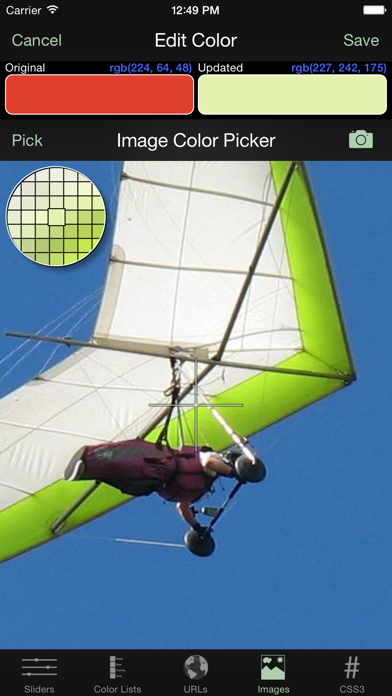
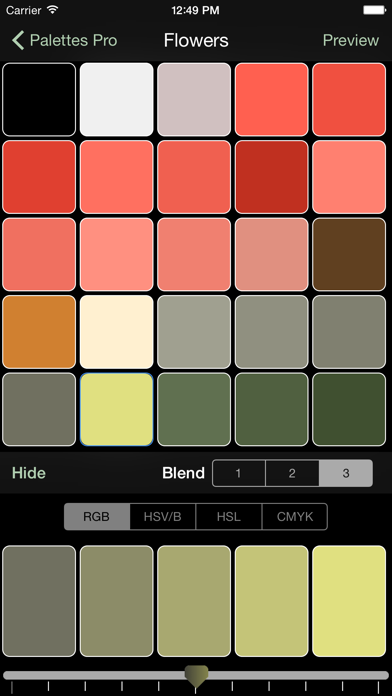
      Palettes Pro is a powerful productivity tool for creating and maintaining color palettes. Great for creating color schemes. Now you can create a color palette anywhere at anytime. Grab colors from a photograph, a website, or add colors using any one of 5 color models. Quickly find matching colors with support for many different color schemes. You may create and store any number of palettes. NOTE: New users may wish to download the free version of Palettes. That version can be upgraded to a Basic level or this Pro level directly from within the application. Key features include: • Single universal application works on all your iOS devices including iPhone, iPad, and iPod Touch. • Quickly create a color palette from a web site, image, camera, or color scheme. • Unlimited number of palettes. • 25 colors per palette. • Undo/Redo support. • Import/Export palettes from/to Adobe Photoshop, Illustrator and Fireworks, GIMP, Paintshop Pro, Procreate, and OS X Color Chooser. • Import/Export palettes via email. Team development made easy with one click import. • Backup and restore your Palettes data directly to/from your own computer, iCloud, Dropbox, Google Drive, Box, or FTP servers. • Import and export palette files directly to/from your own computer, iCloud, Dropbox, Google Drive, Box, FTP servers, or another app. • Email color palettes to friends and co-workers. • Pick colors from:   • RGB, HSV (HSB), HSL, CMYK, or Gray scale sliders   • Standard colors lists (SVG, Web Safe, HTML, Java, Apple) or other palettes.   • A website URL (webpage, image, CSS file, 3rd party palette file).   • An image or camera.   • Any valid CSS3 color representation. • Create colors via:   • Color blending using 1 of 4 color models.   • Color schemes (monochromatic, analogous, triadic, complementary, split complementary). • Review color information:   • Details (integer, hex, percent, decimal, CSS).   • As both a foreground and background color. • "Palette Flow" (not on iPad) • Display a color full screen to compare against a real world item (press and hold color briefly). • Palette preview screen. • Backup a palette as an image in your photo library for later restore. • Rename, reorder, or delete palettes. • Sort palette colors by RGB, HSV/B, HSL, CMYK, or Gray color model. • All work is saved as you go. • Always remembers where you left off last. • Built in context sensitive help system. • Preferences can be set from within the application. • Excellent customer support. Palettes can be used to create color palettes for: • Web site design • Marketing campaigns • Home decorating • Wardrobe • Artists • Color coordinating • Anywhere colors are needed - just use your imagination Please visit http://www.maddysoft.com/iphone/palettes to see a more complete set of screen shots and additional information on the features of "Palettes". The website includes contact information for leaving feedback, asking questions, or reporting any issues. NOTE: Known limitation - this version is unable to import binary OS X palette files (.clr) from ~/Library/Colors.

      Palettes Pro Information

      Name Palettes Pro

      Category Productivity

      Developer Rick Maddy

      Version 9.1

      Update 2018-09-21

      Languages EN

      Size 18.01MB

      Compatibility Requires iOS 8.1 or later. Compatible with iPhone, iPad, and iPod touch.

      Other Original Version

      Palettes Pro Screenshot
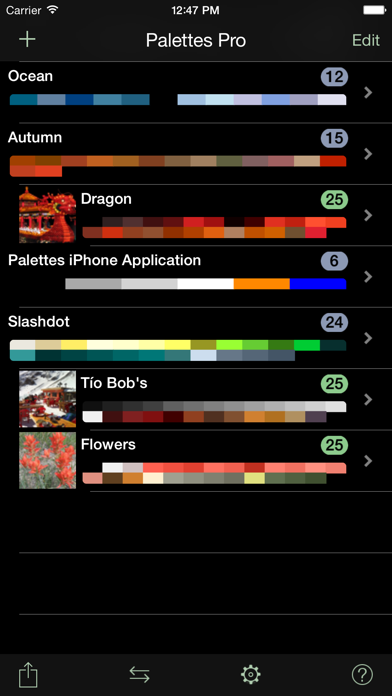
      Palettes Pro
      Palettes Pro
      Palettes Pro
      Palettes Pro
      Palettes Pro

      Rating

      4.6

      826 Ratings

      Tap to Rate

      Please use Safari on iPhone/iPad to access the current page

      Because Panda Helper VIP service is based on iPhone/iPad device information (UDID), please access the current page in Safari on iPhone/iPad:
      • Scan the QR code on your iPhone/iPad
      • Copy the link below and open it in Safari on your iPhone/iPad
      * Safari only. Other browsers cannot get device information
      copy successfully!

      Follow us on social media

      panda helper top hover