Trending Searches

    History

      Clear All
      Kitchen Scales

      Kitchen Scales

      • Sizes: 3.26MB
      • Version: 2.8
      • Update: 2021-10-15
      Install by Apple Store

      Kitchen Scales Description

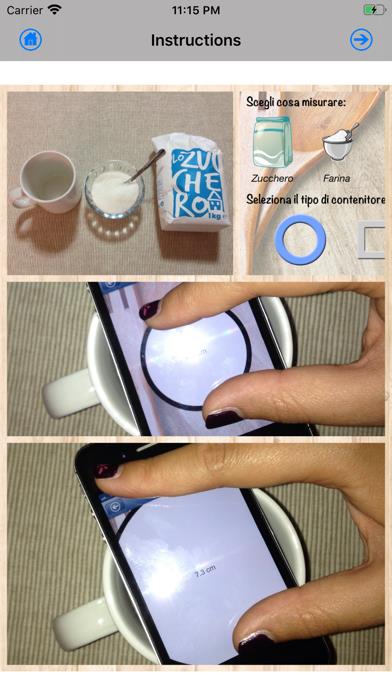
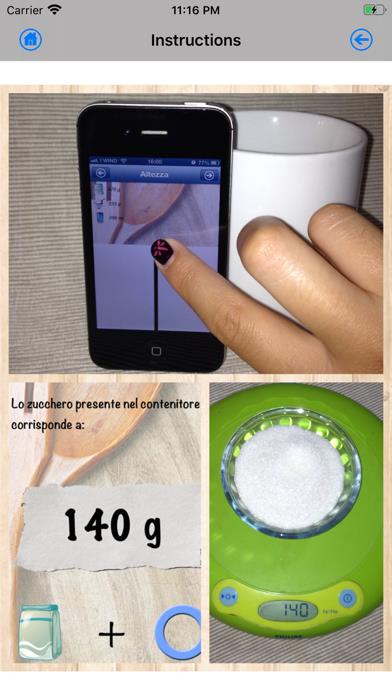
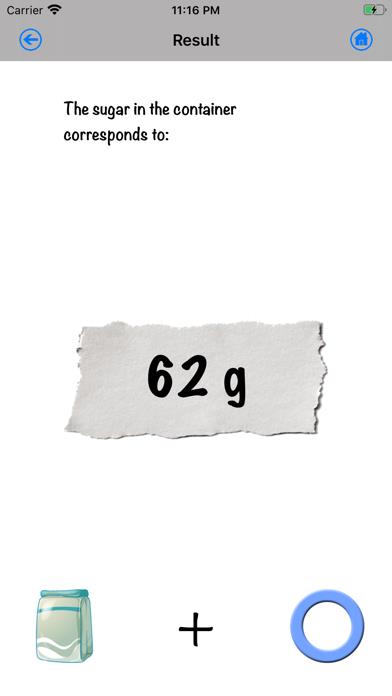
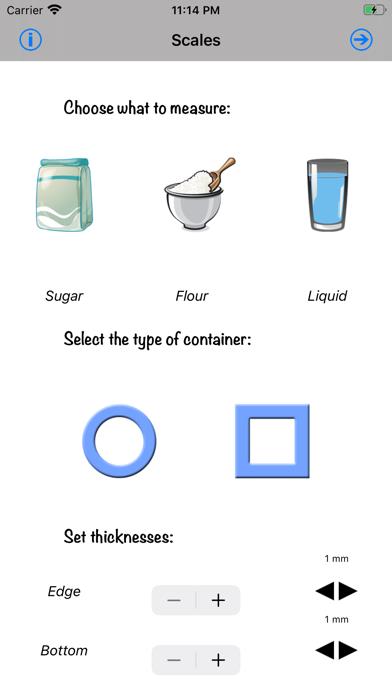
      "Kitchen Scales" is the only app that, through a simple and pleasant interface, allows you to measure the amount of sugar, flour or liquids in a container of your choice. The operation is very simple: 1 - The first thing you will need is a glass or a regular-sized cup, preferably a transparent one. 2 - Select what you want to measure and the shape of the container, either cylindrical or rectangular. Also remember to select the thickness of the edges and the bottom. A difference of a few millimetres will result in errors of several tens of grams. 3 - Place the phone on the container. 4 - Use your fingers to choose the diameter, making it match that of the container. 5 - Place the phone next to the container and use your finger to choose the level of the measurement. If your phone has a cover, remove it, otherwise SUBTRACT the thickness of the cover from the thickness of the edge. 6 - At this point you'll get the grams or millilitres if you are measuring a liquid. For the first few times check the measurements, just to get started. Measurements made with this application are only approximate. They are quite precise, but they cannot be compared to measurements on scales.

      Kitchen Scales Information

      Name Kitchen Scales

      Category Food

      Developer Valgy

      Version 2.8

      Update 2021-10-15

      Languages EN,FR,DE,IT,ES

      Size 3.26MB

      Compatibility Requires iOS 13.0 or later. Compatible with iPhone, iPad, and iPod touch.

      Other Original Version

      Kitchen Scales Screenshot
      Kitchen Scales
      Kitchen Scales
      Kitchen Scales
      Kitchen Scales

      Rating

      4.9

      1632 Ratings

      Tap to Rate

      Please use Safari on iPhone/iPad to access the current page

      Because Panda Helper VIP service is based on iPhone/iPad device information (UDID), please access the current page in Safari on iPhone/iPad:
      • Scan the QR code on your iPhone/iPad
      • Copy the link below and open it in Safari on your iPhone/iPad
      * Safari only. Other browsers cannot get device information
      copy successfully!

      Follow us on social media

      panda helper top hover