Trending Searches

    History

      Clear All
      Hindenburg Field Recorder

      Hindenburg Field Recorder

      • Sizes: 2.95MB
      • Version: 1.80
      • Update: 2022-09-23
      Install by Apple Store

      Hindenburg Field Recorder Description

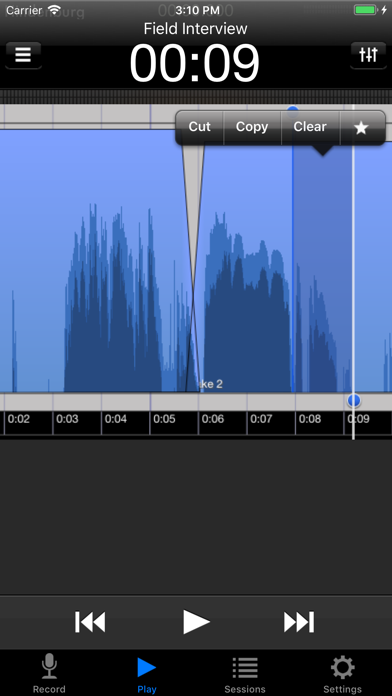
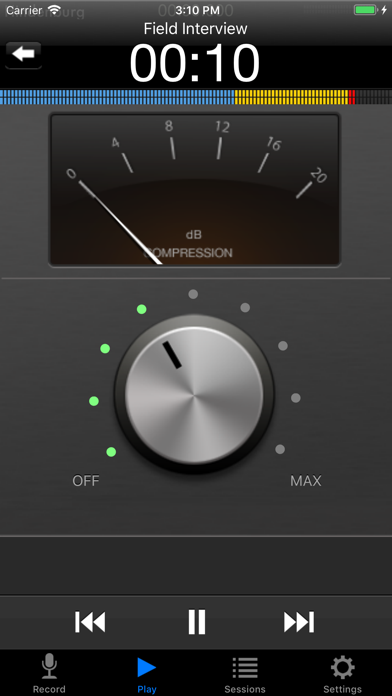
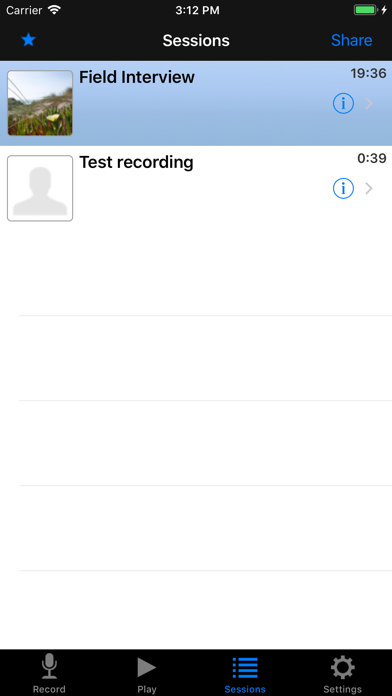
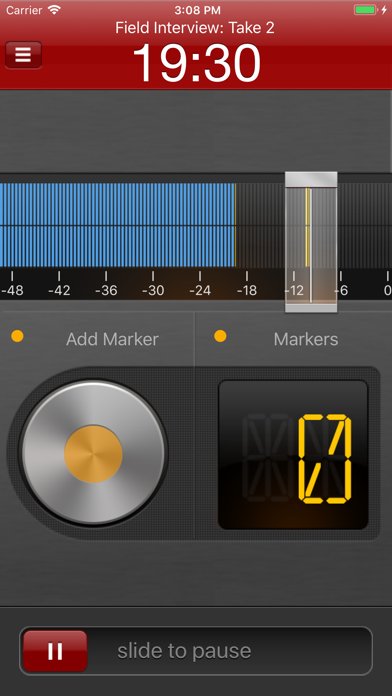
      Hindenburg Field Recorder is made with radio production in mind. It will work equally well for anyone conducting interviews for podcasts or research. It’s all about the story..... Create your interview in three simple steps: Step 1: Record interview and set markers at points of interest Step 2: Edit recording with cut, copy, paste and more... Step 3: Share your interview with attached picture and location Recording Simply begin recording whenever a story occurs. Set markers at points of interest in the interview. Markers make it easier to navigate large interviews. Finding those good soundbites can otherwise be a tedious job. Add additional recordings to your session. This could be speaks or background sounds and more. Editing Hindenburg Field Recorder has all the editing features needed for creating a radio interview. The interface is kept simple and uncluttered. But there is more to it than meets the eye. * Non-destructive editing with full undo/redo. * Cut, copy, paste, insert, break, clear, move, trim and change volume of regions * Adjust playback position with audible scrub * Rehearse edit or play selection * Add fade in and fade out or create cross-fades between regions * Create, delete and rename markers, jump between markers * Copy and paste audio between sessions * Add jingles or sound bites from the favorites clipboard. * Use the built in compressor/limiter to increase overall volume. To find out more check the support URL where you will find a download link to the the PDF guide. 
 Share There are five ways of getting your interviews out of the device. 1. Send to your computer (With Hindenburg Pro) 2. Send as e-mail 3. Upload to FTP server 4. Share to iTunes 5. Use "Open in..." to share to other apps Specifications: Records audio as 16 or 24-bit / 44.1 or 48kHz PCM. Stereo recording supported with suitable accessories. Option to monitor with headphones while recording. Share audio as WAV, AAC, MP2 or ALAC with adjustable compression parameters. Hindenburg Radio Tools are developed and tested in a collaborations with radio professionals.

      Hindenburg Field Recorder Information

      Name Hindenburg Field Recorder

      Category Bussiness

      Developer Hindenburg Systems ApS

      Version 1.80

      Update 2022-09-23

      Languages DA,NL,EN,FR,DE,IT,ES

      Size 2.95MB

      Compatibility Requires iOS 14.0 or later. Compatible with iPhone, iPad, and iPod touch.

      Other Original Version

      Hindenburg Field Recorder Screenshot
      Hindenburg Field Recorder
      Hindenburg Field Recorder
      Hindenburg Field Recorder
      Hindenburg Field Recorder

      Rating

      4.6

      1277 Ratings

      Tap to Rate

      Please use Safari on iPhone/iPad to access the current page

      Because Panda Helper VIP service is based on iPhone/iPad device information (UDID), please access the current page in Safari on iPhone/iPad:
      • Scan the QR code on your iPhone/iPad
      • Copy the link below and open it in Safari on your iPhone/iPad
      * Safari only. Other browsers cannot get device information
      copy successfully!

      Follow us on social media

      panda helper top hover