Trending Searches

    History

      Clear All
      Feedly - Smart News Reader

      Feedly - Smart News Reader

      • Sizes: 81.84MB
      • Version: 85.0.5
      • Update: 2022-05-11
      Install by Apple Store

      Feedly - Smart News Reader Description

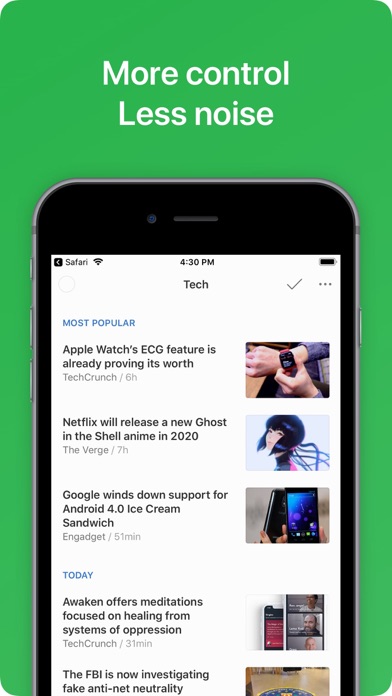
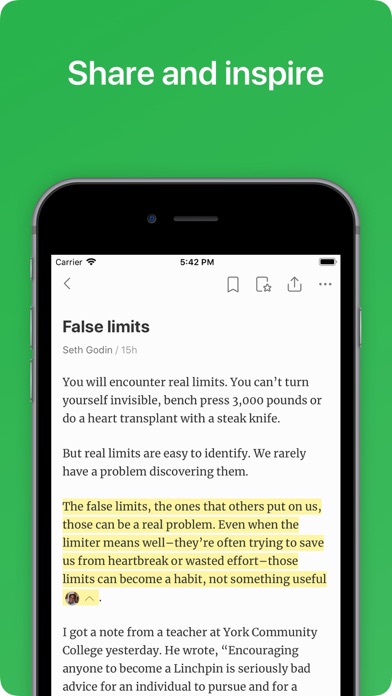
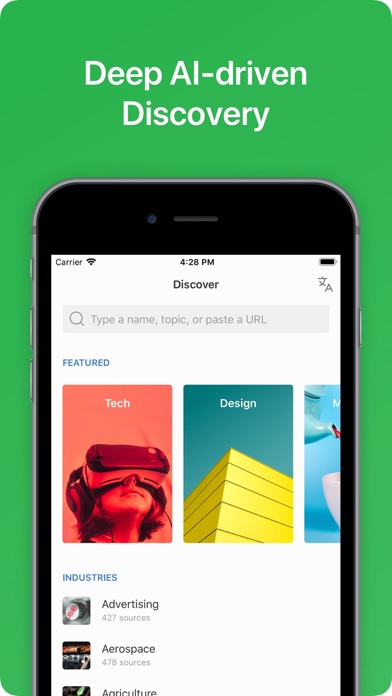
      Goodbye information overload. Keep up with the topic and trends you care about, without the overwhelm. Feedly offers you the cure to information in three easy steps: 1/ Find and organize the right sources in one place: leading newspapers, trade publications, influential bloggers, Youtube channels, RSS feeds, Twitter feeds, research journals. Feedly lets you harness the full power of the web. 2/ Train Leo to filter out the noise. Leo is your AI research assistant. You are in control of the priorities. Ask Leo to read your feeds and prioritize the topics, events, and trends that matter to your. Leo is an enormous time saver 3/ Share insights with your team. Organize, curate, and share the industry insights your team needs to accelerate research, marketing, and sales. With Feedly and RSS, you can organize in one place industry publications, expert blogs, news sites, youtube channels, twitter feeds, podcasts, and even Google News keyword alerts. Feedly is connected to 40 million sources across 2,000 topics, and fifty industries - processing 100 millions articles every day. With Feedly shared boards, you can feed everyone in your organization with the insight they need to make smarter decisions. You can also curate and share interesting ideas and perspectives and grow your brand on social media. With the Feedly Pro in-app purchase, you can boost your account and unlock some additional features to track keyword, brands and companies, spot new emerging trends, search in your Feedly for specific articles and more easily share and shine. The Feedly Pro subscription offers useful integrations with Facebook, Twitter, Evernote, Buffer, OneNote, Pinterest, LinkedIn, IFTTT, and Zapier so that you can easily share stories with your networks and teammates. Feedly is trusted by 15 million smart readers and thousands of organizations. Feedly means privacy by default. Feedly is a secured space where you can privately organize and research the topics and trends that matter to you. We believe that customers should own and control all their personal information. Being funded by our community means that you are the customer and we are not trying to create a toxic feed that mines your attention. Learn more via our terms of use: https://feedly.com/i/legal/terms We deliver a fast and clean reading experience on both your iPhone, iPad and Web browser. We spent a lot of time making sure Feedly is the best free RSS reader available on the iPhone and the iPad. The best way to start is to search for a blog, magazine or newspaper you like to read and add it to your Feedly. If you are looking for inspiration, you can select the discover tab and browse some of our popular topics. We help you discover the best blogs for tech, business, food, marketing, entrepreneurship, design, baking, photography and more. Our mission is to deliver in one place all the knowledge and inspiration you need to keep ahead. Happy reading! Terms of use: https://feedly.com/i/legal/terms Privacy by default: https://feedly.com/i/legal/privacy

      Feedly - Smart News Reader Information

      Name Feedly - Smart News Reader

      Category News

      Developer Feedly Inc.

      Version 85.0.5

      Update 2022-05-11

      Languages EN

      Size 81.84MB

      Compatibility Requires iOS 11.0 or later. Compatible with iPhone, iPad, and iPod touch.

      Other Original Version

      Feedly - Smart News Reader Screenshot
      Feedly - Smart News Reader
      Feedly - Smart News Reader
      Feedly - Smart News Reader
      Feedly - Smart News Reader
      Feedly - Smart News Reader
      Feedly - Smart News Reader
      Feedly - Smart News Reader

      Rating

      4.5

      1063 Ratings

      Tap to Rate

      Please use Safari on iPhone/iPad to access the current page

      Because Panda Helper VIP service is based on iPhone/iPad device information (UDID), please access the current page in Safari on iPhone/iPad:
      • Scan the QR code on your iPhone/iPad
      • Copy the link below and open it in Safari on your iPhone/iPad
      * Safari only. Other browsers cannot get device information
      copy successfully!

      Follow us on social media

      panda helper top hover