Trending Searches

    History

      Clear All
      Driving School 3D

      Driving School 3D

      • Sizes: 536.55MB
      • Version: 202303116
      • Update: 2023-03-19
      Install by Apple Store

      Driving School 3D Description

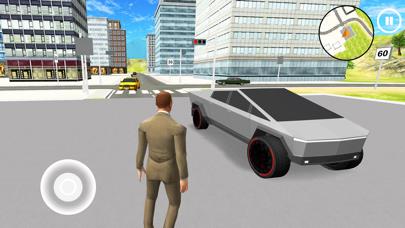
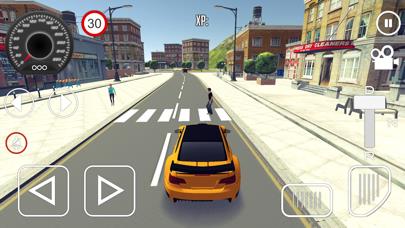
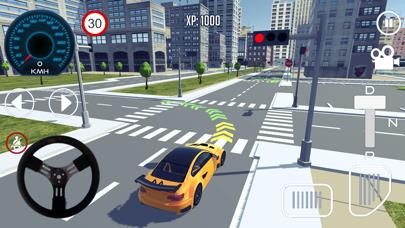
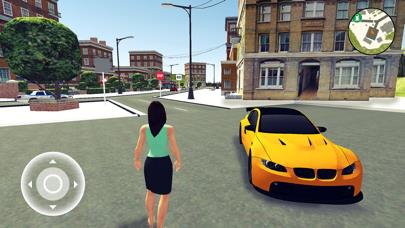
      Driving Simulator: Experience Realistic Driving with Driving School 3D Driving School 3D is the ultimate driving simulator game that offers you the most realistic experience of learning to drive a car. With a variety of maps to choose from, you can practice your skills in various environments and situations. You can pick between multiple car steering options, manual transmission or auto transmission, left or right controls layout. You can mod your vehicle, change its colour, wheels and add custom registration plates. Pick and tune cars to your liking. This driving simulator offers you several game modes. CAREER Start the engine, wear the seat belt and go to the road. Watch out for traffic signals, traffic lanes and rules. Follow instructions, learn and become a professional driver. In the rush hour, roads will be populated with other vehicles, buses, trucks, and people walking, so be careful and watch out for the police. When you reach the finish of each level, there will be a marked parking slot. Use your steering skills and complete the parking simulator game part. It is even greater challenge than the driving itself. MULTIPLAYER Join the competition online in a multiplayer mode. Play the driving simulator game against players from all over the world, reach the finish before they do and park the car. You select maps you want to compete in. FREE ROAM Start a car simulator game on the foot. Enter the car and go. You can free roam and drive the best sports cars around the city or country. Watch the fuel level gauge and refill car if needed at gas stations. Find hidden coins, enter the buildings at several locations in this real life simulation. You vehicle will simulate damage if you crash. Watch out for pedestrians and drive safely. Driving School features: • amazing 3D city environment with AI traffic cars and AI pedestrians, • exciting missions, • great realistic physics, • car customizations, mods and tuning, • detailed open world maps with more than 80 levels, • free roam drive, • exit out of the car and move around on foot. If you run out of the gas, you can go on foot to the nearest gas station to refill your gas can • realistic driving mechanics, physics and damage system, • different camera views • multiplayer driving challenge mode VISIT US: https://nullapp.com LIKE US: https://facebook.com/nullapp.games In-App membership subscription Driving School 3D VIP Membership subscription is a 7-day (weekly) subscription. Payment will be charged to iTunes Account at confirmation of purchase. Subscription automatically renews unless auto-renew is turned off at least 24-hours before the end of the current period. Account will be charged $6.99 for renewal within 24-hours prior to the end of the current period. Subscriptions may be managed by the user and auto-renewal may be turned off by going to the user's Account Settings after purchase. Any unused portion of a free trial period, if offered, will be forfeited when the user purchases a subscription to that publication, where applicable. Privacy Policy: https://nullapp.com/?p=privacy, Terms of Service: https://nullapp.com/?p=tos

      Driving School 3D Information

      Name Driving School 3D

      Category Games

      Developer nullapp

      Version 202303116

      Update 2023-03-19

      Languages HR,NL,EN,FR,DE,IT,RU,ES,SW,TR

      Size 536.55MB

      Compatibility Requires iOS 10.0 or later. Compatible with iPhone, iPad, and iPod touch.

      Other Original Version

      Driving School 3D Screenshot
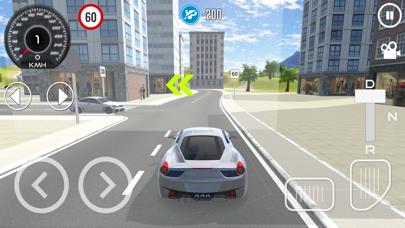
      Driving School 3D
      Driving School 3D
      Driving School 3D
      Driving School 3D
      Driving School 3D
      Driving School 3D

      Rating

      4.6

      704 Ratings

      Tap to Rate

      Please use Safari on iPhone/iPad to access the current page

      Because Panda Helper VIP service is based on iPhone/iPad device information (UDID), please access the current page in Safari on iPhone/iPad:
      • Scan the QR code on your iPhone/iPad
      • Copy the link below and open it in Safari on your iPhone/iPad
      * Safari only. Other browsers cannot get device information
      copy successfully!

      Follow us on social media

      panda helper top hover