Trending Searches

    History

      Clear All
      Dirty Doodles NSFW Party Game

      Dirty Doodles NSFW Party Game

      • Sizes: 11.96MB
      • Version: 3.0
      • Update: 2020-01-25
      Install by Apple Store

      Dirty Doodles NSFW Party Game Description

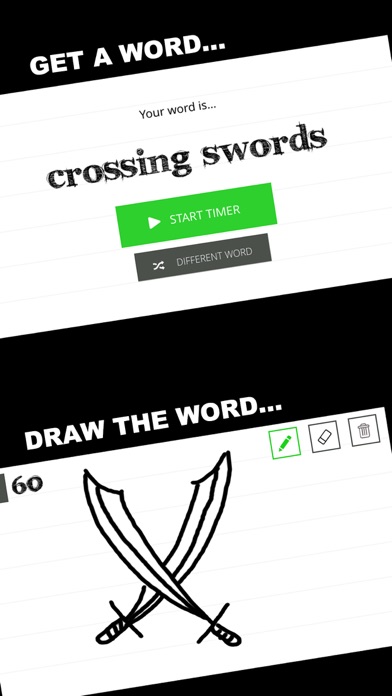
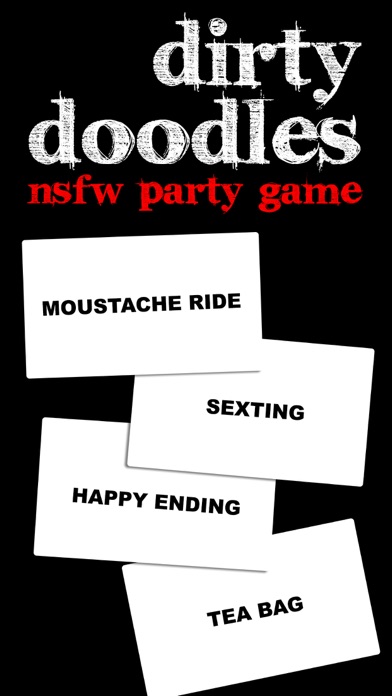
      Get your team to guess a dirty word or phrase by drawing it on your device. You’ll spend your night literally laughing out loud... especially when watching your friends’ reaction when they learn new phrases - like what crossing swords really means! Dirty Doodles is a great addition to your games night, pre-drink, or bachelorette party. If you're not easily offended and like games like Pictionary & Cards Against Humanity, you'll love this game! __HOW TO PLAY__ 1. Make 2 teams. 2. Team 1 chooses a player from their team to draw. 3. After the drawing players sees their word and is ready to draw, tap “Start Timer”. 4. The player starts drawing and Team 1 has 60 seconds to guess the word that is being drawn. The drawing player cannot say any words or act out the word or phrase. 5. If Team 1 guesses correctly before the buzzer sounds they win the point. 6. If Team 1 does not guess the word or phrase, Team 2 has 10 seconds to steal. Team 2 only gets one guess. If Team 2 guesses correctly, they win the point. 7. Repeat steps 2 to 6 with Team 2 drawing. Continue alternating back and forth (with a new player drawing each time). The first to 7 points wins!

      Dirty Doodles NSFW Party Game Information

      Name Dirty Doodles NSFW Party Game

      Category Games

      Developer Daniel RUSCIGNO

      Version 3.0

      Update 2020-01-25

      Languages EN

      Size 11.96MB

      Compatibility Requires iOS 11.0 or later. Compatible with iPhone, iPad, and iPod touch.

      Other Original Version

      Dirty Doodles NSFW Party Game Screenshot
      Dirty Doodles NSFW Party Game
      Dirty Doodles NSFW Party Game
      Dirty Doodles NSFW Party Game

      Rating

      4.9

      513 Ratings

      Tap to Rate

      Please use Safari on iPhone/iPad to access the current page

      Because Panda Helper VIP service is based on iPhone/iPad device information (UDID), please access the current page in Safari on iPhone/iPad:
      • Scan the QR code on your iPhone/iPad
      • Copy the link below and open it in Safari on your iPhone/iPad
      * Safari only. Other browsers cannot get device information
      copy successfully!

      Follow us on social media

      panda helper top hover