Trending Searches

    History

      Clear All
      CropSize - Photo Size Editor

      CropSize - Photo Size Editor

      • Sizes: 19.89MB
      • Version: 4.6.2
      • Update: 2023-05-10
      Install by Apple Store

      CropSize - Photo Size Editor Description

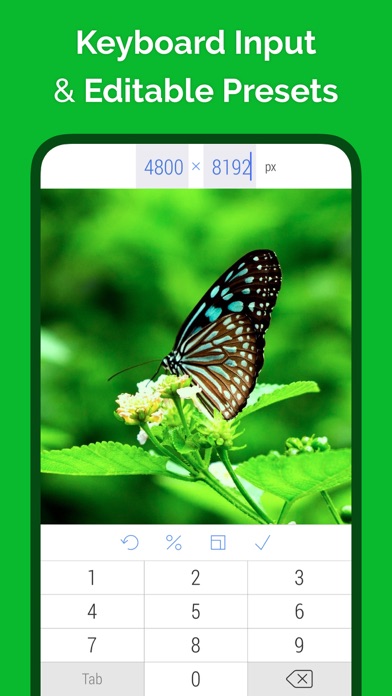
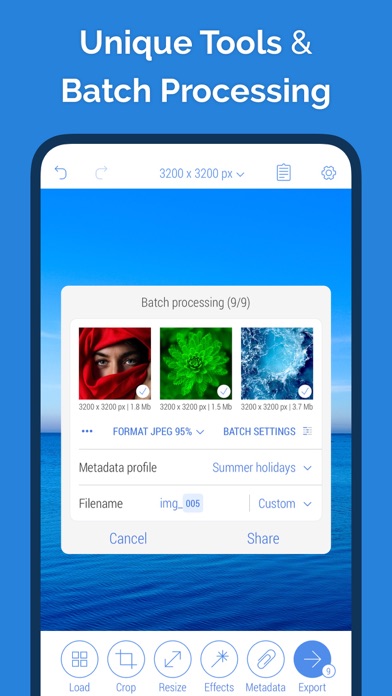
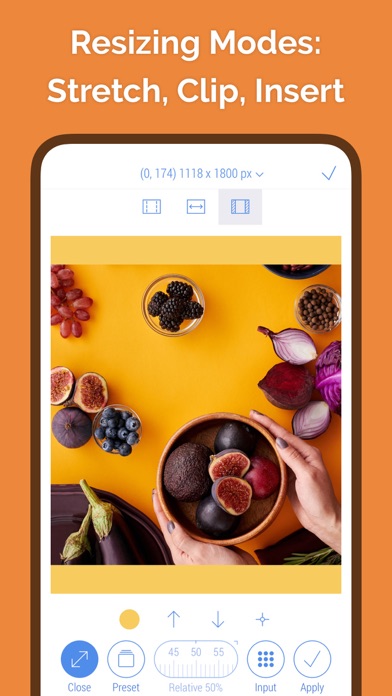
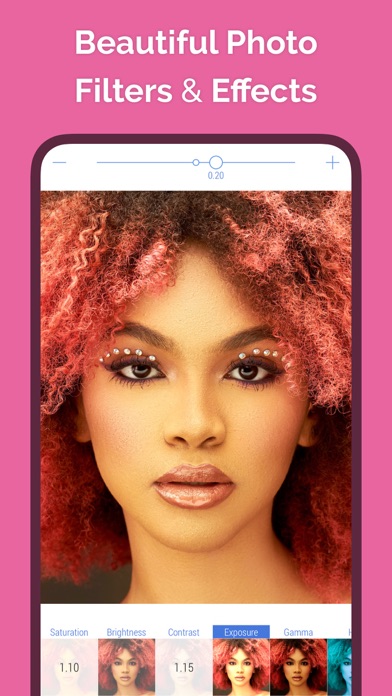
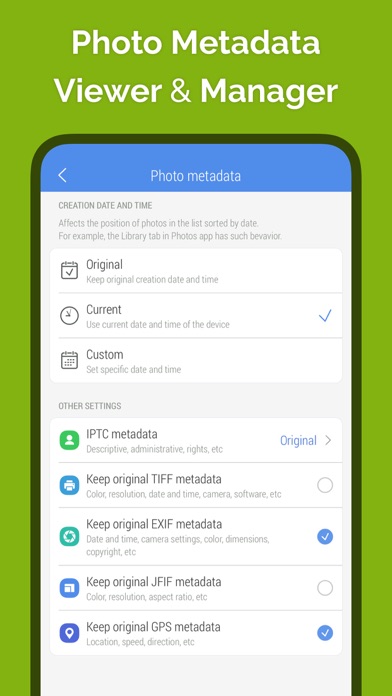
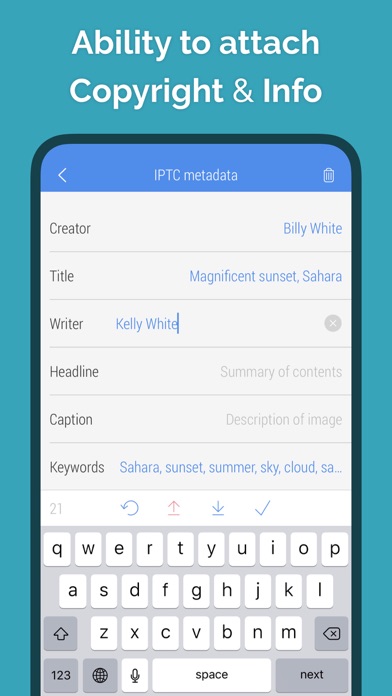
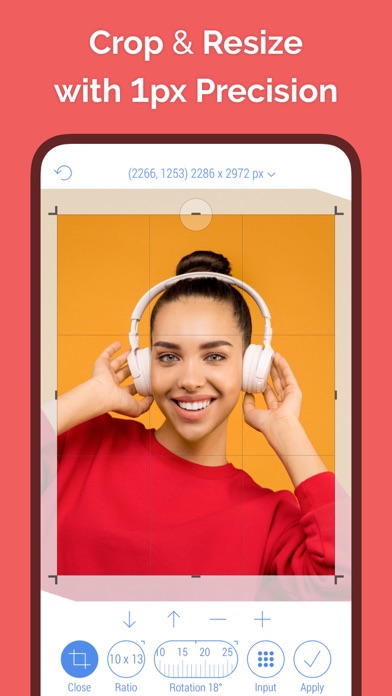
      Perfect app for precise photo editing and resizing with a focus on improved user control, informative user interface, high quality results and automation.  Offers over 75 features for Crop, Edit, Resize, Filter, Metadata and other tools for single photo and group of photos. "CropSize is a photo editing app with some powerful features to make it a step above the rest." - Ryan Poolos, RayWenderlich.com PHOTO CROP: • Scale, Move, Resize crop frame using one and two finger gestures in all directions • Specify crop position and size using keyboard • Adjust crop position and size using one-pixel-correction(*) (tap marker) • Rotate image in the range 0-360° in any direction with 1° accuracy • Specify rotation angle using keyboard (long press slider) • Set crop aspect ratio using standard and user defined presets (long press Ratio button) • Use crop in default and Inverse Crop modes • Get all actual information about exact position, size, rotation angle, etc • Get file size estimation for current crop state PHOTO RESIZE: • Resize in 4 different resizing modes: Stretch, Insert, Clip and Canvas Size • Specify a new size up to 9000 x 9000 pixels using keyboard • Set size in pixels, inches and centimetres • Set a new size using standard and user defined size presets • Adjust position using gestures and one-pixel-correction(*) for Insert, Clip and Canvas Size • Resize proportionally using percent slider • Specify relative size using keyboard (long press slider) • Preview in actual size • Get all actual information about exact size, position, percent, etc • Get file size estimation for current state of image PHOTO FILTER: • Use a set of beautiful photo filters and effects, including Saturation, Contrast, Chrome, Bloom, Vignette, Sepia, Sharpen, Blur, etc • Apply unlimited number of filters and effects during any single editing session • Change filter intensity using horizontal slide gesture within the image • Zoom, move, view before/after using two finger gestures BATCH PROCESSING: • Apply all edits to all selected photos directly at the end of an editing session • Apply all edits “in one click” to all selected photos using Programs(**) GENERAL FEATURES: • Select main units of measurement: Pixels, Inches, Centimetres (settings controlled) • Flip and 90° rotate image in any direction using one-finger swipe gestures on the main and batch screens • Undo/Redo unlimited number of steps • Get detailed and actual information about the image: image size, file size, file format, full photo metadata, file size estimation and more • Preview image at almost every stage of editing PHOTO METADATA: • View full photo metadata: Basic, TIFF, EXIF, JFIF, PNG, GPS, IPTC (load screen) • Edit DPI, Creation Date, IPTC metadata (metadata screen) • Preserve/remove GPS, EXIF, TIFF, IPTC, JFIF metadata (metadata screen) IMPORT AND EXPORT: • Select photo(s) using the built-in Photo Library and Camera • Open up to 50 photos shared with CropSize from outside • Compress images using formats JPEG, PNG, TIFF, HEIC, Auto • Set a compression quality when JPEG or HEIC is selected • Specify a filename or filename pattern for the editing results • Select metadata profile to be used for export • Save photo(s) to Photo Library, Files, etc • Share photo(s) via Email, Instagram, Facebook, Twitter, iMessage, etc • Perform all other standard tasks such as Copy, Print, etc (*) One-pixel-correction is a CropSize unique tool that allows user to move or resize an editing frame in a specific direction by one pixel for each user click or tick while the button is pressed. (**) Program is a CropSize unique tool that allows user to save entire editing session to the app storage and then use it at any time to apply all saved edits to a new photo or batch of photos. ————————— Features overview: https://vimeo.com/188002923 Website: https://www.cropsize.com Guides: https://www.cropsize.com/guides

      CropSize - Photo Size Editor Information

      Name CropSize - Photo Size Editor

      Category Photography

      Developer Aliaksei Khutarshchykau

      Version 4.6.2

      Update 2023-05-10

      Languages EN

      Size 19.89MB

      Compatibility Requires iOS 12.0 or later. Compatible with iPhone, iPad, and iPod touch.

      Other Original Version

      CropSize - Photo Size Editor Screenshot
      CropSize - Photo Size Editor
      CropSize - Photo Size Editor
      CropSize - Photo Size Editor
      CropSize - Photo Size Editor
      CropSize - Photo Size Editor
      CropSize - Photo Size Editor
      CropSize - Photo Size Editor

      Rating

      4.8

      205 Ratings

      Tap to Rate

      Please use Safari on iPhone/iPad to access the current page

      Because Panda Helper VIP service is based on iPhone/iPad device information (UDID), please access the current page in Safari on iPhone/iPad:
      • Scan the QR code on your iPhone/iPad
      • Copy the link below and open it in Safari on your iPhone/iPad
      * Safari only. Other browsers cannot get device information
      copy successfully!

      Follow us on social media

      panda helper top hover