Trending Searches

    History

      Clear All
      BookBuddy Pro: Library Manager

      BookBuddy Pro: Library Manager

      • Sizes: 26.35MB
      • Version: 9.4.6
      • Update: 2023-04-07
      Install by Apple Store

      BookBuddy Pro: Library Manager Description

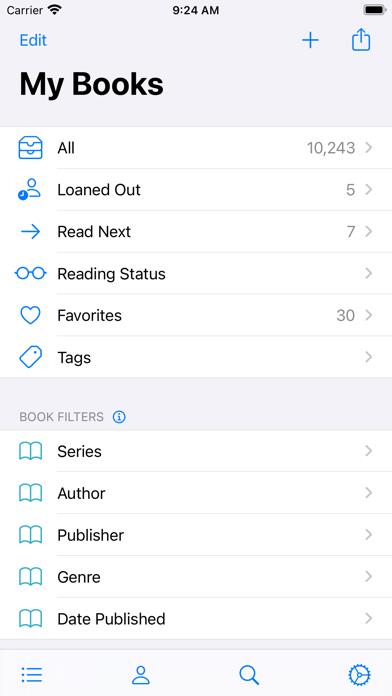
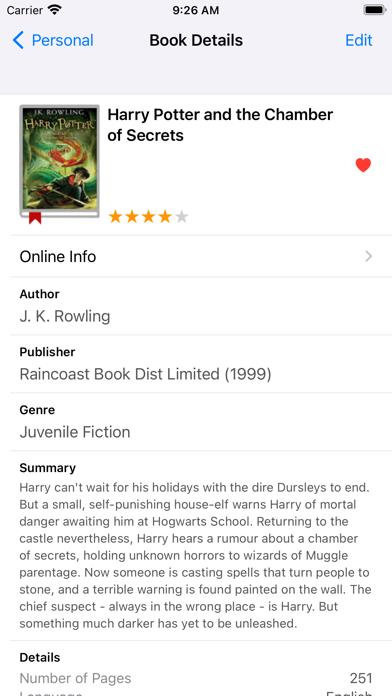
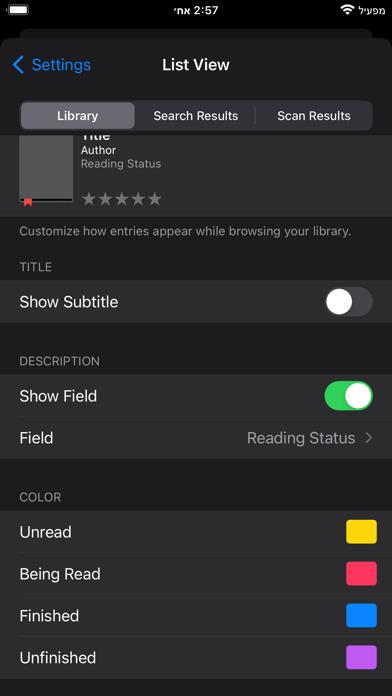
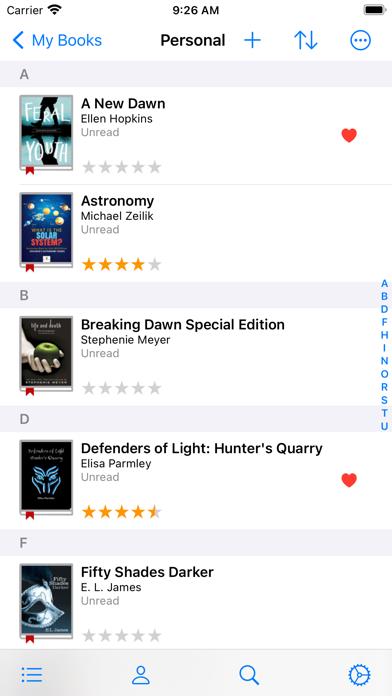
      BookBuddy is a powerful book management app that gives you access to your entire book catalog, anywhere. Using BookBuddy is fun and easy, allowing you to quickly find any book in your library, share your favorite books, and keep track of borrowed and lent books. KEY FEATURES • Adding Your Books Add your books using the following options: - Scan barcode - Enter ISBN - Search online by keyword - Add manually - Import from CSV file • Organizing Your Books Place your books where they belong: - My Books — books you own - Wish List — books you wish to own - Borrowed — books you borrowed from others - Previously Owned — books you no longer own • Syncing Your Library Sync your library across multiple devices using iCloud or Dropbox sync. • Sharing Your Library Share your library online via the BookBuddy Companion website and invite anyone to view it (requires a monthly subscription). MORE TO LOVE • Universal app — pay once and use BookBuddy on your iPhone, iPad, and Apple Silicon Mac. • Personalize — use categories and tags, mark favorites, add personal notes, and much more. • Appearance — choose either list or grid view to best match your needs. • Custom Filters — filter your library by multiple criteria. • Advanced Sorting — apply multi-level data sorting. • Loans — instantly track books that are currently loaned out. • Multiple selection — apply batch operations using multiple selection. • Reading Status — filter your books by their reading status. • Quick find — instantly find books by entering search keywords or scanning their barcodes. • Export — quickly export your library into CSV, PDF, or HTML formats. • Print — easily print selected books to AirPrint-enabled printers. • Backup — create backups to any cloud service. • Activity History — view the full history of your reading and loaning activities. • Duplicates — quickly detect duplicates and easily remove them. • Privacy — your library is saved locally and privately on your device. • And so much more! CLASSROOM LIBRARY MANAGER (for teachers) • Manage — use BookBuddy to manage your classroom library and track student checkouts. • Checkout History — easily track checkout history and view statistics. • Contacts — save your student names in BookBuddy Contacts rather than in your personal Contacts app. • Reading Level Fields — use various fields to track the reading level of your books. • Online Sharing — allow students to self-checkout books via the BookBuddy Companion website (requires a monthly subscription). FEEDBACK We love staying in touch with our users and we look forward to hearing from you! If you have any feedback, questions, or concerns, please email us at: [email protected] or visit: http://www.kimicoapps.com/support.html Follow us on Facebook: http://www.facebook.com/KimicoLtd * Privacy policy: https://www.iubenda.com/privacy-policy/12652322 * Terms and Conditions: https://www.iubenda.com/terms-and-conditions/12652322

      BookBuddy Pro: Library Manager Information

      Name BookBuddy Pro: Library Manager

      Category Books

      Developer Kimico, Ltd.

      Version 9.4.6

      Update 2023-04-07

      Languages EN,FR,DE,IT,JA,PT,RU,ZH,ES,ZH

      Size 26.35MB

      Compatibility Requires iOS 15.0 or later. Compatible with iPhone, iPad, and iPod touch.

      Other Original Version

      BookBuddy Pro: Library Manager Screenshot
      BookBuddy Pro: Library Manager
      BookBuddy Pro: Library Manager
      BookBuddy Pro: Library Manager
      BookBuddy Pro: Library Manager
      BookBuddy Pro: Library Manager
      BookBuddy Pro: Library Manager

      Rating

      4.9

      1622 Ratings

      Tap to Rate

      Please use Safari on iPhone/iPad to access the current page

      Because Panda Helper VIP service is based on iPhone/iPad device information (UDID), please access the current page in Safari on iPhone/iPad:
      • Scan the QR code on your iPhone/iPad
      • Copy the link below and open it in Safari on your iPhone/iPad
      * Safari only. Other browsers cannot get device information
      copy successfully!

      Follow us on social media

      panda helper top hover