Trending Searches

    History

      Clear All
      AR.Drone Sim Pro

      AR.Drone Sim Pro

      • Sizes: 117.96MB
      • Version: 1.0.1
      • Update: 2017-04-23
      Install by Apple Store

      AR.Drone Sim Pro Description

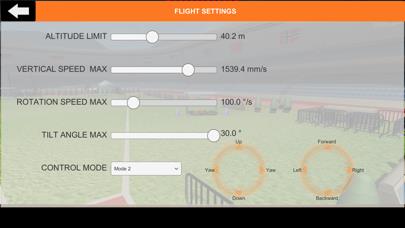
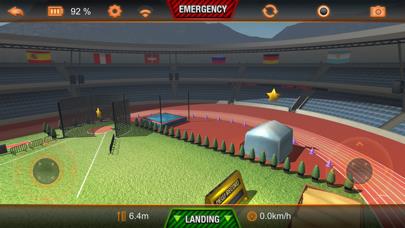
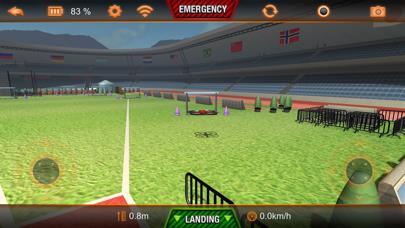
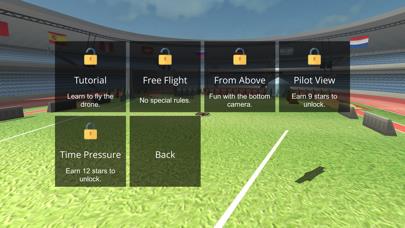
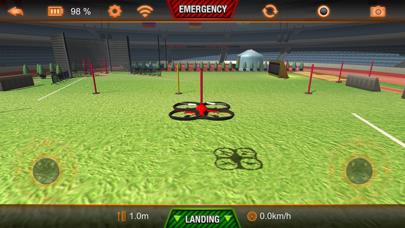
      Learn to fly Parrot's AR.Drone with this new simulator. It recreates the look and feel of the AR.FreeFlight app that is needed to control the AR.Drone. Practise your flying skills and gain confidence no matter what the weather. Structured like a game, you can play 5 "worlds" with 4 "levels" each. Knock down sticks with your AR.Drone, search and collect items, fly through hurdles and work against the clock to achieve stars that unlock new worlds. Settings are reduced to the most import ones for the simulator: max. altitude, max. vertical speed, max. rotation speed, max. tilt (controls the max. forward speed) Control modes are simplified with a drop down to select RC Mode 1, RC Mode 2, RC Mode 3 and RC Mode 4. Awesome physics and lovely graphics. Tip: Use the gfx quality slider in the main settings to set it as high as possible, while the FPS display shows still 30 FPS. (frames per second) This application is not endorsed by Parrot and Parrot is not offering support for the app. If you are experience any problems please use www.digitalsirup.com to get in touch with us or visit the english AR.Drone community on https://www.drone-forum.com

      AR.Drone Sim Pro Information

      Name AR.Drone Sim Pro

      Category Games

      Developer digitalsirup GmbH

      Version 1.0.1

      Update 2017-04-23

      Languages EN

      Size 117.96MB

      Compatibility Requires iOS 8.4 or later. Compatible with iPhone, iPad, and iPod touch.

      Other Original Version

      AR.Drone Sim Pro Screenshot
      AR.Drone Sim Pro
      AR.Drone Sim Pro
      AR.Drone Sim Pro
      AR.Drone Sim Pro
      AR.Drone Sim Pro

      Rating

      5.0

      1309 Ratings

      Tap to Rate

      Please use Safari on iPhone/iPad to access the current page

      Because Panda Helper VIP service is based on iPhone/iPad device information (UDID), please access the current page in Safari on iPhone/iPad:
      • Scan the QR code on your iPhone/iPad
      • Copy the link below and open it in Safari on your iPhone/iPad
      * Safari only. Other browsers cannot get device information
      copy successfully!

      Follow us on social media

      panda helper top hover