Trending Searches

    History

      Clear All
      AeroWeather Pro

      AeroWeather Pro

      • Sizes: 99.00MB
      • Version: 3.6.8
      • Update: 2023-05-18
      Install by Apple Store

      AeroWeather Pro Description

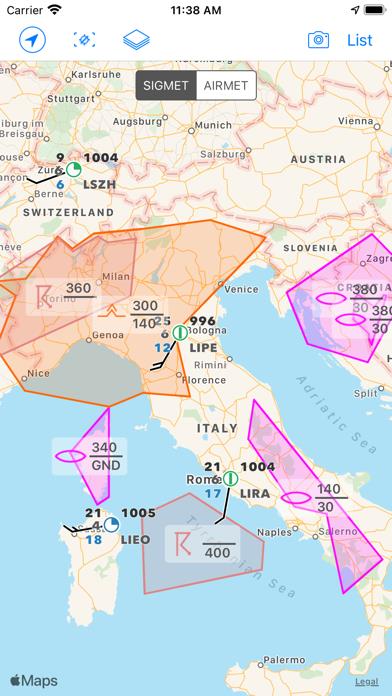
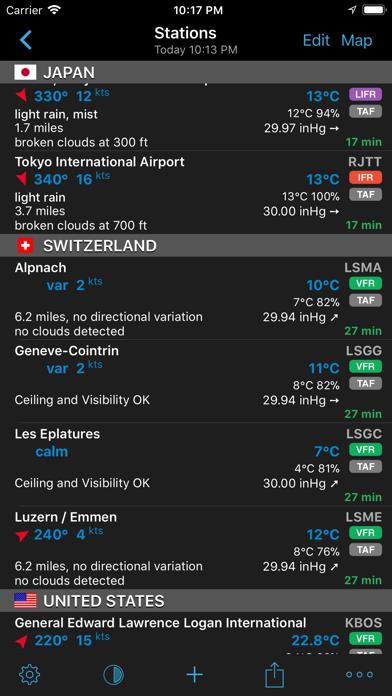
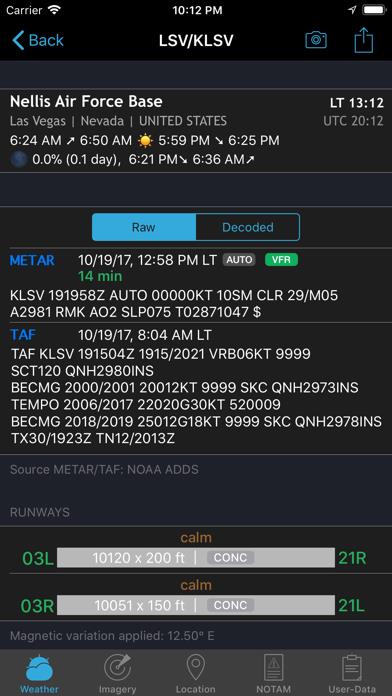
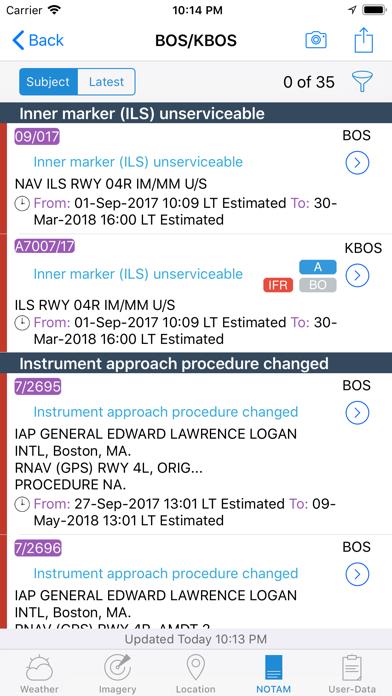
      *** AeroWeather: for pilots, aviation enthusiasts, and everyone who is serious about the weather! *** Current and precise weather conditions (METAR) and forecasts (TAF). AeroWeather Pro provides quick and intuitive access to METAR and TAF for airports worldwide. Data can be shown in its original (raw) format or as fully decoded and easy understandable texts. AeroWeather Pro is helpful for weather preflight-briefings, but also to just get very precise weather. All weather data is cached for offline access. In addition to weather data, AeroWeather Pro integrates also airport NOTAMs (provided by US FAA), webcam images around airports (provided by windy.com), FlightService access (US only), and US ATC delay information (provided by US FAA). AeroWeather Pro also offers built-in groups for earthquakes, nearby stations, and today widget (pre iOS14), which can be individually enabled on the top level view. Besides creating user groups it’s also possible to put stations on the same level user groups (e.g. home base). Depending on your needs, groups can be shown or hidden in the main list view. User groups can also be synchronized via Cloud Kit*. The app features a built-in airport database, which includes airport data like runways, sunrise/sunset, twilight times, moon times, timezones etc. METAR alert notifications** is another new and helpful feature to stay up-to-date. Define multiple alerts for each station with criteria like: flight rule (US NOAA), wind speed, temperature, pressure, present weather, visibility etc. Notifications will be sent to your device if the criteria is met (e.g., when flight rule becomes IFR). Dedicated METAR/TAF** access is optionally available. METAR/TAF data will come primarily from a certified ANSP (air navigation service provider) and is provided reliably and fast from our dedicated, redundant servers (indicated by blue checkmark underneath METAR/TAF). The AeroPix feature offers users the possibility to take quickly picture(s) of the weather at their current location. AeroWeather Pro comes with an Apple Watch app, which shows either a list of stations as defined in the Apple Watch group or all nearby stations based on the current location. METAR and TAF are displayed for each station. In addition, you can put AeroWeather as a complication in your watch face to stay up-to-date. An iMessage app is also included which lets you easily send METAR/TAF of any airport to other users. Please consult our web-site for a full description of all features. * Additional functionality which needs to be unlocked (one-time purchase). These purchases are not transferable between Lite, Pro, and Mac. ** SUBSCRIPTIONS Additional features which generate recurring operation costs for us will be offered within a subscription. The following features are enabled while 'First' subscription is active: - Dedicated METAR/TAF data source - Meteograms - Alert push notifications - D-ATIS (bigger US airports only) - Area Forecast Discussions (currently US only) - Home Screen Widgets for METAR, Plot, Meteogram (iOS 14 or higher) - Imagery and Charts (requires 'Captain' subscription) - SIGMETs (requires 'Captain' subscription) Additional features are also enabled when using AeroWeather Lite. The subscription varies in time periods (1 month, 12 months). The subscription is valid in both AeroWeather Lite and Pro. Cross app subscription support is only available if iCloud (with the same Apple ID) is enabled. Previously purchased unlock features are not affected and will work with or without subscription. Auto-renewal may be turned off at any time by going to your account settings. A payment will be charged to your iTunes account at the end of the free trial period. Your iTunes account will be charged for renewal within 24 hours prior to the end of the current period. No commitment - you can cancel any time. Pleas read the full “Subscription Terms of Use” at: https://www.lakehorn.com/subscription-terms-of-use/

      AeroWeather Pro Information

      Name AeroWeather Pro

      Category Weather

      Developer Lakehorn AG

      Version 3.6.8

      Update 2023-05-18

      Languages DA,NL,EN,FI,FR,DE,IT,JA,NB,PL,PT,RU,ZH,ES,SV

      Size 99.00MB

      Compatibility Requires iOS 12.1 or later. Compatible with iPhone, iPad, and iPod touch.

      Other Original Version

      AeroWeather Pro Screenshot
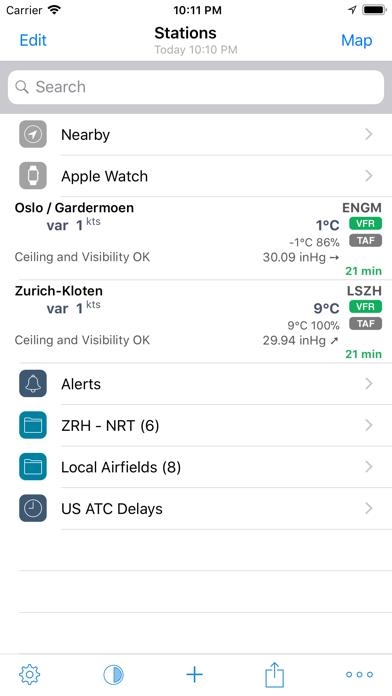
      AeroWeather Pro
      AeroWeather Pro
      AeroWeather Pro
      AeroWeather Pro
      AeroWeather Pro
      AeroWeather Pro
      AeroWeather Pro

      Rating

      4.8

      270 Ratings

      Tap to Rate

      Please use Safari on iPhone/iPad to access the current page

      Because Panda Helper VIP service is based on iPhone/iPad device information (UDID), please access the current page in Safari on iPhone/iPad:
      • Scan the QR code on your iPhone/iPad
      • Copy the link below and open it in Safari on your iPhone/iPad
      * Safari only. Other browsers cannot get device information
      copy successfully!

      Follow us on social media

      panda helper top hover