Trending Searches

    History

      Clear All
      Reading List: Book Tracker

      Reading List: Book Tracker

      • Sizes: 12.78MB
      • Version: 2.4.1
      • Update: 2023-02-22
      Install by Apple Store

      Reading List: Book Tracker Description

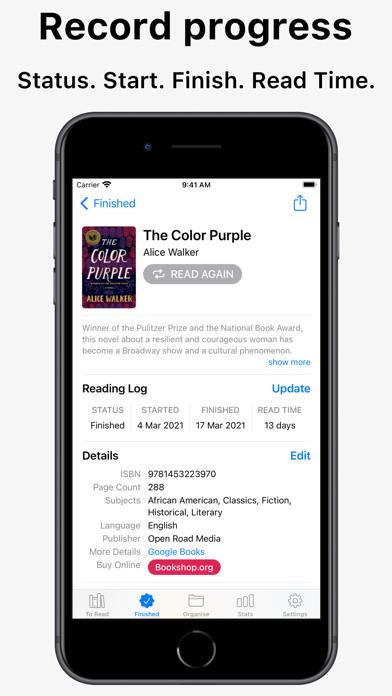
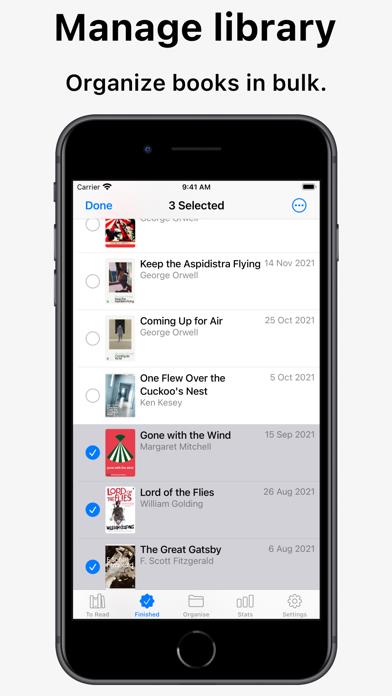
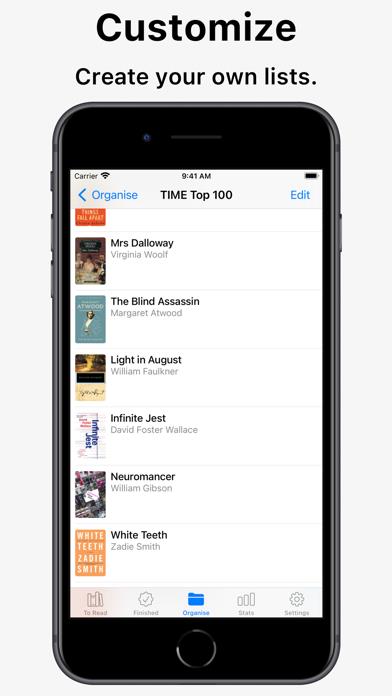
      Easily track books you’ve read, books you’re reading, and books you want to read. Record your progress by adding the start and finish date of your books. ADD NEW BOOKS • Scan the barcode of a book to quickly add it to your list • Search online to find and add books • Alternatively, add a book manually by typing in its details • Sync your data between all devices via iCloud TRACK YOUR READING • Quickly log the dates you start and finish each book with a tap or swipe • Order the books, to help plan what to read next • Create your own custom lists, like "Wishlist", "Favourites", etc • Record the current page of books you're reading • Add your own rating and notes to each book • View your reading statistics PRIVATE & PERSONAL • No online account or signup needed • All data is private, stored on-device or in your iCloud account • Export and import all your data Some premium features require Reading List Pro, which can be purchased in the app. The app remains fully-featured when used without Reading List Pro. Terms of Use: https://readinglist.app/termsofservice Privacy Policy: https://readinglist.app/privacypolicy

      Reading List: Book Tracker Information

      Name Reading List: Book Tracker

      Category Books

      Developer Andrew Bennet

      Version 2.4.1

      Update 2023-02-22

      Languages EN

      Size 12.78MB

      Compatibility Requires iOS 14.2 or later. Compatible with iPhone, iPad, and iPod touch.

      Other Original Version

      Reading List: Book Tracker Screenshot

      Reading List: Book Tracker
      Reading List: Book Tracker
      Reading List: Book Tracker
      Reading List: Book Tracker
      Reading List: Book Tracker
      Reading List: Book Tracker
      Reading List: Book Tracker

      Rating

      4.7

      829 Ratings

      Tap to Rate

      Please use Safari on iPhone/iPad to access the current page

      Because Panda Helper VIP service is based on iPhone/iPad device information (UDID), please access the current page in Safari on iPhone/iPad:
      • Scan the QR code on your iPhone/iPad
      • Copy the link below and open it in Safari on your iPhone/iPad
      * Safari only. Other browsers cannot get device information
      copy successfully!

      Follow us on social media

      panda helper top hover