Trending Searches

    History

      Clear All
      QuickBend: Conduit Bending

      QuickBend: Conduit Bending

      • Sizes: 26.54MB
      • Version: 2.3.6
      • Update: 2020-10-24
      Install by Apple Store

      QuickBend: Conduit Bending Description

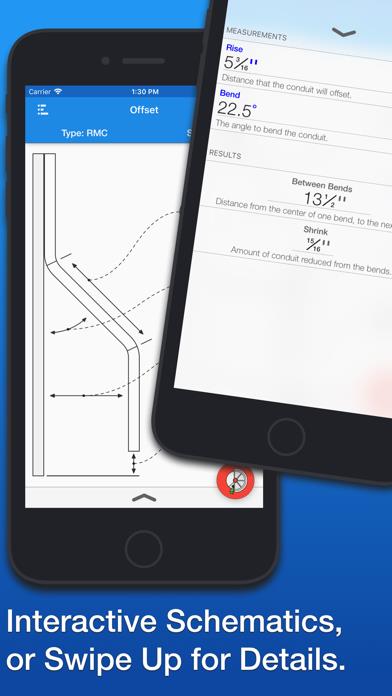
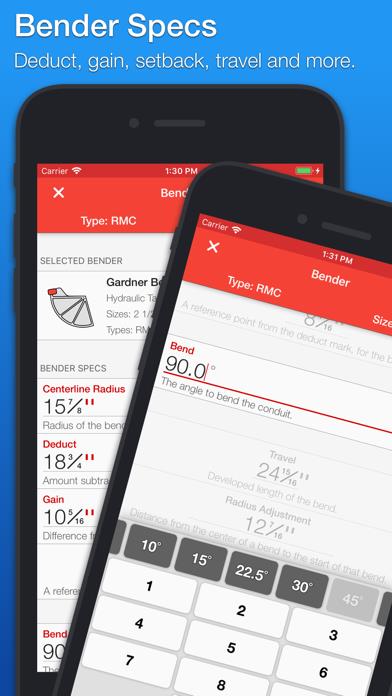
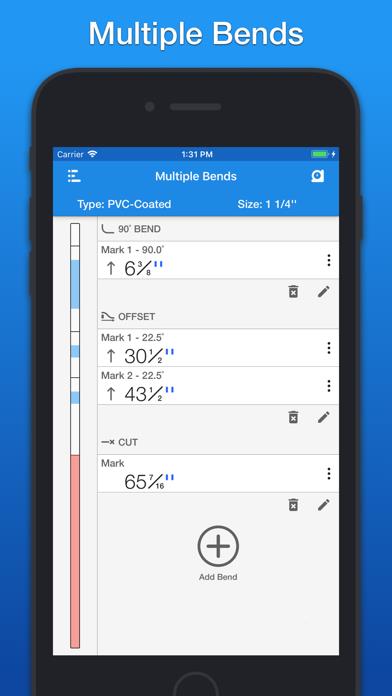
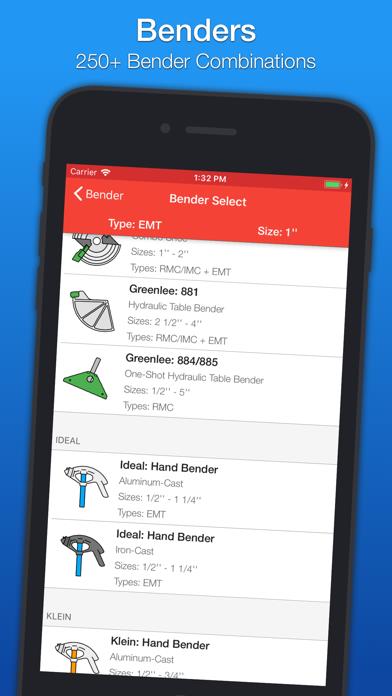
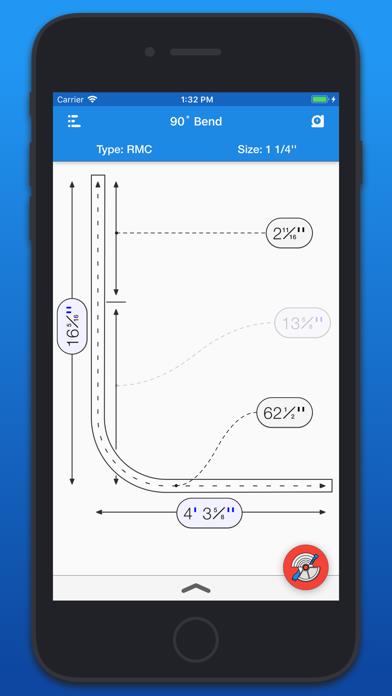
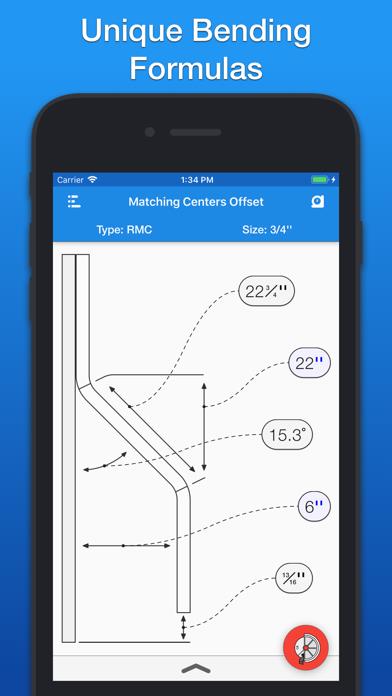
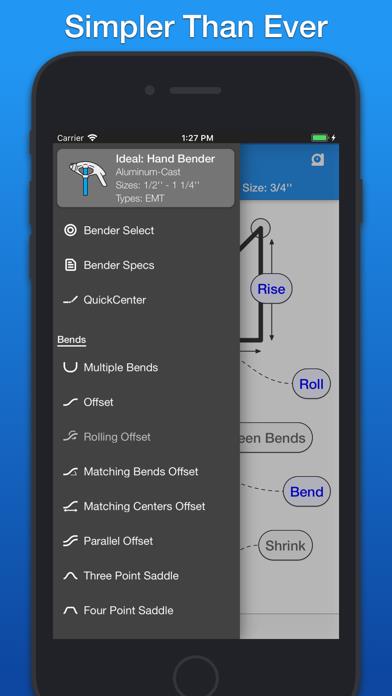
      QuickBend is the quickest and most accurate conduit bending calculator app. QuickBend is an advanced conduit bending calculator that was created to be fast and accurate while being visually appealing, innovative, and intuitive. Offering you the most accurate measurements using the center-line radius algorithm based upon the bender that you're using. Easily select between different types of benders and choose the size of the shoe and conduit type that you're using. The last bender that you selected will be the bender that appears when you open the app up again. See and edit your bender's information (Center-line Radius, Deduct, Gain, Setback, Travel, and Radius Adjustment) within the 'Bender Specs' section. QuickBend supports the following bends. • Offset • Rolling Offset • Matching Bends Offset • Matching Centers Offset • Parallel Offset • Three-Point Saddle • Four-Point Saddle • 90 • Kick With 90 • Matching Bend Kick • Matching Center Kick • Parallel Kick • Multiple Parallel Kicks • Compound 90 - Circle Obstruction • Compound 90 - Rectangle Obstruction • Compound 90 - Square Obstruction • Segmented 90 QuickBend Benders • Cosecant (Okay. it's not a bender, however; if you prefer the multiplier method with no radius. It's available.) • Current Tools: 750/751 • Current Tools: 77 • Current Tools: 747 • Gardner Bender: Big Ben • Gardner Bender: Sidewinder • Gardner Bender: Electric Sidewinder • Gardner Bender: B2000 Cyclone • Gardner Bender: Ultra Eegor • Gardner Bender: B300 Series • Greenlee: Hand Benders • Greenlee: 1800/1801 • Greenlee: 1818 • Greenlee: 555 • Greenlee: 854DX • Greenlee: 855GX • Greenlee: 881 • Greenlee: 884/885 • Ideal: Hand Benders • Klein: Hand Benders QuickBend Multiple Bends • Layout multiple bends on a single stick of conduit. • Offset to Obstruction • Offset from Obstruction • Three Point Saddle • Four Point Saddle • 90 Bend, Kick • Kick with 90 • Place a cut mark for those rare occasions that you need to cut and thread the conduit before bending. • Flip bends around. • Graphic representation of where the bend/cut will layout on a stick of conduit. • Bend layouts are based on your benders centerline radius, deduct, and gain. • Toggle 'Measure to Centers' to help line up conduits when working on raceways with multiple conduit sizes. QuickBend includes a protractor level which is easily accessible and can be Zeroed by a simple tap. QuickBend allows you to pick between either form of measurements, imperial (inches) or metric (cm). QuickBend's QuickCheck indicates if bends are impossible by a subtle change of turning the measurements and text red. QuickBend's center-line radius algorithm is especially useful when bending conduit that is larger than 1 inch and bends that exceed 30 degrees. If you'd like to make any suggestions or just want to say 'hi' please e-mail me at [email protected]

      QuickBend: Conduit Bending Information

      Name QuickBend: Conduit Bending

      Category Productivity

      Developer Bret Hardman

      Version 2.3.6

      Update 2020-10-24

      Languages EN,ES

      Size 26.54MB

      Compatibility Requires iOS 11.0 or later. Compatible with iPhone, iPad, and iPod touch.

      Other Original Version

      QuickBend: Conduit Bending Screenshot
      QuickBend: Conduit Bending
      QuickBend: Conduit Bending
      QuickBend: Conduit Bending
      QuickBend: Conduit Bending
      QuickBend: Conduit Bending
      QuickBend: Conduit Bending
      QuickBend: Conduit Bending

      Rating

      4.7

      791 Ratings

      Tap to Rate

      Please use Safari on iPhone/iPad to access the current page

      Because Panda Helper VIP service is based on iPhone/iPad device information (UDID), please access the current page in Safari on iPhone/iPad:
      • Scan the QR code on your iPhone/iPad
      • Copy the link below and open it in Safari on your iPhone/iPad
      * Safari only. Other browsers cannot get device information
      copy successfully!

      Follow us on social media

      panda helper top hover