Trending Searches

    History

      Clear All
      Publix

      Publix

      • Sizes: 163.76MB
      • Version: 4.44
      • Update: 2022-11-09
      Install by Apple Store

      Publix Description

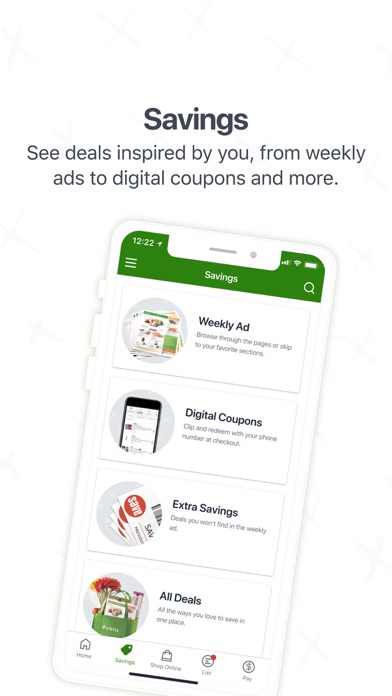
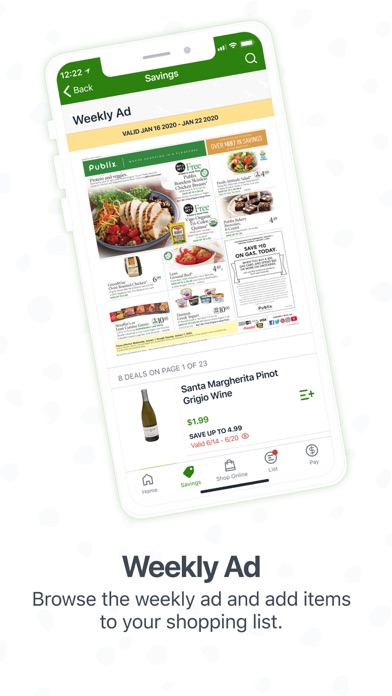
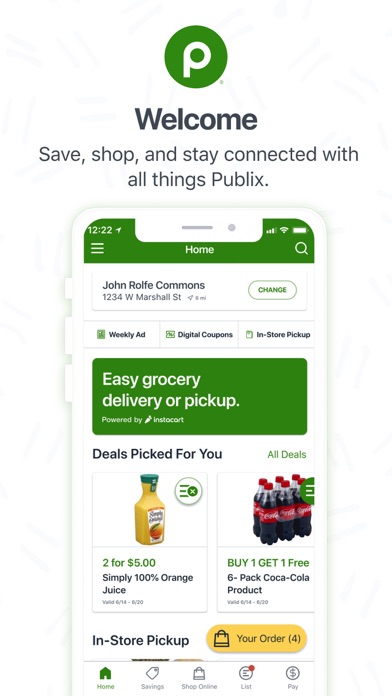
      Never miss a deal or a meal with the Publix app. We’ve designed our app to help you save money and time, whether you’re looking for deals on items you actually buy or ordering your favorite ham and cheese sub—we’ll even remember the pickles! To get the most out of our app, join Club Publix and get hand-picked deals, surprise savings, sneak peeks, and other benefits just for being a member. Plus: - Browse our weekly ads, clip digital coupons, and search for deals by category. - Pay and automatically redeem your digital coupons in store at checkout. - Order custom subs, sliced meats, or cheeses and we’ll have them ready for you. You can order custom cakes and platters, too. - Reorder your favorites with a few taps on your phone. - Choose an ordering service: delivery, in-store pickup, or curbside pickup. - Search for products and see related information, including sales, coupons, and in-store pickup availability. - Create, save, and access shopping lists and see aisle locations. - Add items to your shopping list, including sale items, coupons, favorites, and items from your purchase history. - Use the barcode scanner to scan and add items to your shopping list. Love Publix? Like us on Facebook: http://www.facebook.com/publix Follow us on Twitter: http://www.twitter.com/publix

      Publix Information

      Name Publix

      Developer Publix Super Markets, Inc.

      Version 4.44

      Update 2022-11-09

      Languages EN

      Size 163.76MB

      Compatibility Requires iOS 13.0 or later. Compatible with iPhone, iPad, and iPod touch.

      Other Original Version

      Publix Screenshot
      Publix
      Publix
      Publix
      Publix
      Publix
      Publix

      Rating

      5.0

      1181 Ratings

      Tap to Rate

      Please use Safari on iPhone/iPad to access the current page

      Because Panda Helper VIP service is based on iPhone/iPad device information (UDID), please access the current page in Safari on iPhone/iPad:
      • Scan the QR code on your iPhone/iPad
      • Copy the link below and open it in Safari on your iPhone/iPad
      * Safari only. Other browsers cannot get device information
      copy successfully!

      Follow us on social media

      panda helper top hover