Trending Searches

    History

      Clear All
      Payments reminder

      Payments reminder

      • Sizes: 2.34MB
      • Version: 3.22
      • Update: 2021-01-02
      Install by Apple Store

      Payments reminder Description

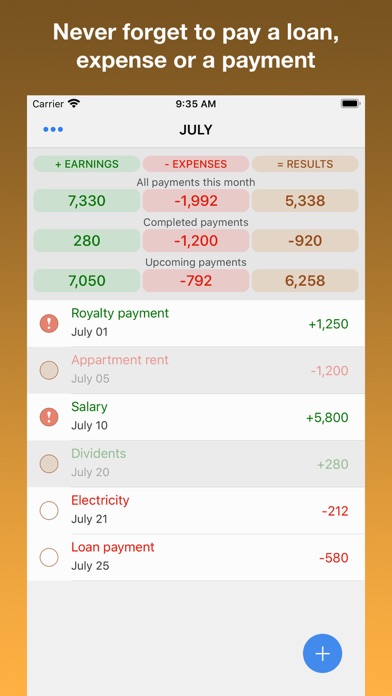
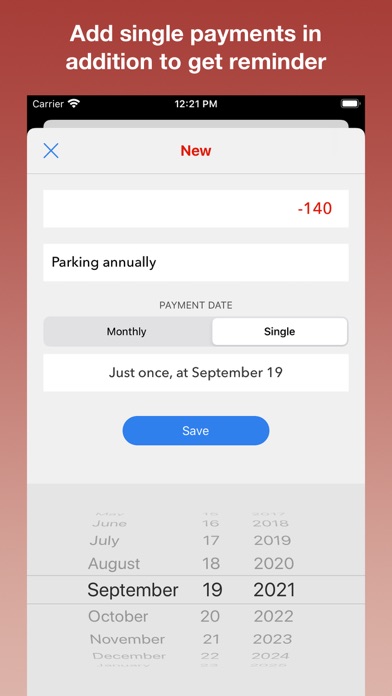
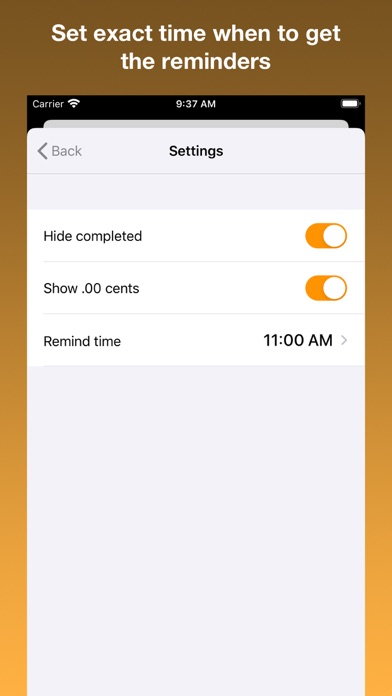
      Introducing Payments Reminder - The simplest way to organize your payments. Forget about those complicated apps that are way too frustrating to use and say yes to a payments reminder app which is straightforward and extremely simple to use. INCOME Enter your monthly income or any income you earn throughout the month within the app. The income are highlighted in green color. EXPENSES Enter your monthly expenses to be paid throughout the month. Expenses are highlighted in red. PAID See you're already paid monthly expenses and payments clearly on the dashboard. UPCOMING Overview your upcoming payments while checking your current balance. Plan your funds! REMINDERS For the upcoming payments that are due, you can receive notifications that will serve as reminders to not forget and pay the amount you owe. Alternatively, set exact time and date when to get the reminders. Download the simple finance app that will organise your earnings and expenses in a neat way!

      Payments reminder Information

      Name Payments reminder

      Category Finance

      Developer Evgeny Turchaninov

      Version 3.22

      Update 2021-01-02

      Languages NL,EN,FR,DE,IT,JA,PT,RU,ZH,ES,ZH

      Size 2.34MB

      Compatibility Requires iOS 13.0 or later. Compatible with iPhone, iPad, and iPod touch.

      Other Original Version

      Payments reminder Screenshot

      Payments reminder
      Payments reminder
      Payments reminder
      Payments reminder
      Payments reminder
      Payments reminder
      Payments reminder

      Rating

      5.0

      1389 Ratings

      Tap to Rate

      Please use Safari on iPhone/iPad to access the current page

      Because Panda Helper VIP service is based on iPhone/iPad device information (UDID), please access the current page in Safari on iPhone/iPad:
      • Scan the QR code on your iPhone/iPad
      • Copy the link below and open it in Safari on your iPhone/iPad
      * Safari only. Other browsers cannot get device information
      copy successfully!

      Follow us on social media

      panda helper top hover