Trending Searches

    History

      Clear All
      Inpaint

      Inpaint

      • Sizes: 2.00MB
      • Version: 2.0.1
      • Update: 2022-09-01
      Install by Apple Store

      Inpaint Description

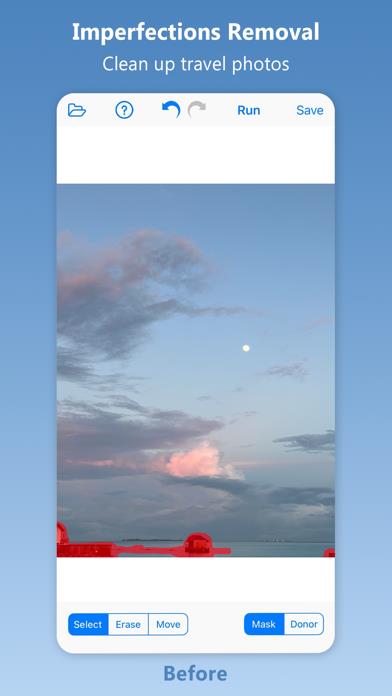
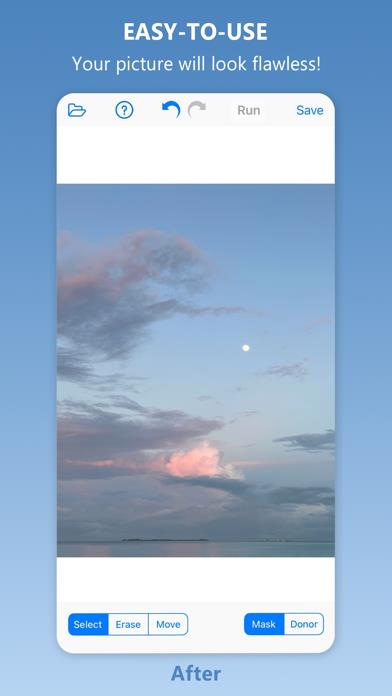
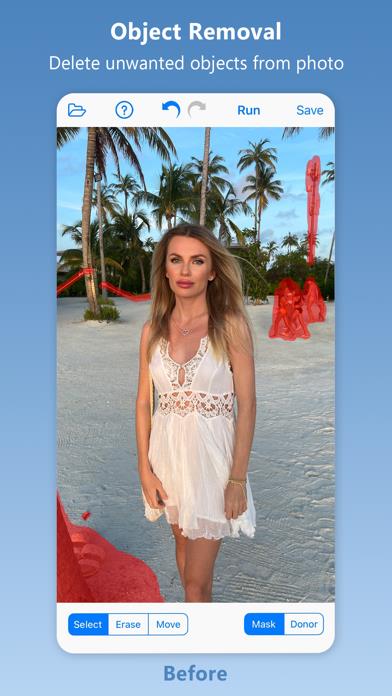
      Inpaint - Magically Remove Objects From Your Photos! Top Reasons to use Inpaint *Remove unwanted objects *Repair old photos *Remove watermarks *Delete unwanted people from photo *Erasing wires and power lines *Digital Facial retouching *Remove date stamps *Erase wrinkles and skin blemishes *Remove tourists from travel photos *Remove text or logo from images *Easy to get use & started *Completely non-technical Inpaint photo restoration software reconstructs the selected image area from the pixels near the area boundary. Remove undesirable objects from your images, such as logos, watermarks, power lines, people, text or any other undesired artefacts. There's no need to manually go through messing around with your old clone tool any more! Now you can use Inpaint to easily remove all those unexpected objects that end up spoiling an otherwise really great photograph. Aside from the information we truly want to see on our photographs, there are also many not so crucial for composition if not worse. These are camera date stamps, watermarks placed by various websites, and other objects we don't want to be on a picture. After all, if you gonna hang a photo on a wall, you want it to look eye-catching not due to various visual wreckage on it. So remove it with Inpaint! With simple and efficient tools you are able to remove any unwanted elements totally effortlessly.

      Inpaint Information

      Name Inpaint

      Category Photography

      Developer Maxim Gapchenko

      Version 2.0.1

      Update 2022-09-01

      Languages EN

      Size 2.00MB

      Compatibility Requires iOS 12.0 or later. Compatible with iPhone, iPad, and iPod touch.

      Other Original Version

      Inpaint Screenshot
      Inpaint
      Inpaint
      Inpaint
      Inpaint

      Rating

      4.6

      264 Ratings

      Tap to Rate

      Please use Safari on iPhone/iPad to access the current page

      Because Panda Helper VIP service is based on iPhone/iPad device information (UDID), please access the current page in Safari on iPhone/iPad:
      • Scan the QR code on your iPhone/iPad
      • Copy the link below and open it in Safari on your iPhone/iPad
      * Safari only. Other browsers cannot get device information
      copy successfully!

      Follow us on social media

      panda helper top hover