Trending Searches

    History

      Clear All
      Fragger 2

      Fragger 2

      • Sizes: 142.76MB
      • Version: 1.0
      • Update: 2015-05-18
      Install by Apple Store

      Fragger 2 Description

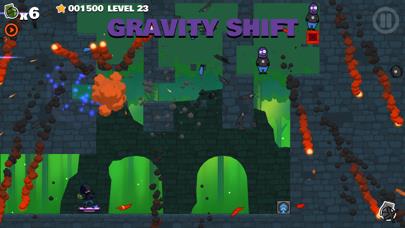
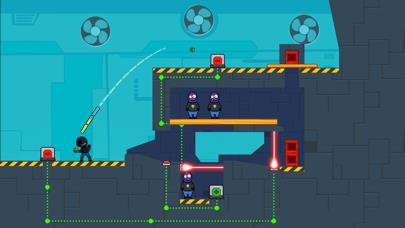
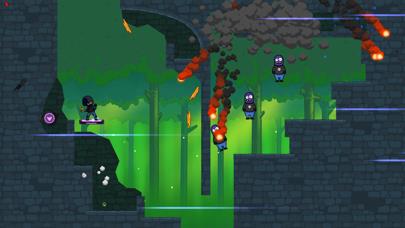
      The long awaited sequel is finally here! Fragger is back and better than ever with all-new puzzles and explosive mayhem! Introducing all new puzzle mechanics, like Gravity Boxes and Laser Switches. Complete your missions by using your trusty hand grenades to solve puzzles and destroy the enemy. Enjoy the satisfying rain of debris as you blast your way to victory. Conquer 3 worlds with a total of 90 levels. Each world introduces new gameplay elements and increasingly engaging puzzles. Featuring very simple and responsive touch controls that allow anyone to easily pick up and play. "The colorful new style and great new explosion effects are just icing on a solidly designed cake." -TouchArcade ""I'm loving Fragger 2 for the polished graphics, simple controls, and challenging puzzles." -AppAdvice This App is optimized for both iPhone and iPad devices. It contains graphics sets for both retina HD and non-HD retina devices. So you'll enjoy beautiful graphics on both your phone and your tablet, from the same App! *** Recommended for iPhone 4S and above *** Fragger 2 is brought to you from the original creator of Fragger. I hope you have a blast!

      Fragger 2 Information

      Name Fragger 2

      Category Games

      Developer Harold Brenes

      Version 1.0

      Update 2015-05-18

      Languages EN

      Size 142.76MB

      Compatibility Requires iOS 6.0 or later. Compatible with iPhone, iPad, and iPod touch.

      Other Original Version

      Fragger 2 Screenshot

      Fragger 2
      Fragger 2
      Fragger 2
      Fragger 2
      Fragger 2

      Rating

      5.0

      1059 Ratings

      Tap to Rate

      Please use Safari on iPhone/iPad to access the current page

      Because Panda Helper VIP service is based on iPhone/iPad device information (UDID), please access the current page in Safari on iPhone/iPad:
      • Scan the QR code on your iPhone/iPad
      • Copy the link below and open it in Safari on your iPhone/iPad
      * Safari only. Other browsers cannot get device information
      copy successfully!

      Follow us on social media

      panda helper top hover