Trending Searches

    History

      Clear All
      Fluent Reader Lite

      Fluent Reader Lite

      • Sizes: 54.90MB
      • Version: 1.0.3
      • Update: 2022-06-27
      Install by Apple Store

      Fluent Reader Lite Description

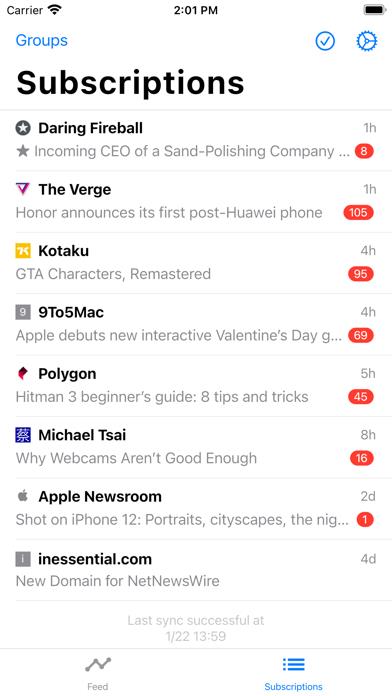
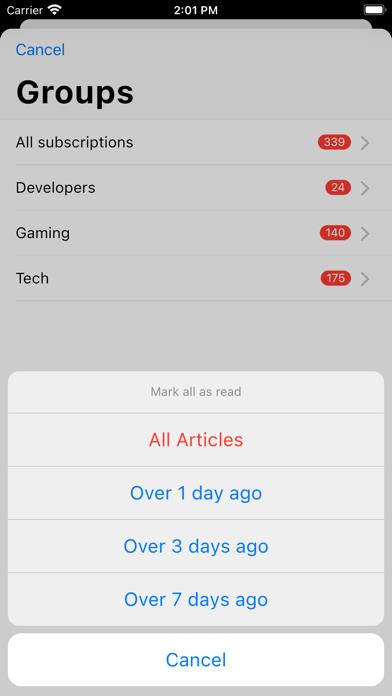
      Fluent Reader Lite is a simplistic, cross-platform, and open-source RSS client. The following self-hosted and commercial RSS services are supported. * Fever API (TT-RSS Fever plugin, FreshRSS, Miniflux, etc.) * Google Reader API (Bazqux Reader, The Old Reader, etc.) * Inoreader * Feedbin (official or self-hosted) Other key features include: * Dark mode for UI and reading. * Configure sources to load full content or webpage by default. * A dedicated subscriptions tab organized by latest updates with article titles. * Search for local articles or filter by read status. * Organize subscriptions with groups. * Support for two-pane view and multitasking on iPad. The following features from the desktop app are *NOT* present: * Local RSS support and source / group management. * Importing or exporting OPML files, full application data backup & restoration. * Regular expression rules that mark articles as they arrive. * Fetch articles in the background and send push notifications. * Keyboard shortcuts.

      Fluent Reader Lite Information

      Name Fluent Reader Lite

      Category News

      Developer Jieyu Yan

      Version 1.0.3

      Update 2022-06-27

      Languages HR,EN,FR,DE,PT,ZH,ES,UK

      Size 54.90MB

      Compatibility Requires iOS 10.0 or later. Compatible with iPhone, iPad, and iPod touch.

      Other Original Version

      Fluent Reader Lite Screenshot

      Fluent Reader Lite
      Fluent Reader Lite
      Fluent Reader Lite
      Fluent Reader Lite
      Fluent Reader Lite
      Fluent Reader Lite
      Fluent Reader Lite

      Rating

      4.7

      1383 Ratings

      Tap to Rate

      Please use Safari on iPhone/iPad to access the current page

      Because Panda Helper VIP service is based on iPhone/iPad device information (UDID), please access the current page in Safari on iPhone/iPad:
      • Scan the QR code on your iPhone/iPad
      • Copy the link below and open it in Safari on your iPhone/iPad
      * Safari only. Other browsers cannot get device information
      copy successfully!

      Follow us on social media

      panda helper top hover