Trending Searches

    History

      Clear All
      Fliqlo

      Fliqlo

      • Sizes: 1.77MB
      • Version: 2.1.3
      • Update: 2022-10-26
      Install by Apple Store

      Fliqlo Description

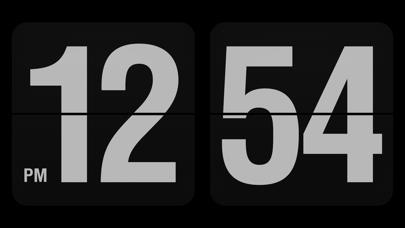
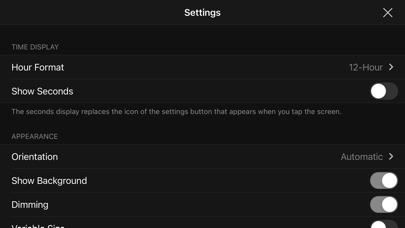
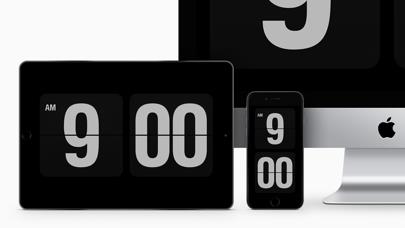
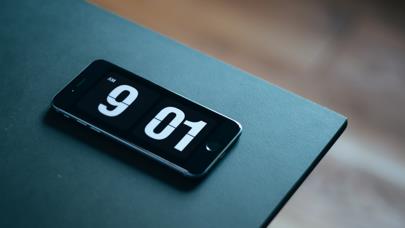
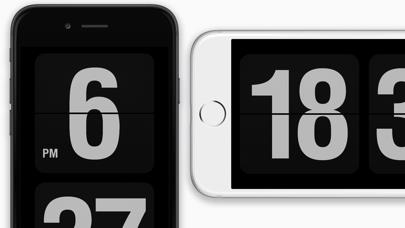
      This is a clock app that re-creates the behavior of a vintage flip clock with a modern and minimal design. On Mac, Fliqlo has long been popular as a screensaver module with the same design since its first release in 2002, and this iOS/iPadOS app is also made with exactly the same design. With its large, highly visible font, you can check the time even from a distance. Also, in everyday life and at work, its modest matt black presence does not distract you or disrupt your productivity, even when using the app for extended periods of time. Its full-screen appearance integrates with the iPhone/iPad device body and blends into your living space ambience, as if it were a minimalist home decor item. FEATURES: - Switch between 12/24 hour clock - Switch between portrait and landscape mode - Option to show seconds when tapping screen - Brightness/dimness control inside the app - Show/hide background tiles - Enlarge/reduce to any size NOTES: - Your device’s Auto-Lock is disabled while this clock is active in the foreground. - This app does not start automatically like the Mac screensaver. - You cannot replace your device’s Lock Screen with this clock.

      Fliqlo Information

      Name Fliqlo

      Category Lifestyle

      Developer Yuji Adachi

      Version 2.1.3

      Update 2022-10-26

      Languages DA,NL,EN,FI,FR,DE,EL,ID,IT,JA,KO,MS,NB,PT,RU,ZH,ES,SV,TH,ZH,TR,VI

      Size 1.77MB

      Compatibility Requires iOS 13.2 or later. Compatible with iPhone, iPad, and iPod touch.

      Other Original Version

      Fliqlo Screenshot
      Fliqlo
      Fliqlo
      Fliqlo
      Fliqlo
      Fliqlo

      Rating

      4.7

      888 Ratings

      Tap to Rate

      Please use Safari on iPhone/iPad to access the current page

      Because Panda Helper VIP service is based on iPhone/iPad device information (UDID), please access the current page in Safari on iPhone/iPad:
      • Scan the QR code on your iPhone/iPad
      • Copy the link below and open it in Safari on your iPhone/iPad
      * Safari only. Other browsers cannot get device information
      copy successfully!

      Follow us on social media

      panda helper top hover