Trending Searches

    History

      Clear All
      ETA - GPS & maps driving times

      ETA - GPS & maps driving times

      • Sizes: 26.83MB
      • Version: 2.6.7
      • Update: 2023-04-29
      Install by Apple Store

      ETA - GPS & maps driving times Description

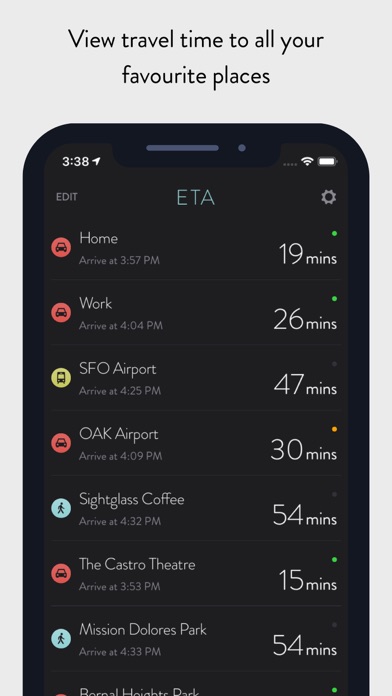
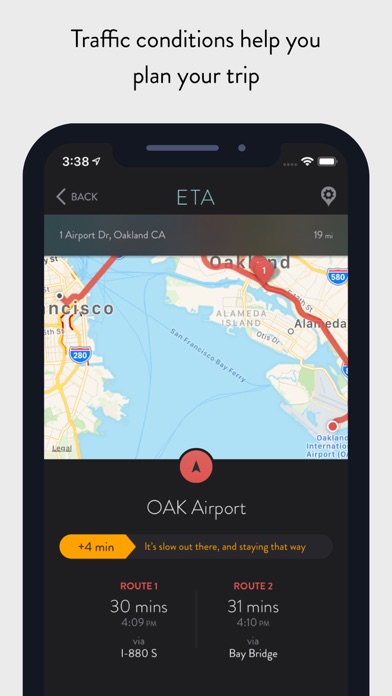
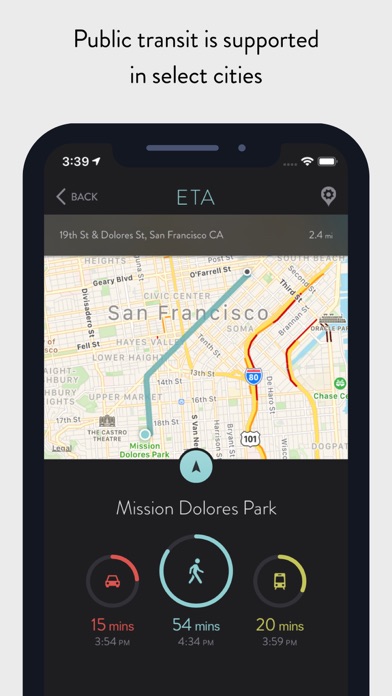
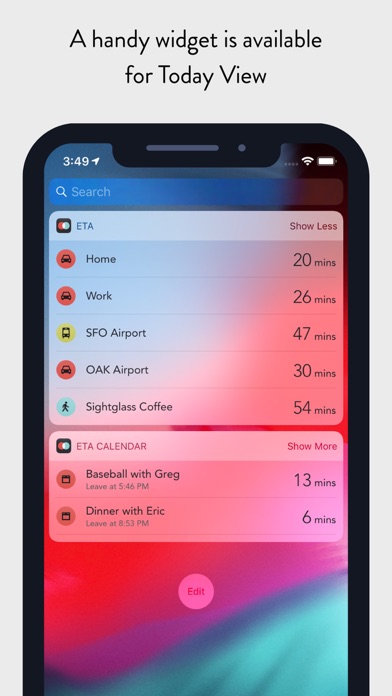
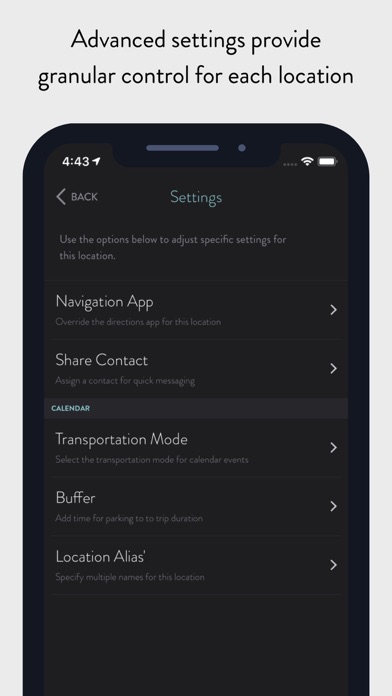
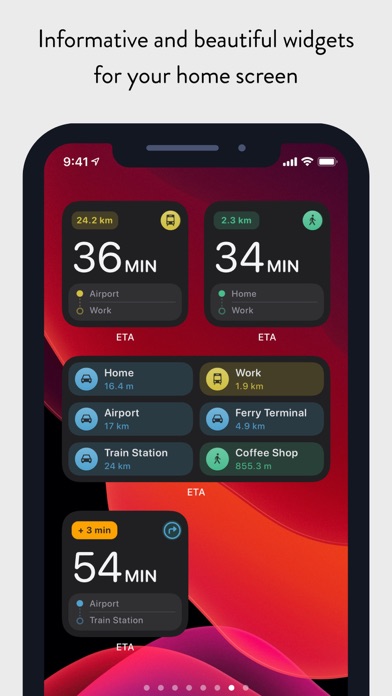
      ** ETA supports the latest iOS and watchOS features including informative iOS Home Screen widgets and powerful complications for your Apple Watch watch face. With ETA you'll always know how long it'll take to get to your destination. ** ETA instantly shows travel time (including support for driving, public transit*, cycling* and walking) to your favourite places. When driving, ETA also supplies traffic information that details any delays on your route. ## The only app that provides driving times and traffic information on your iPhone Home Screen ## Our thoughtfully designed iOS Home Screen widgets will keep you informed of the travel and traffic situation without you needing to open the app. The calendar widget automatically retrieves your appointments so you know when best to leave to arrive on time. In line with Apple's guidelines our Home Screen widgets update at regular intervals during the day. ## The only app that shows driving time on your watch face ## You can rely on ETA to show you travel time on the watch face of your Apple Watch. Whether you travel by car, bike, public transit or foot, ETA will update in the background and show you an updated travel time as you move. ETA adheres to Apple's guidelines and updates at minimum every 15 minutes ensuring your watch face displays current travel time and traffic conditions. ## The only app that gives you travel time to meetings and appointments in one place ## ETA's 'set and forget' calendar functionality is a must have to keep you on time for your appointments and meetings. Once setup, ETA automatically monitors your calendar (securely and privately on your device) and displays travel time and traffic conditions for your upcoming events. This is available across our apps on iOS and Apple Watch, on your Apple Watch watch face as well in widgets on your iPhone Home Screen and Today View. ## Five star support ETA is backed by our great support to help you get the most from the app. Browse our knowledgeable or reach out to one of our friendly support members. We're here for you whether you have a simple question or need a helping hand getting the best from a feature. === ETA has a long history on the App Store since initial launch in the Australian summer of 2014. The app has grown and evolved over that time welcoming hundreds-of-thousands of happy users. Read our many user reviews here on the App Store and also from our friends in the press across publications such as TechCrunch, MacStories, iMore, Wired, FastCompany, Gizmodo, Macworld and more. ETA is your personal assistant providing you with quick access to travel times and traffic conditions to all your favourite destinations. Don't drive? Don't worry! ETA also supports public transit (in select cities), cycling (Apple Watch only) and walking. Share your arrival time securely to friends and family via our interative iMessage cards. In a tap get driving directions in your favourite maps app. Driving times to your locations are conveniently presented on a single screen with an indication of current traffic alongside. In a tap you're delivered pre-routed, turn-by-turn driving directions in your favourite navigation app. ETA works with Apple Maps, Google Maps, Waze, HERE Maps, CityMapper, Transit, TomTom and more. Travelling by transit? No problems, ETA has you covered. In addition to driving and walking, ETA offers travel time travelling by public transportation (check http://www.apple.com/ios/feature-availability/#transit to see if this feature is available in your area). Our Apple Watch app allows you to start cycling and walking workouts to your locations. ETA for Apple Watch works with Apple Health to sync workouts and activity data. # Countries Supported # To calculate travel time ETA requires Apple Maps support for driving directions in your country. Please check the following list to ensure ETA will work in your area: https://www.apple.com/ios/feature-availability/#maps-directions

      ETA - GPS & maps driving times Information

      Name ETA - GPS & maps driving times

      Category Navigation

      Developer Eastwood

      Version 2.6.7

      Update 2023-04-29

      Languages NL,EN,FR,DE,ID,IT,JA,MS,NB,PT,RU,ZH,ES,SV,TH,VI,CY

      Size 26.83MB

      Compatibility Requires iOS 14.0 or later. Compatible with iPhone, iPad, and iPod touch.

      Other Original Version

      ETA - GPS & maps driving times Screenshot
      ETA - GPS & maps driving times
      ETA - GPS & maps driving times
      ETA - GPS & maps driving times
      ETA - GPS & maps driving times
      ETA - GPS & maps driving times
      ETA - GPS & maps driving times
      ETA - GPS & maps driving times

      Rating

      5.0

      591 Ratings

      Tap to Rate

      Please use Safari on iPhone/iPad to access the current page

      Because Panda Helper VIP service is based on iPhone/iPad device information (UDID), please access the current page in Safari on iPhone/iPad:
      • Scan the QR code on your iPhone/iPad
      • Copy the link below and open it in Safari on your iPhone/iPad
      * Safari only. Other browsers cannot get device information
      copy successfully!

      Follow us on social media

      panda helper top hover