Trending Searches

    History

      Clear All
      CameraVision

      CameraVision

      • Sizes: 0.93MB
      • Version: 2.1.0
      • Update: 2018-12-18
      Install by Apple Store

      CameraVision Description

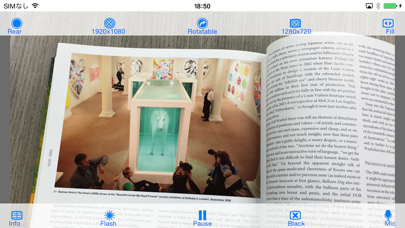
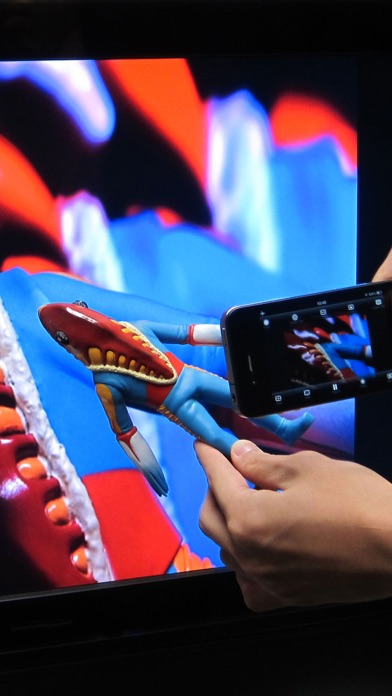
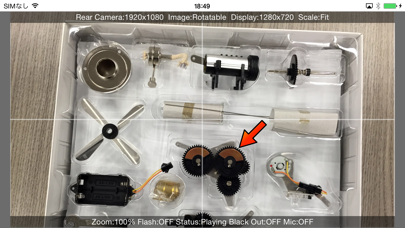
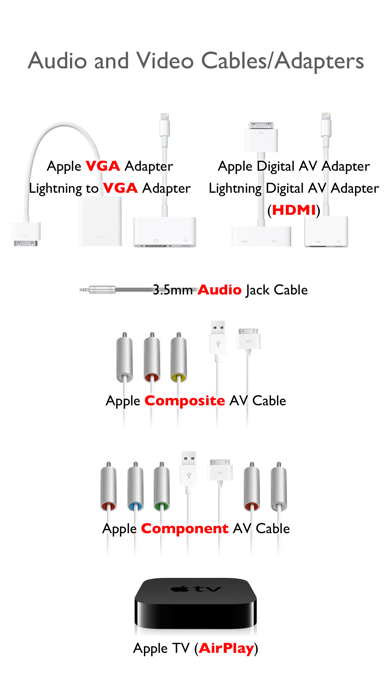
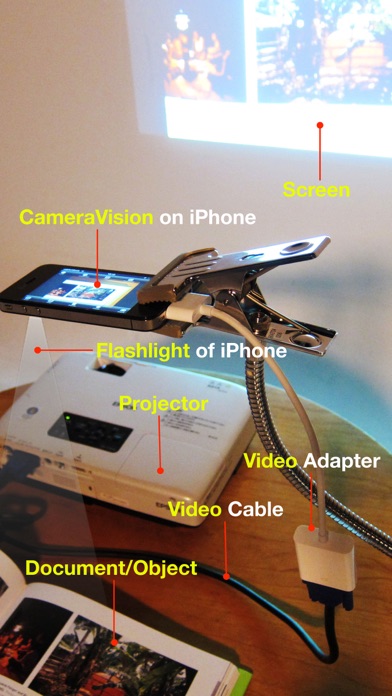
      "CameraVision" outputs the images of the built-in camera and the corresponding sounds from the built-in microphone to an external device such as a projector or a TV monitor. This application can be used similar to a "document camera (overhead projector)" or a "live camera" to project documents, objects, people or scenes onto a large screen. In addition, showing a still image from Photo Albums is possible. A dock/Lighting-connector adapter/cable can be used and the wireless transfer to Apple TV (AirPlay) is also supported. The following adapters/cables are supported: - Lightning to VGA Adapter - Lightning Digital AV Adapter (HDMI) - Apple VGA Adapter - Apple Digital AV Adapter (HDMI) - Apple Composite AV Cable - Apple Component AV Cable - Apple TV (2nd generation and later) This application has the functions listed below. You can set them up easily using the buttons on the screen. - Rear camera / front camera switching - Camera image resolution switching from SD (640x480 pixels) up to Full HD (1920x1080 pixels) - External display image resolution switching from SD (640x480 pixels) up to Full HD (1920x1080 pixels) - Scale mode switching of "Fit", "Fill" or "Resize" - Image rotation switching of "Rotatable" or "Fixed" - Image pausing or playing - Flash light switching - Audio output from microphone - Display of an on-screen pointer at touched position - Display of a grid image - useful to adjust image projection - Display of setting informations on an external display - Image black out switching - Automatic adjustment of focus, exposure and white balance - Displaying a still image from Photo Albums - Image zooming by double-tap or pinch - Paused image saving and sharing * These functions depend on devices and adapter/cables used. * Please unplug and then plug your dock adapter/cable if no image is shown on the external display properly. * Microphone input can be sent to an external speaker via HDMI, Composite or Component cable with the camera image. It can be sent wirelessly to Apple TV (AirPlay). When using a VGA cable, plug an audio cable to iPhone's headphone jack. * To work with Apple TV, tap the home button twice, then go to the leftmost page, tap the AirPlay button, select your Apple TV and turn on mirroring. iOS: Use AirPlay Mirroring http://support.apple.com/en-us/HT201335

      CameraVision Information

      Name CameraVision

      Category Bussiness

      Developer Masayuki Akamatsu

      Version 2.1.0

      Update 2018-12-18

      Languages EN,JA,KO

      Size 0.93MB

      Compatibility Requires iOS 9.0 or later. Compatible with iPhone, iPad, and iPod touch.

      Other Original Version

      CameraVision Screenshot
      CameraVision
      CameraVision
      CameraVision
      CameraVision
      CameraVision

      Rating

      4.5

      1759 Ratings

      Tap to Rate

      Please use Safari on iPhone/iPad to access the current page

      Because Panda Helper VIP service is based on iPhone/iPad device information (UDID), please access the current page in Safari on iPhone/iPad:
      • Scan the QR code on your iPhone/iPad
      • Copy the link below and open it in Safari on your iPhone/iPad
      * Safari only. Other browsers cannot get device information
      copy successfully!

      Follow us on social media

      panda helper top hover