Trending Searches

    History

      Clear All
      Baby's Musical Hands

      Baby's Musical Hands

      • Sizes: 50.76MB
      • Version: 1.2.1
      • Update: 2017-06-26
      Install by Apple Store

      Baby's Musical Hands Description

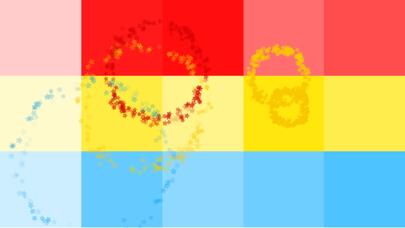
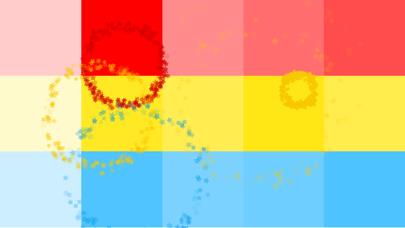
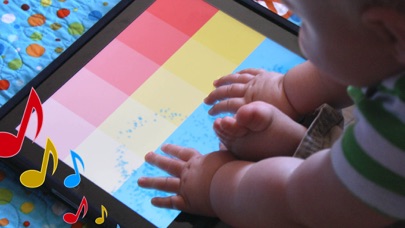
      Baby's Musical Hands is an award-winning musical toy for babies and toddlers for the iPad, iPhone, and iPod touch. As a game designer and developer, I love my iOS devices. But as a new father, I realized how much my son loves them too. I decided I could put my experience developing for iOS to use, and build an app for my son to play with. Baby's Musical Hands was born! --= Awards for Baby's Musical Hands =-- Best Infant App (iOS) - 2011 Best App Ever Awards Editor's Choice Award - Children's Technology Review --= Reviews for Baby's Musical Hands =-- "Baby's Musical Hands Is a Magical App" - GeekDad - Wired.com "Baby's Musical Hands is a great choice to increase the understanding of cause and effect in the youngest app users" - GiggleApps "...any kid would find the fun in this one" - TUAW Baby's Musical Hands features 15 brightly colored squares that your baby can touch. Red squares make drum sounds, yellow squares play piano notes, and blue squares play guitar notes. Every time your baby touches the screen, colorful stars will burst from their fingers. Watch them delight in the audio and visual feedback! Baby's Musical Hands supports full multi-touch, meaning your baby gets the kind of feedback they expect when touching the screen. I'd love to hear from you if your son or daughter loves Baby's Musical Hands as much as mine! Please like the Baby's Musical Hands facebook page to stay up to date on what's new with the app: http://www.facebook.com/BabysMusicalHands Owen Goss Father Founder, Streaming Colour Studios ========== TIP: In iOS 6 or later, you can use your device's Accessibility options to disable the home button, so your child won't accidentally quit Baby's Musical Hands: - Open your iPhone or iPad's Settings app - Tap on: General > Accessibility > Guided Access - Turn Guided Access on - Set a Passcode (remember what this is) - Press the Home button to quit the settings app - Open Baby's Musical Hands - Triple-click the Home button - Tap "Start" in the top-right corner of the screen - The Home button is now disabled When you are ready to quit Baby's Musical Hands: - Triple-click the Home button - Enter your Passcode - Tap "End" in the top-left corner of the screen - Press the Home button to quit the app

      Baby's Musical Hands Information

      Name Baby's Musical Hands

      Category Games

      Developer Streaming Colour Studios

      Version 1.2.1

      Update 2017-06-26

      Languages EN

      Size 50.76MB

      Compatibility Requires iOS 8.0 or later. Compatible with iPhone, iPad, and iPod touch.

      Other Original Version

      Baby's Musical Hands Screenshot
      Baby's Musical Hands
      Baby's Musical Hands
      Baby's Musical Hands

      Rating

      4.6

      1582 Ratings

      Tap to Rate

      Please use Safari on iPhone/iPad to access the current page

      Because Panda Helper VIP service is based on iPhone/iPad device information (UDID), please access the current page in Safari on iPhone/iPad:
      • Scan the QR code on your iPhone/iPad
      • Copy the link below and open it in Safari on your iPhone/iPad
      * Safari only. Other browsers cannot get device information
      copy successfully!

      Follow us on social media

      panda helper top hover