 Panda Helper
 Panda Helper iOS
VIP Version Free Version Jailbroken Version- Panda Helper >
- iOS Apps >
- AlevioOS - Local Ai Hack

AlevioOS - Local Ai Hack Description
- PREMIUM
• Note: Restart the app to activate the subscription.
AlevioOS - Local Ai Hack Guide
Terms of Use (EULA): https://www.apple.com/legal/internet-services/itunes/dev/stdeula/
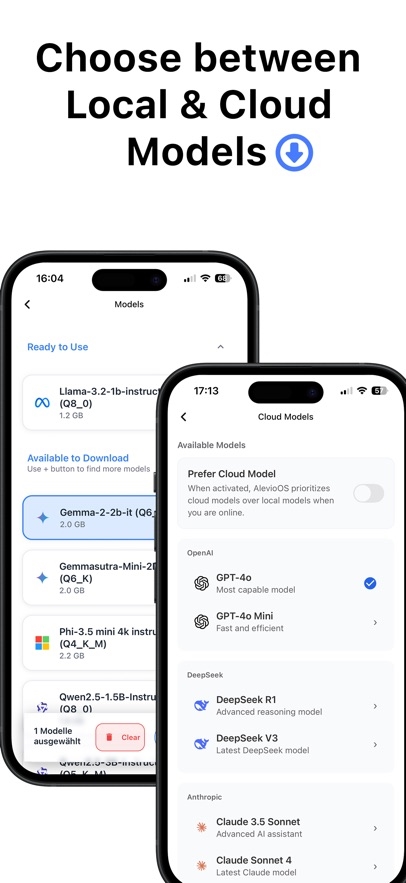
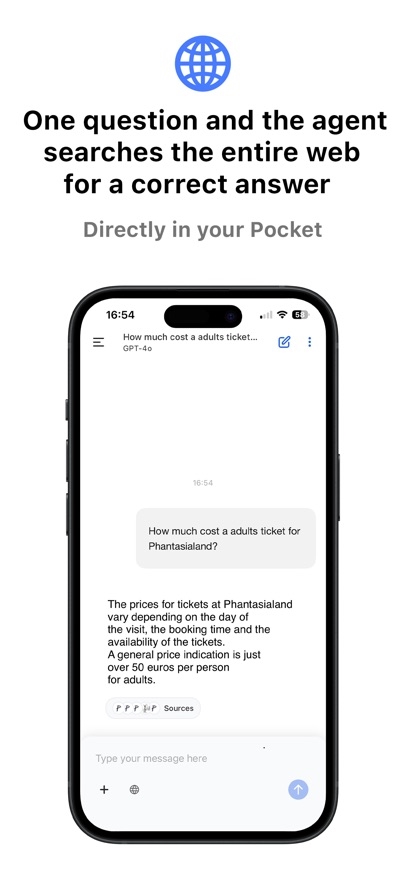
AlevioOS is a next-generation AI platform built for mobile. Switch effortlessly between cutting-edge cloud models like Claude, GPT, and more – or run everything fully offline with fast and lightweight local AI like the custom-built Alevio Smart V1.
Run Local AI: Enjoy blazing-fast performance with on-device models – no internet, no data sharing.
Cloud Model Access: Tap into powerful AI from industry leaders like Anthropic, OpenAI, and more.
Alevio Smart V1: Our own optimized model designed specifically for mobile use – fast, private, and smart.
Image AI: Create stunning AI images or analyze uploaded visuals in seconds.
Seamless Switching: Choose the right model for every task – cloud or local – with just a tap.
Whether you're experimenting with AI art, analyzing content, or just want full control over your assistant – AlevioOS gives you freedom, flexibility, and speed in one clean experience
Panda Features


AlevioOS - Local Ai Hack Information
Name AlevioOS - Local Ai Hack
Category Productivity
Developer Panda Helper
Version 2.5.1
Update 2026-05-06
Languages English
Size 46.00MB
Compatibility Requires iOS 14.0 or later. Compatible with iPhone, iPad, and iPod touch.
Other Original Version
AlevioOS - Local Ai Hack Screenshot

Rating
Tap to Rate

Panda Helper
App Market








Latest News
The Best Translator English to Spanish What to do if Roblox won't load: solving connection issues via VPN Getting Better Results from AI Video Tools How to Convert Hotel TVs into Smart Hospitality TVs Using an STB for Scalable Guest Entertainment Upgrades Stop Hiring for Language: Automate 35+ Languages with Multilingual TTS API Global Threats, Local Defenses: Navigating the Future of Cybersecurity
